Participant
December 25, 2021
Question

Portrait Videos are Stretched Vertically

  • December 25, 2021
  • 3 replies
  • 2201 views

Hello,

I have a fair amount of experience with Premiere but have run into a new issue. 

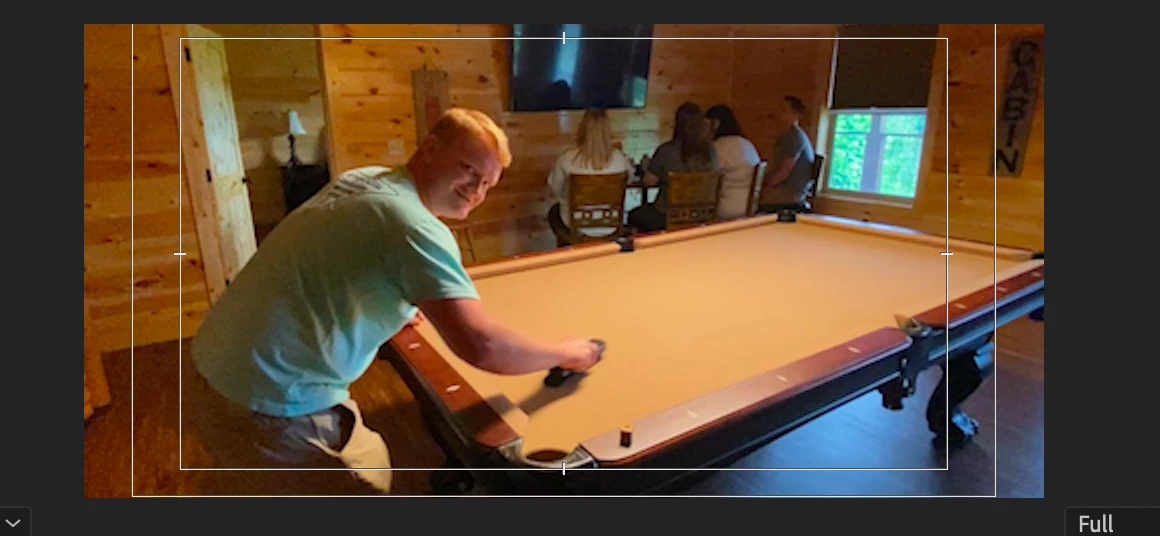
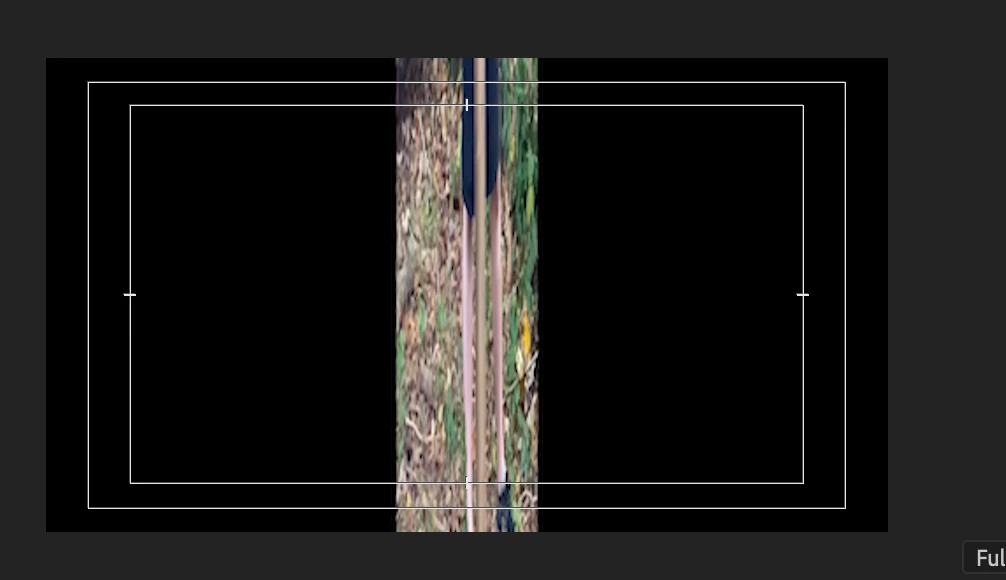
Most of my clips are filmed on iPhone. Landscape clips are rendering properly, but portrait clips are rendering stretched vertically. 

I've created proxies for all of my clips. Both the proxy and sequence settings are matched as Quicktime. 

I've rerun the proxy multiple times but still have the issue. This started happening after the media drive was removed from my computer. 

Here is a landscape:
Here is a portrait:
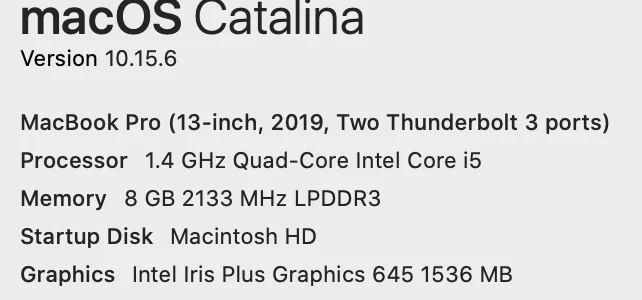
OS: 
 Any help would be appreciated


This topic has been closed for replies.

3 replies

Jeff Bellune
Legend
December 27, 2021

In Pr, go to Clip>Modify>Interpret Footage and make sure everything is set properly there.

talented_member1587
Known Participant
December 29, 2021

This morning I had an Advanced Adobe help tech adjust my preference settings to resolve the color issues with iPhone/GoPro issues. Everything is now looking right with the footage. The tech said there was no need to transcode any of my footage on handbrae or to interpret footage with the 709 color after the preference settings he implemented (caveat: I'm on a brand new macbook pro with an M1 Pro chip - so that result might be based on the computer I'm using?) I was cut off from the tech help call before we were finished, so I didn't realize until afteward that now the proxies PR creates from the project panel are now a complete mess - no matter what Codec/Setting I use. Some are squished. Some are washed out. Some are bright red. Some are sideways or upside down. The only commonality is that none of them look at all like the original media, making the proxy workflow unhelpful. Adobe's tutorial page on proxies talks about creating a preset directly in Media Encoder, so I went over there and tried everything I could think of to get a proxy created that looked fairly close to the original media. I don't dare mess with PR settings now that the tech got things working well with the color and the timelines. But I do wish I could still use proxies. 


A further search on google didn't reveal any suggested export settings for creating proxies with all the changes happening with the 2022 color space issues. So far none of the suggested settings that I've found out there and tried to implement have resolved the issues of the wonky proxies, so I'm guessing that there are new settings that need to be implemented when creating a ME proxy preset for the current version if using HEVC footage from iPhones and GoPros.


Is anyone else feeling like Adobe land has become its own version of the Squid Games? One right step leads you to four more potentially fatal steps...


If anyone has any suggestions for creating a preset that will work for proxies, I'd love to know.

Christian.Z
Community Expert
Community Expert
December 27, 2021

Have you tried resetting preferences and/or reseting your workspace?
Reset your preferences by holding shift+alt (or option) when you launch Premiere


Richard van den Boogaard
Community Expert
Community Expert
December 27, 2021

PPro does not handle VFR content (e.g. from a mobile phone) very well. This is likely the source of your troubles.


Please use a program like handbrake (www.handbrake.fr) to transcode the clips to constant frame rate first.


Second, after transcoding, there should be no need to work with proxies for this type of footage.

MyerPj
Community Expert
Community Expert
December 25, 2021

First thing I would try is clearing the cache:

• Start PP from it's normal desktop icon (IE: don't open from a project file link).
Close the Open/Home screen (and you will be in PP without a project open).
• Go into Edit/Preferences/Media Cache (Mac users adjust menu name)
• Then Press: Remove Media Cache Files: and Delete...
• Select: Delete all media cache files from the system and OK
Close PP - It will create any needed cache files on the fly as you edit.

Participant
December 26, 2021

I've followed the steps you provided and am still experiencing the same issues. Are there any other suggestions?

Peru Bob
Community Expert
Community Expert
December 26, 2021

Please use the free MediaInfo and post a screenshot of the properties of your media in tree view:
https://mediaarea.net/en/MediaInfo

Many users are having issues with VFR. If the file is variable frame rate, use Handbrake to convert to constant frame rate:
https://handbrake.fr/downloads.php
Here is a tutorial:
https://www.youtube.com/watch?time_continue=34&v=xlvxgVREX-Y