PP 2023 Dynamic Link Server loads forever/crashes
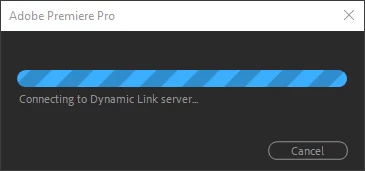
I use AE comps in my Premiere Pro projects and everything's been going fine the past few weeks. Until today where my AE comps show up as "Media Offline" on my PP timeline. When I try to link them back up, the window that pops up saying "Connecting to Dynamic Link server" has a loading bar, but it loads forever. I left it going for over 20 minutes and still nothing. These are short comps that are a few seconds long btw so the file sizes aren't anywhere that large to be taking this long. There's other times when I restart PP and the offline files will instead say "Media Pending" in yellow in the Program window. And they stay that way forever. The option to link media is greyed out for those clips so there's nothing I can do.
I'm using the latest versions of PP and AE as of me writing this post. Every single Adobe app I have are all at their latest versions too.
I tried downgrading PP and AE to earlier versions. But when I try to re-link the offline AE comps, Premiere crashes. I restarted my computer for good measure, opened up the comps on AE to make sure they're fine, and just about everything else I could think of but nothing works. Old forums from years ago say the way to fix a problem similar to mine is to uncheck "Enable Multi-Frame Rendering" option in AE settings, but that didn't work either. What did Adobe do? Anyone know how to fix this?
 AdChoices