

MIMguy
Participant
May 15, 2018
Question

PREM color correction BUG in LUMETRI

  • May 15, 2018
  • 1 reply
  • 214 views

When color correcting a RED FILE .RD3 using Lumetri which works fine,

but when you copy the same clip exactly above it in the timeline
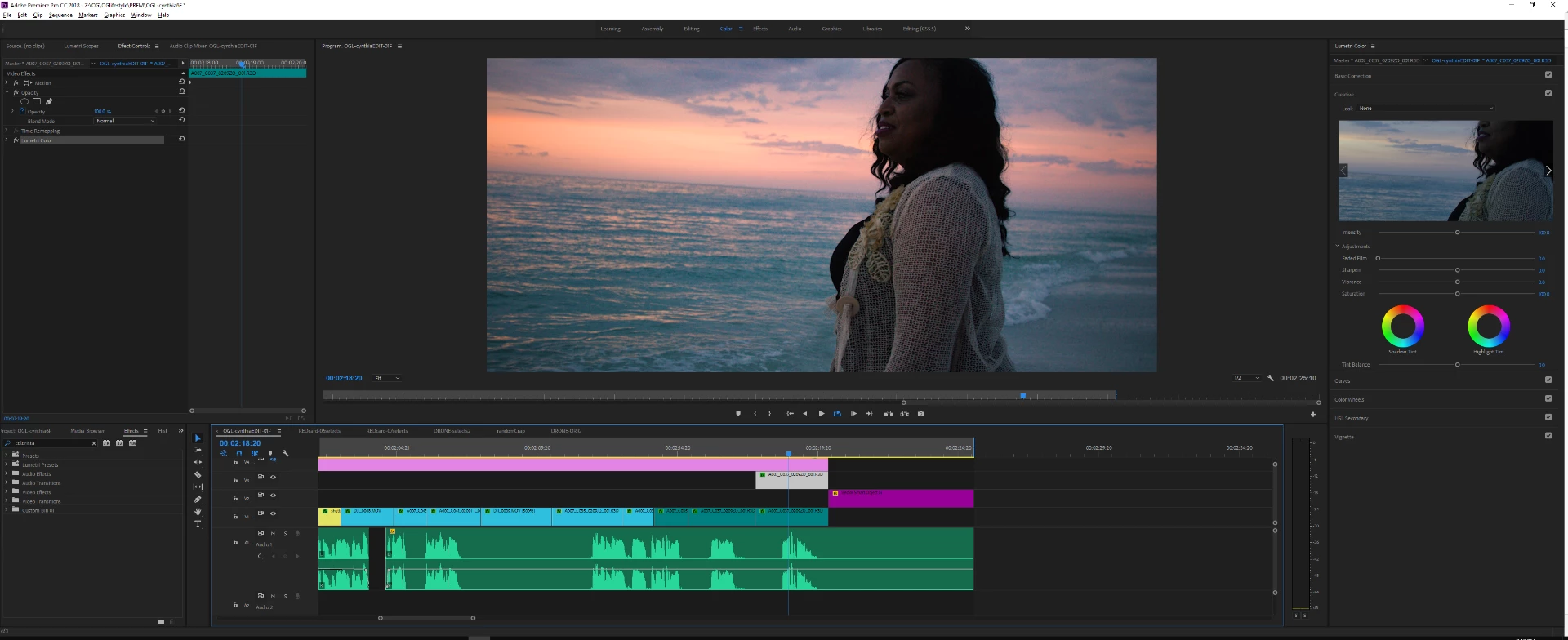
But you want to create a MASK.. the colors go VERY DARK WEIRD.

The opacity BLEND MODE is on verfied to be on NORMAL. - so why is it doing that?
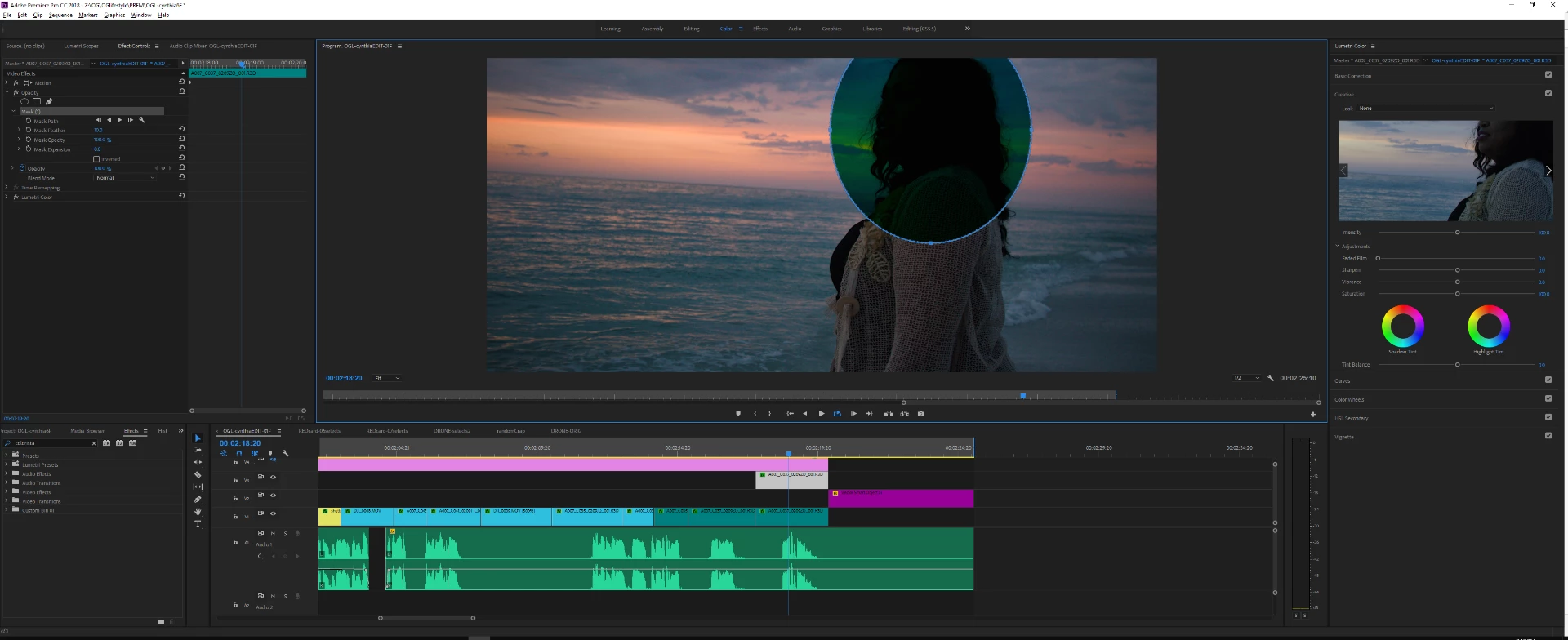
What is the work around for mask applications to brighten some areas and darken others
without it going weird?

    This topic has been closed for replies.

    1 reply

    Legend
    May 15, 2018

    Your technique is...odd.

    Apply Masks to the Lumetri effect directly.  Apply multiple Lumetri effects to the same clip.

    MIMguy
    MIMguyAuthor
    Participant
    May 15, 2018

    odd? Its only a technique used in hollywood by colorists and famous YOUTUBERS like

    Matti Haapoj when in other applications like COLORISTA etc   But hey what do they  know..

    MIMguy
    MIMguyAuthor
    Participant
    May 15, 2018

    your method worked but it doesn't explain why it shouldn't work the other way as I am trying to OFFSET the AREA with a different effect and warp for a style without going into AE.

    but AE it will have to be..