
Premier Pro won't play / preview videos (black screen)
Hi -
So I'm a newbie to premier pro (only created 4 projects so far) and I've run into an issue where I can't play / preview any videos on premier pro. Whether it's a new clip (I've checked if it's corrupted and played the .mp4 file other places) or an pre-existing project, the source pane and the preview (program pane? sorry for termonology) are black. If I click the play button on either nothing works and it just sits there and not do anything. To be more explicit, the pause button never shows up and the play button just sits there and is unresponsive. At no point in time do thumbnails appear in eith pane if I move around to a different point in the clip....just always a black screen.
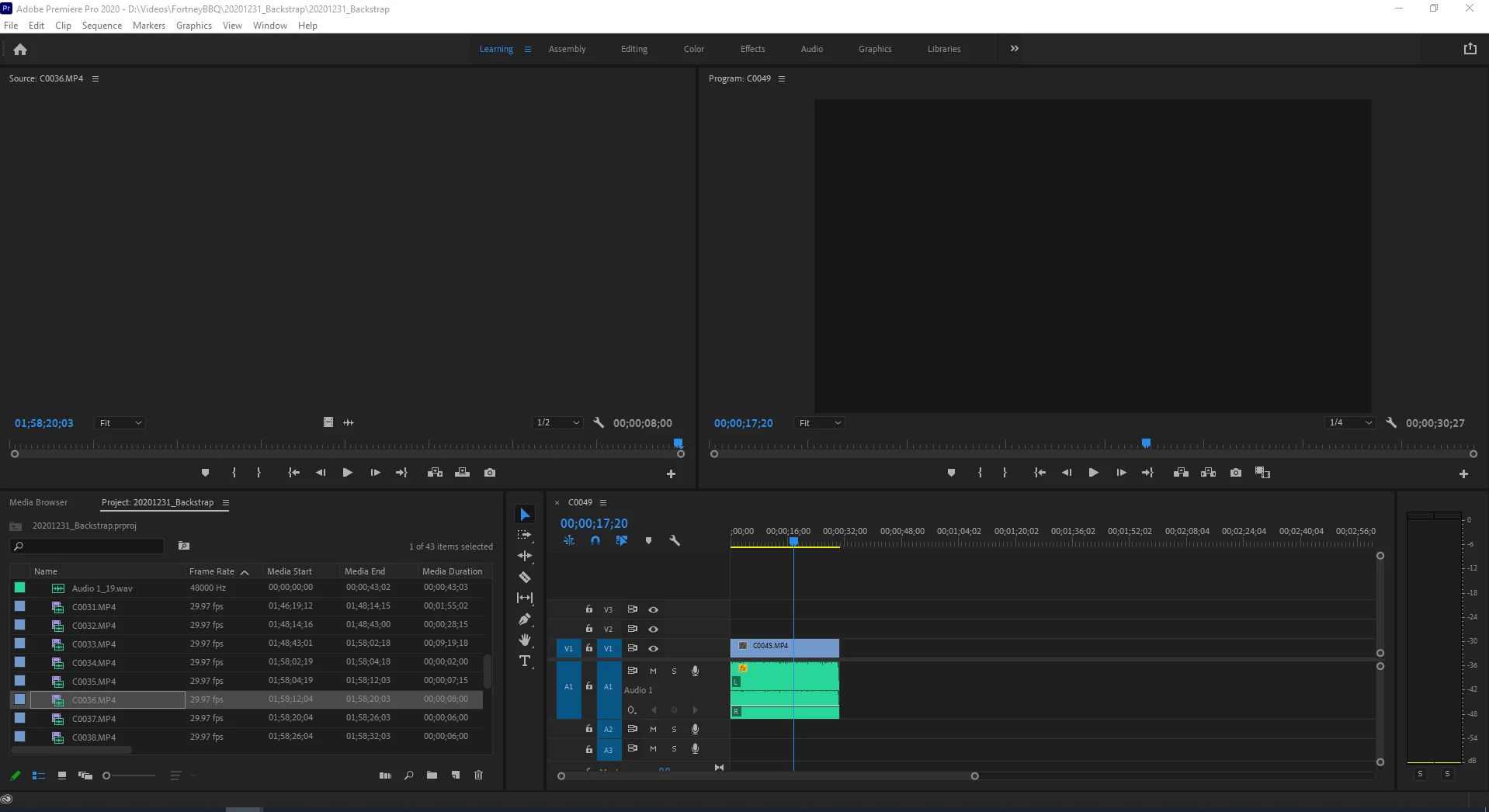
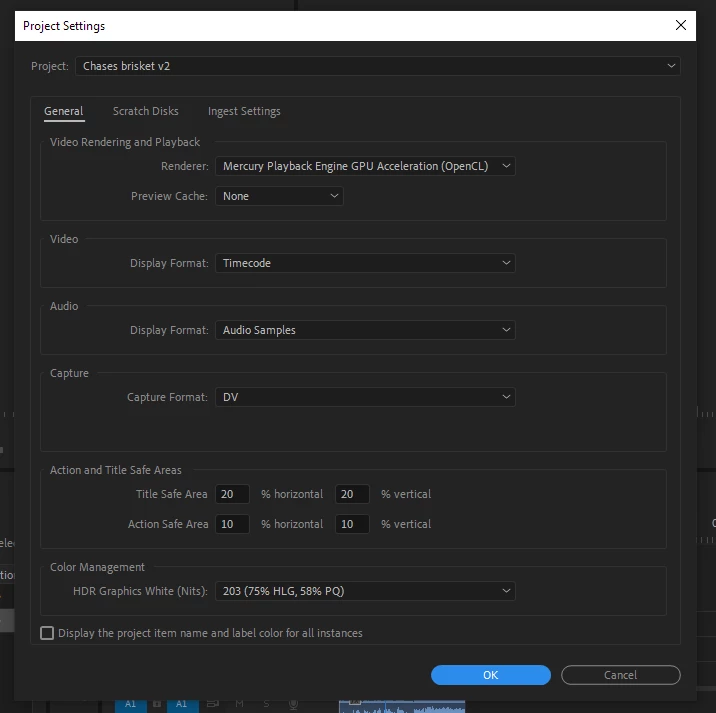
I've searched around the web and tried a bunch of solutions from this post, this post and this one. Most of the common solutions were clearing cash, ensuring the renderer was set correctly (i've tried all settings), unable / enabling all clips, updating all computer drivers and uninstalling premier pro. I've tried all of these and it still hasn't fixed my issue.
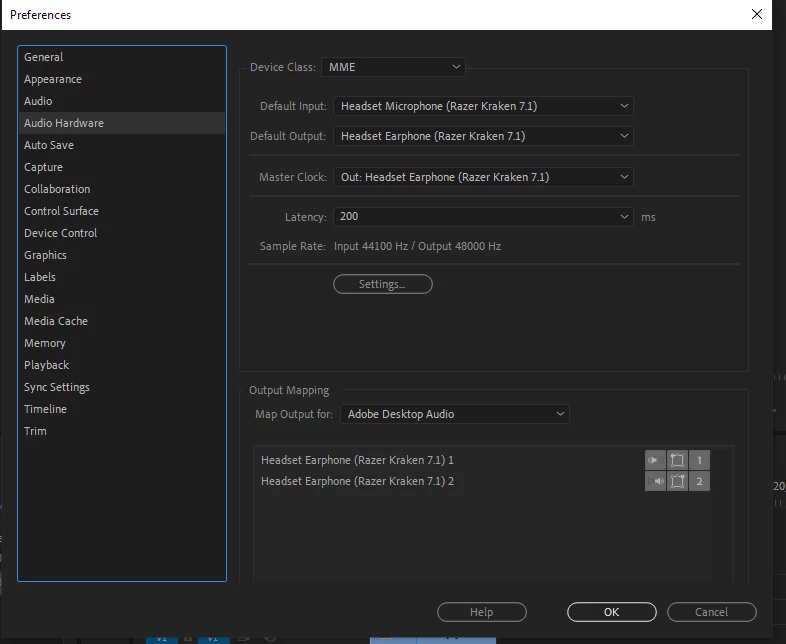
For reference, here are some of my settings:
Any help would be much appreciated, at the moment I cannot continue to edit any videos as a result 😞
Thanks!
 AdChoices