Black Rainbow UK
Known Participant
December 30, 2021
Question

Premiere 2022 not using my Radeon Pro 20 GPU on Macbook pro

  • December 30, 2021
  • 4 replies
  • 3758 views

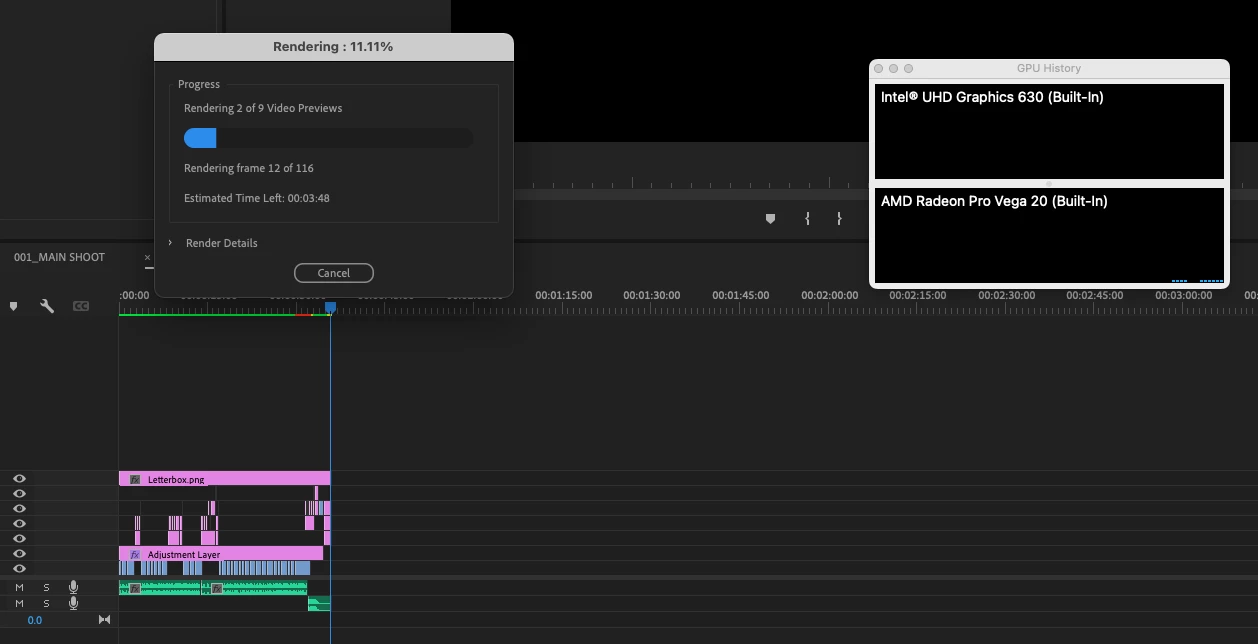
Screen shot below - a 'render in to out' that should take 30 seconds takes 15 minutes. If you look at the activity monitor it's not using either of the GPUs. 

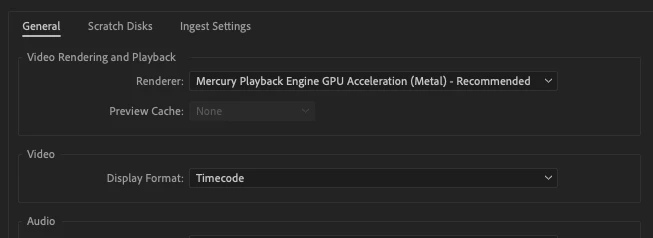
seems to be happening after updating to Monterey and Premiere 2022 -  what can I do to fix? Apple diagnostic doesn't bring up and faults and I have Metal Hardware acceleration turned on in project settings . Also takes ages to open Premiere and crashes if I cancel the render,

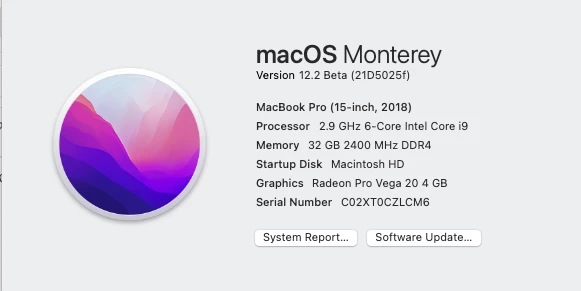
This is the absolute highest spec MacBook of 2018


This topic has been closed for replies.

4 replies

Black Rainbow UK
Known Participant
January 3, 2022

UPDATE: 

The same project has now started using the GPU when creating previews - very odd. 


Participant
May 17, 2022

@Black Rainbow UK - I feel your pain, same problem, No GPU to be found by premiere and performance went down in dramatic fashion, unworkable. I didn't update adobe premiere till last weekend because I had no choice otherwise I couldn't finish a project from someone else who started in premiere 2022. First the coloring was a off when I continued an old project I started in adobe premiere 2020 but ok, the color space "feature" was easily fixed and enoug documentation to find online. The GPU issue is hard to find anything. Now i read this and i inderstand it's fixed for unkown reasons? Anybody knows what to do? In the screenshot the GPU where i normally choose is not even between the options anymore. Please help, what to do

R Neil Haugen
Legend
May 17, 2022

If you're on a Mac, Apple has requested that OpenCL be "deprecated" by all vendors providing Mac software. So were you using OpenCL on a Mac ... ?


Neil

Everyone's mileage always varies ...
Participant
December 31, 2021

Reading this thread is like reading the Adobe text books, makes no sense to the average person. 


R Neil Haugen
Legend
January 1, 2022

Hey, that's one of the things this forum is for. Premiere Pro, AfterEffects, Audition, Resolve, Avid, Nuke/whatever are complicated and complex apps. It takes a continual learning process to get better at understanding the underlying process and understanding how each app works.


So ask questions on the things you don't currently understand. There are a number of us here that would be happy to explain anything.


Neil

Everyone's mileage always varies ...
Black Rainbow UK
Known Participant
January 1, 2022

It's great! I haven't found my answer yet but I really appreciate the time you and others are taking to dive into this!


s

Christian.Z
Community Expert
Community Expert
December 30, 2021

Beta OS does not always yield the best results. keep in mind that Adobe are also optimizing for upcoming OS releases

Black Rainbow UK
Known Participant
December 30, 2021

Sure but it shouldn't disable the GPU completely right? and 2022 isn't in Beta 

R Neil Haugen
Legend
December 30, 2021

It isn't that it is "disabling" the GPU. As noted above, if you don't have GPU Accelerated effects, nor say resizing, Pr won't use the GPU that much. The way they've tried to optimize the app is they 'save' the GPU for things it is really best at, and don't use it for basic encoding which the CPU is perhaps better at.


Neil

Everyone's mileage always varies ...
R Neil Haugen
Legend
December 30, 2021

Do you have any GPU accelerated effects used? If so, Premiere will use the GPU while those effects are being processed. The GPU is not simply an addition to the CPU in any way shape or form. It is used for different types of processing when available as needed.


There is a completely different form of 'hardware/software' encoding, and that is for long-GOP formats: H.264/5 or HEVC. That hardware/software encoding (a comment found in the Export dialog summary when using long-GOP formats) is totally about the CPU ... and whether it has the specialized internal physical bits that can be used for long-GOP encodes.


If you have the Preferences option for hardware encodes for long-GOP encodes turned on, and your CPU has the bits, that will be used for one-pass encodes for long-GOP formats.


So ... no clue from your post whether you have any GPU accelerated effects, or whether you are rendering/exporting to a long-GOP format where that form of hardware/software is involved.


Neil

Everyone's mileage always varies ...
Black Rainbow UK
Known Participant
December 30, 2021

I'm 'rendering in to out' and have my preview set to ProRes 422 - that should be using GPU right?