Answered
Premiere Adds Colour Overlay After Rendering
The video looks normal during editing but once the render is complete the file has a colour overlay on top of it. How do I get rid of this?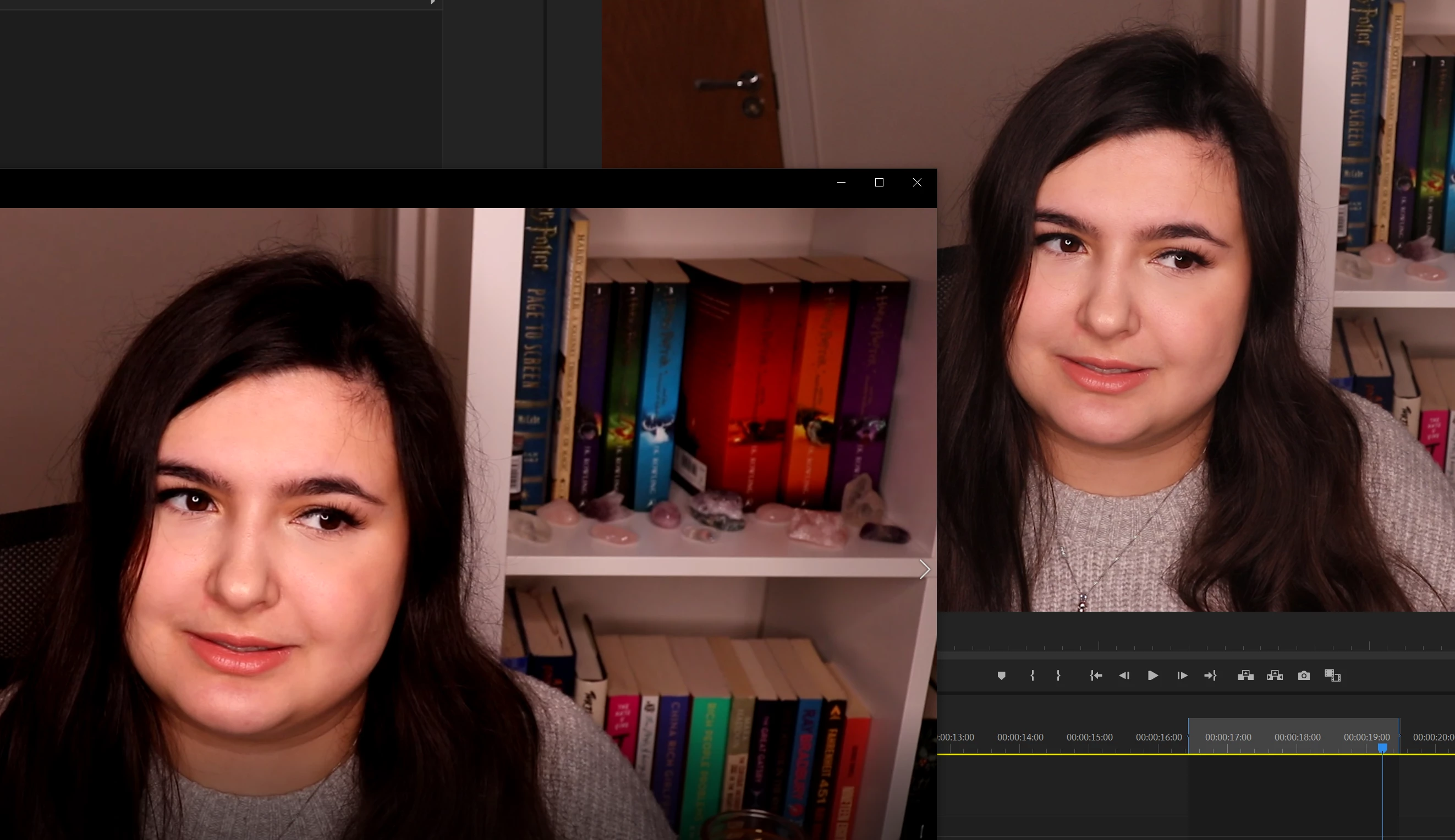

The video looks normal during editing but once the render is complete the file has a colour overlay on top of it. How do I get rid of this?
A customer service rep was able to help me fix this issue.
They deleted the cache, reset the preferences to default and edited the sequence and export settings.
In the sequence settings under video previews they set it to QuickTime and DNxHR/DNxHD Codec.
In the export settings they checked the "use previews" box.
This helped and I am no longer experiencing this issue.
Hope this helps someone who might also be experiencing this.
Already have an account? Login
Enter your E-mail address. We'll send you an e-mail with instructions to reset your password.
 AdChoices