
Known Participant
March 15, 2019
Question

Premiere Bug (No Audio Keyframes)

  • March 15, 2019
  • 3 replies
  • 7011 views

Hi,

I opened premiere this morning and no longer have audio keyframes in the timeline. I have them enabled in the timeline wrench tool (see attached photo). No matter how far I expand the audio track they don't show either. Is this a new bug? Has anyone else experienced this or know of a work around?

Jim
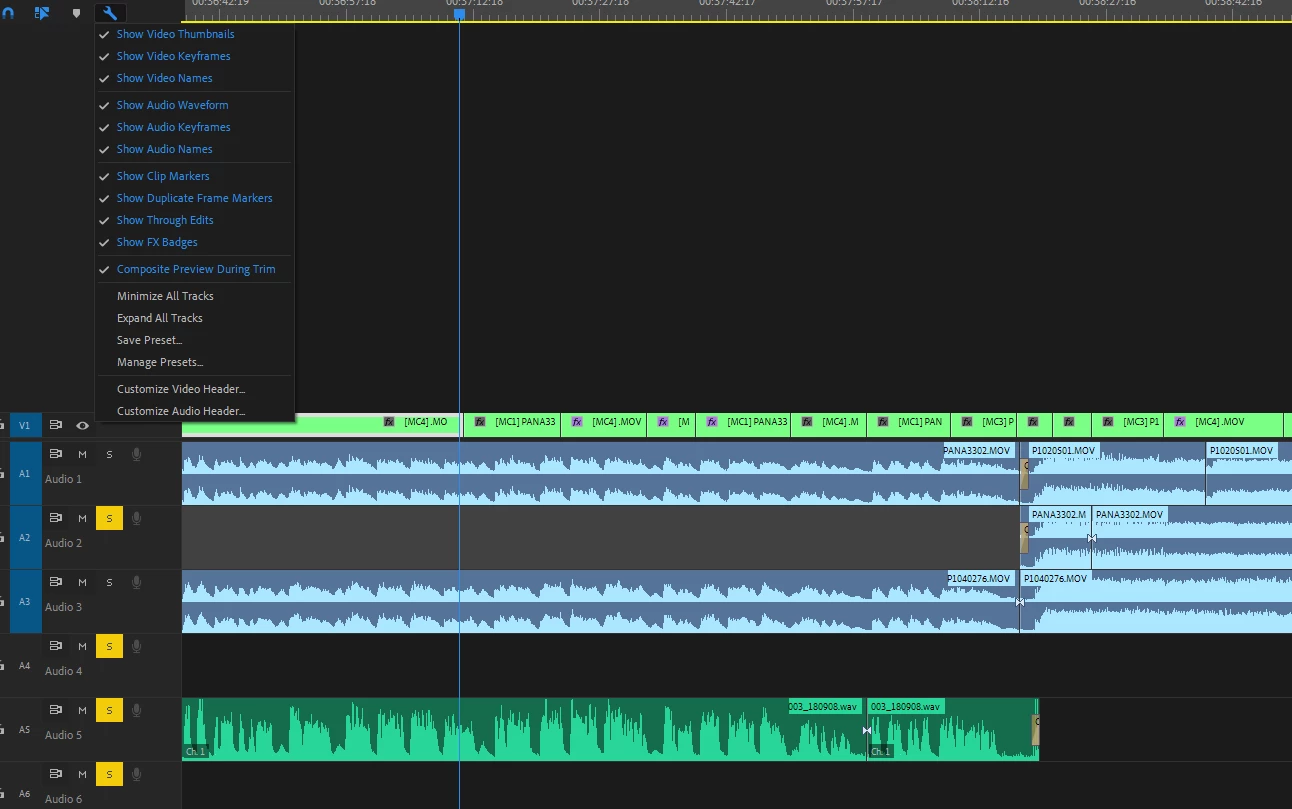
This topic has been closed for replies.

3 replies

Known Participant
July 10, 2021

Having the same issue.

Known Participant
July 10, 2021

So fixed it with the little wrench-thingie "show audio keyframes."

learninginprocess
Inspiring
July 16, 2019

Hi Matt - I watched the entire series of audio tutorials at https://helpx.adobe.com/support.html#/all_products

My teacher (the man who has done the show or 37 years) is using an older version of Premiere. On his version, you can fade the music out using the pen tool to create keyframes, which lower the sound.

The program no longer works that way. They want me to use "Audio Ducking," which can be set up in the Essential Sound Panel.

according to the Premire Pro tutorial, there's a "Generate Keyframes" button in the Essential Sound Panel. This can be seen three minutes into the four minute tutorial. at the above URL.

The version I am using does not offer a "Generage Keyframes" button and does not work.

I set the dialogue track as "dialogue" and the music track as "music," then I click "Ducking" and set the Sensitivity, Duck Amount, and Fades controls - then it doesn't work. The music remains just as loud when the dialogue comes on.

Stan Jones
Community Expert
Community Expert
July 16, 2019

learninginprocess, what version of PR are you using? Look at Help -> About Premiere Pro. Report the Version numbers at the top. The latest is 13.1.3.

Community Expert
March 15, 2019

Which audio keyframes are you trying to display? Volume, pan, effects levels?

Community Expert
March 15, 2019

What do you get if you click here:

Known Participant
March 15, 2019

Thanks! The clip keyframes aren't showing but when I click on Track Keyframes they show up and I can work from that for what I want to do. Is anyone else not able to see their clip keyframes anymore?

Jim