
dataforge
Inspiring
June 24, 2019
Answered

Premiere, can't turn on source patching on tracks

  • June 24, 2019
  • 3 replies
  • 19029 views

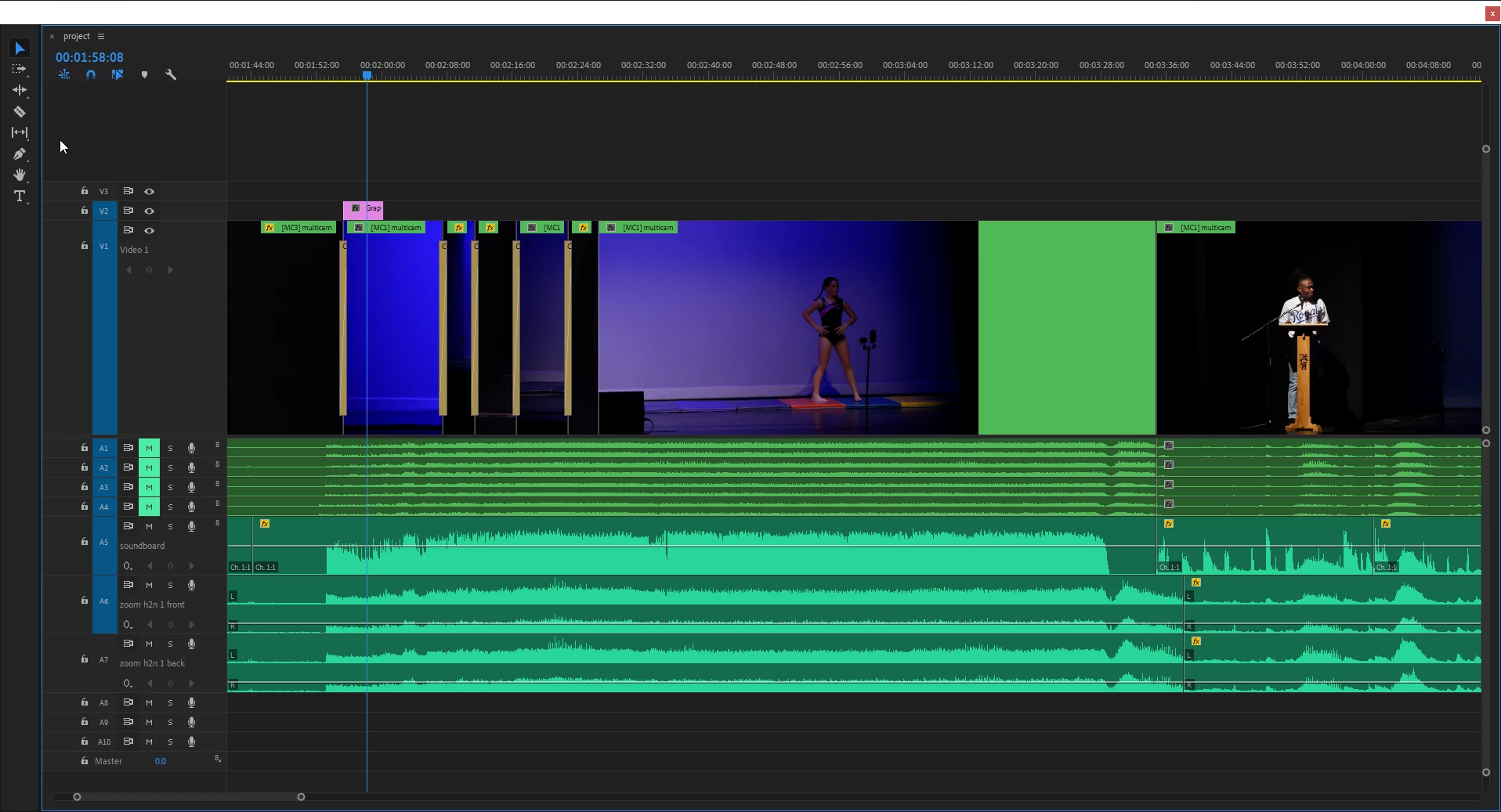
When I click the area for the source patch indicator, which is to the left of the padlock on the timeline, the indicator does not light up on any track.

I've already started premiere with shift, and shift alt

windows. I have 13.1.2 build 9
    This topic has been closed for replies.
    Correct answer dataforge

    Solved by opening anything in the Source monitor, then i can select the patch indicators.

    thanks

    3 replies

    Participant
    February 28, 2021

    This did not solve the problem. The blue indicator that the source patch is on in A1 will not select

    Warren Heaton
    Community Expert
    Community Expert
    February 28, 2021

    Can you view the Audio Tracks of the source clip in the Source tab?

    Participant
    April 27, 2022

    I cannot. I'm having the same issue as scoutime but, I can drag a/v into the timeline without having the source patch (see 1st pic) enabled for some reason. but when I'm trying to add a clip into the placeholder from a transitions pack, it won't let me. I'm unable to enable it in the 2nd pic.

    Participant
    September 27, 2019

    Thank you for posting this and the fix. I had tried everything. 

    dataforge
    dataforgeAuthorCorrect answer
    Inspiring
    June 24, 2019

    Solved by opening anything in the Source monitor, then i can select the patch indicators.

    thanks