
Participant
April 3, 2019
Answered

Premiere CC 2019 - Microphone Input Issue

  • April 3, 2019
  • 2 replies
  • 9272 views

I just bought a Blue Snowball microphone and plugged it into my iMac (Mojave 10.14.3), but when I try to record a VO in Premiere CC 2019, it's just a flat line; no level. In fact, Premiere doesn't record any level using the built in microphone either, which is pretty puzzling. I've tried many of the suggested fixes from people who have had similar issues, but in most of their cases Premiere doesn't even see the microphone. In my case Premiere does see the microphone in Audio Hardware and in Voice-Over Recording Settings. And I can see the meter registering in the System Preferences Sound setting on one screen while nothing is showing on the meter in the Voice-Over Recording Settings on another screen. Siri hears me just fine, too. Now, I've tried a zillion settings changes, re-started the computer with and without Snowball plugged in, and still nothing.

One solution in a thread from years ago was solved when the user upgraded to CC 2015, so I decided to see what happens when I go back to CC 2018. The Blue Snowball works fine there, and I didn't do anything special other than select it in Audio Hardware. I'm stymied.
    This topic has been closed for replies.
    Correct answer gerikp

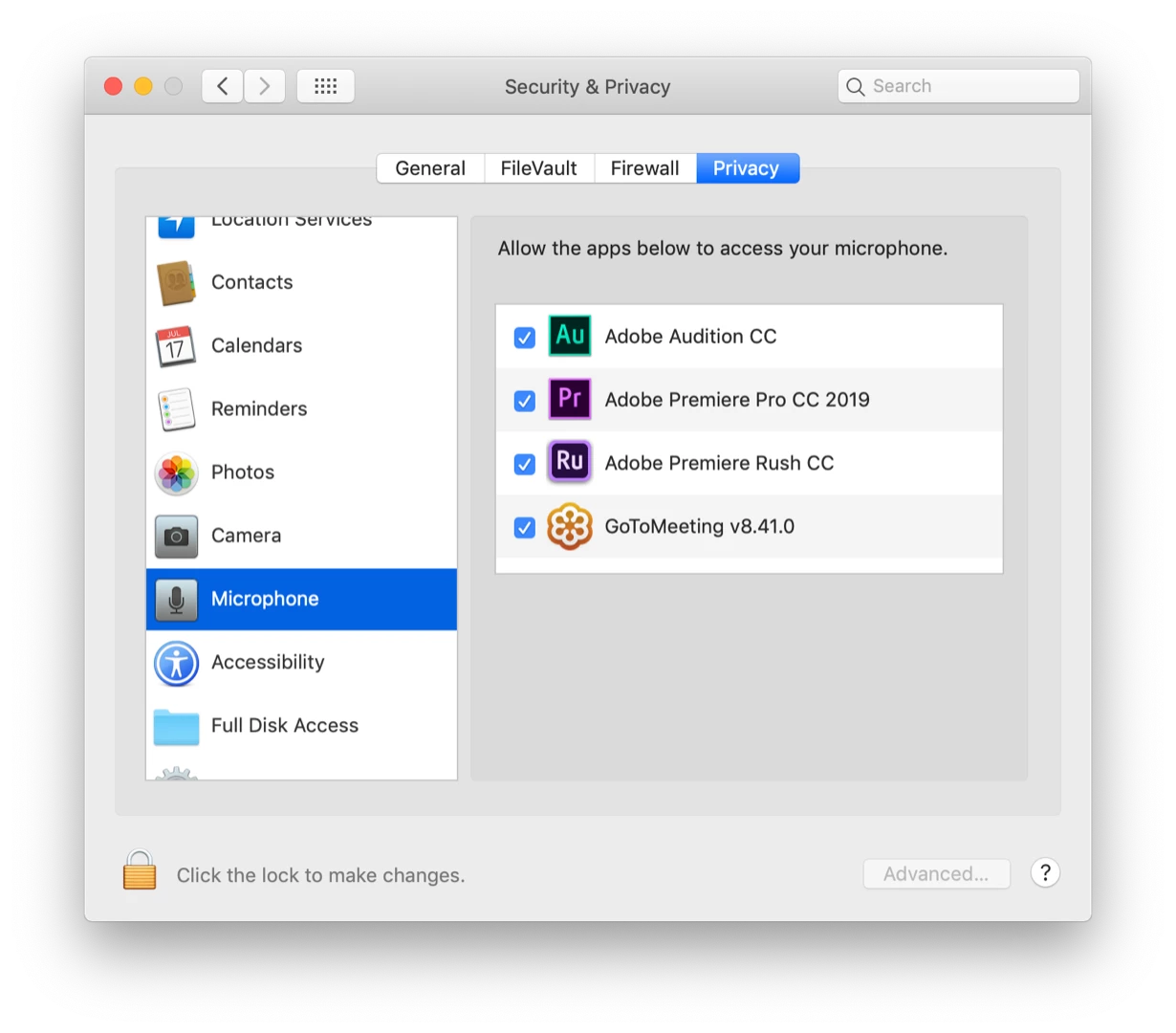
    Have you checked your Security and Privacy preferences to make sure Premiere Pro is allowed to use your microphone?

    2 replies

    Participant
    December 16, 2019

    I am having the same problem, but when I go to your solution there are no apps requesting to use the microphone.

    It worked in High Sierra in CC2018, now I'm in Mojave and CC2019 and no go.   The Apple preferences does show it's receiving the signal, but flat line on the time line.    I'm using Blue Icicle and it's selected as default input on both Apple and PP.

    How do I get CC2019 to ask for permission so I can grant it.   Many thanks.

    Participant
    April 14, 2020

    Mic samsung 9+ wen some1 rings me i av to put in on loud speaker thy cnt hear mi

    Kevin-Monahan
    Community Manager
    Community Manager
    April 3, 2019

    David,

    Have you set it up in Preferences > Audio Hardware? Give that a whirl.

    Thanks,
    Kevin

    Kevin Monahan - Sr. Community and Engagement Strategist – Adobe Pro Video and Audio
    Participant
    April 3, 2019

    Hi Kevin,

    Yes, I have. It's weird. When the Voice-Over Recording Settings dialog box is open, it doesn't matter if I select Blue Snowball or built-in microphone, the meter doesn't register at all. I know it should, because that's what I've seen in all the tutorials I've been watching to see if I'm doing something wrong. But, as I said, in the Apple System Preferences/Sound/Input, I can clearly see the meter registering.

    I just installed Audition, which I'd never used before, and it sees and records the Blue Snowball perfectly, and all I did there was choose it in Preferences/Audio Hardware and hit record.

    David

    gerikp
    Community Expert
    gerikpCommunity ExpertCorrect answer
    Community Expert
    April 4, 2019

    Have you checked your Security and Privacy preferences to make sure Premiere Pro is allowed to use your microphone?