

Premiere crashes every time I open a project for the second time
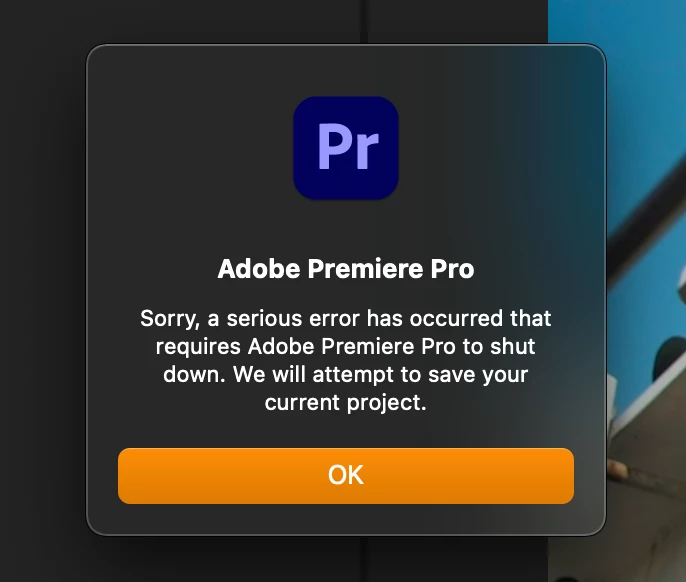
Recently on certain projects, Premiere crashes whenever I try to reopen a project. I originally had a short project that was mostly edited that crashed while I was doing some basic color correcting. I reimported that sequence into a new project which allows me to continue working on the project while it's open. However, every time I close and then reopen the new project, it crashes again, I have to make a new project and import the old sequence into the new project. When importing into a new project it works just fine, however as soon as I close a project and try to reopen it, the project crashes again and the cycle starts again. See attached screenshot.
Originally this was only happening with one project, so I tried installing the latest premiere update from several weeks ago. Now I'm having the same problem with a second project as well, with completely different footage.
I've tried removing potentially problematic clips or effects from the projects, resetting preferences, rolling back to previous versions of Premiere, uninstalling and reinstalling the current version multiple times, I even used the Adobe CC Cleaner tool to wipe all trace of Adobe products from my system and still the same problem.
Luckily I can still edit projects by importing individual sequences into new projects, however every time I close and try to reopen this new project, it crashes within a few seconds. Even when I try to import the entire project into a new project, the new project crashes. Please help...
Specs:
Premiere Pro 15.4.0 Build 47
MacOS Big Sur 11.4
2019 iMac Retina 4k
3.2 GHz 6-Core Intel i7 processor
32 GB ram
Radeon Pro 560X 4GB GPU
1 TB internal SSD with about 200 gb free space
Footage is on Samsung external SSD with about 800 GB of free space
 AdChoices