June 21, 2016
Answered

Premiere & Encoder: OpenCL vs. Metal

  • June 21, 2016
  • 15 replies
  • 124933 views

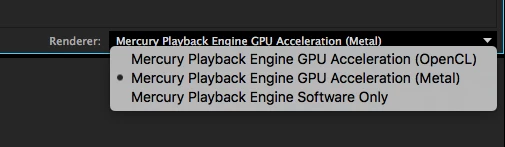
Hey there, so I just installed the latest 2015.3 update. My question though is which one of the Mercury Playback Engines is better to use on MacOS, OpenCL or Metal? I saw the option and was wondering if Metal has better performance and faster export times? Can anyone fill me in on this?

This topic has been closed for replies.
Correct answer

Well I have some preliminary results of it. It looks as if using OpenCL is still better.

I've been using one of the trash can Mac Pro's (Model Identifier: MacPro6,1) with 2GB of graphics memory, 16GB of RAM, and a 6-Core Intel Xeon E5 at 3.5GhZ clock speed and for one hour of final product video, it took Encoder ten hours to export it using Metal. OpenCL would have done that way faster. Also, I noted that if I set my project settings to use Metal over OpenCL, then I notice that it requires me to render more often (Red Line) than if I'm using OpenCL which normally doesn't require me to render hardly at all (Yellow Line).

So in conclusion, I feel that OpenCL is still the render engine of choice for me. I hope this is useful and helpful to you all!

Cheers,

Danny

15 replies

ChezTrey
Adobe Employee
Adobe Employee
June 24, 2016

Hi Danny,

2015.3 provides initial support for Metal, but doesn't yet accelerate the full vocabulary of effects. Most notably, the Metal port of the Lumetri Color Engine didn't quite make the release deadline, so you're seeing the Lumetri software implementation kick in.

Apple has declared Metal as the way forward on macOS. The 2015.3 release is an important step in that direction. The initial release allows us to further fill out and polish the Metal implementation in the future, and helps our 3rd party ecosystem migrate to Metal.

You can see in your screen shot Mercury/Metal has not yet earned top billing in the render engine list, but we expect it to be a hot contender for the title in the near future.

Regards,

Ray

Known Participant
June 23, 2016

Actually it does seem as if the OpenCL engine is faster. Working on 4k vid here with just lumetri color correction. Metal gave me red lines all over the place and would be dropping frames all over the place too

Tried OpenCL and bam, yellow lines, realtime playback and whatnot. I'm going with OpenCL for now

Correct answer
June 22, 2016

Well I have some preliminary results of it. It looks as if using OpenCL is still better.

I've been using one of the trash can Mac Pro's (Model Identifier: MacPro6,1) with 2GB of graphics memory, 16GB of RAM, and a 6-Core Intel Xeon E5 at 3.5GhZ clock speed and for one hour of final product video, it took Encoder ten hours to export it using Metal. OpenCL would have done that way faster. Also, I noted that if I set my project settings to use Metal over OpenCL, then I notice that it requires me to render more often (Red Line) than if I'm using OpenCL which normally doesn't require me to render hardly at all (Yellow Line).

So in conclusion, I feel that OpenCL is still the render engine of choice for me. I hope this is useful and helpful to you all!

Cheers,

Danny
Wagner de Aguiar
Participant
June 22, 2016

For playback Metal is not working very well. It's basically the same lame result than Software Only mode. Dropping frame like crazy, CPU 100%. OpenCL it's the best for me.

MacPro (2013) Quad-core 3.7GHz

Dual 2GB D300 FirePro

16GB RAM

Participant
June 22, 2016

Supposedly metal should do some things faster. how about you do some tests for us and let us know?