evab47591500
Inspiring
September 3, 2018
Answered

Premiere import videos green screen - error

  • September 3, 2018
  • 4 replies
  • 40931 views

Hello,

I'm having a lot of trouble with importing videos in Premiere Pro. I have imported my files as MP4, because .mov doesn't work at all. Now the most of my content is a green screen with only audio. I just can't figure it out and I can't get the videos with the content they are supposed to have. I have send them from my iPhone through dropbox to my MacBook Pro. Does anyone know how to get this fixed? I have watches multiple videos on Youtube but nothing works or is a solution. Thank you in advance!
This topic has been closed for replies.
Correct answer noufalb84430937

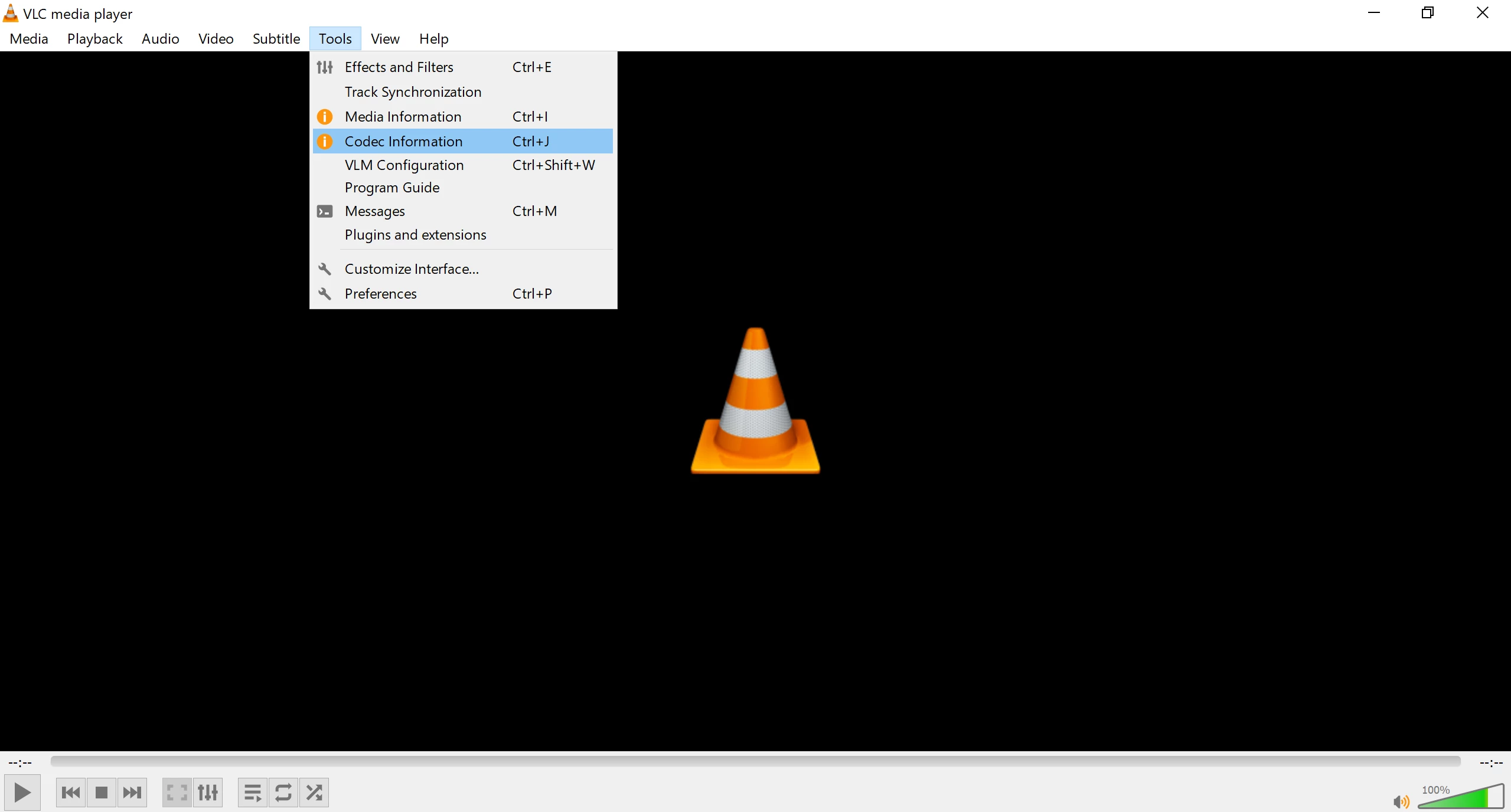
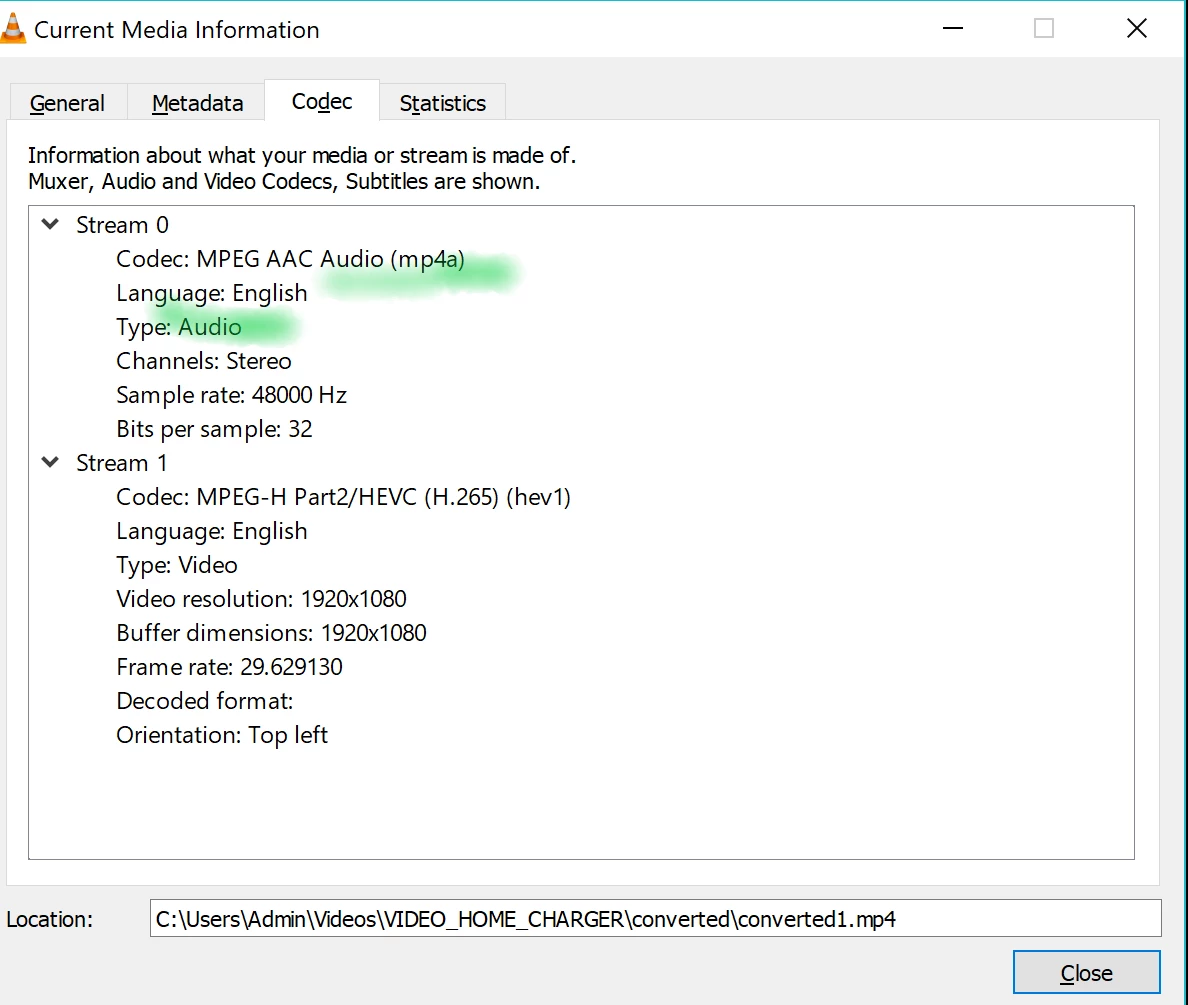
I found the solution Remo, If you look for the type of your vlc video, you 'll find out that the type is AAC

the wrong type: Audio

The correct type: Video: after conversion using: AAC to MP4 - Convert your AAC to MP4 for Free Online

It worked well for me, I hope it does to you

4 replies

Participant
February 27, 2019

Thanks,
but this cant be the answer..:D
Im working with UHD footage and I dont wanne convert it to 720p just to be able to get it imported..:D
Does anyone have another solution?
This topic is a couple of months old...so I cant believe someone hasnt figured it out yet..:)?!

noufalb84430937Correct answer
Participant
August 12, 2019

I found the solution Remo, If you look for the type of your vlc video, you 'll find out that the type is AAC

the wrong type: Audio

The correct type: Video: after conversion using: AAC to MP4 - Convert your AAC to MP4 for Free Online

It worked well for me, I hope it does to you

lunap37195486
Participant
September 16, 2021

Worked for me! Thank you!!

Participating Frequently
November 13, 2018

Hey,

I have the same issue with MP4 files.

They play fine in Finder/Quicktime, however when imported into Premiere Pro CC (version 12.1.2, build 69) the footage becomes flat green. Same applies when I bring into Media Encoder to transcode to another codec.

What does work however is if I transcode files in a very old version of Apple Compressor (version 3), remember that?!

Seems weird an old application would be able work than the latest version of CC! I would like to keep it all in Adobe suite ideally, as old Compressor is slow and clunky. Screen grabs attached.

Many thanks in advance if anyone has a solution.

Dan

evab47591500
Inspiring
September 4, 2018

I think I have worked it out, I have converted the files from high resolution to 720p. Now they work in Premiere! I only hope that the quality is still good now. Thanks everyone for the help!

Community Expert
September 3, 2018

Try changing the renderer please :

FAQ: How to change the Video Renderer in Premiere Pro?

Might be an issue with your GPU driver, did you try to update it ?

evab47591500
Inspiring
September 3, 2018

How can I update my GPU driver?

Community Expert
September 3, 2018

if your macbook pro is not on latest update, update it