
Participant
June 12, 2019
Answered

Premiere - KeyFrames

  • June 12, 2019
  • 1 reply
  • 500 views

Hei Guys,

Want to create a zoom in effect in the end on a clip.

I selected a clip in the timeline

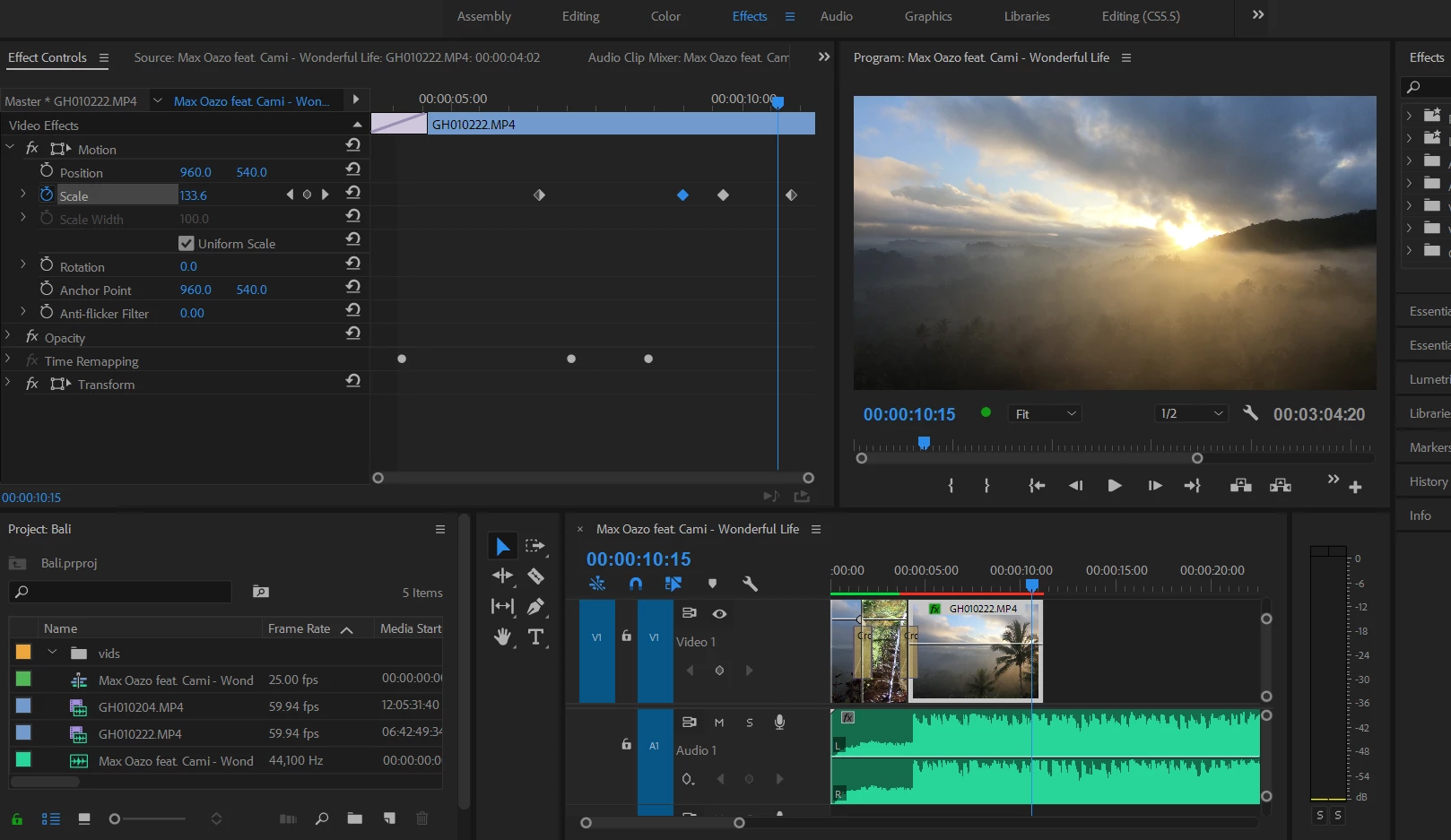
clicked on stopwatch under Motion and created keyframes, however, clip doesn't zoom. I tried to create 4 different keyframes with different values, however, it either doesnt zoom or zooms in from the very beginning up til the end. Is there anything awkwardly obvious that im doing incorrectly?

Its the second day ... second day i try to crack this simple, as per all the YouTube videos, effect:)
    This topic has been closed for replies.
    Correct answer R Neil Haugen

    Hei Neil,

    Appreciate!

    Ehh.. have to admit im a complete newbie, may you please elaborate on "to nest the time remapping" ? Step by step navigation perhaps:)

    Sorry & thank you in advance:)

    Victoria


    Start with only the time-remapping applied to the clip. Then right-click on it in the timeline, select Nest.

    Then do your scaling.

    Neil

    1 reply

    Peru Bob
    Community Expert
    Community Expert
    June 12, 2019

    There is red over the clip on the timeline, so you need to render the timeline for smooth playback.

    Participant
    June 12, 2019

    Hei,

    Thanks for the reply! Now i at least dont feel lonely with this trouble:)

    1) Rendered

    2) Clicking on THAT piece that doesnt behave, clicked effects, scale - turns back red. Does it mean there is no chance on adding effect there?

    R Neil Haugen
    Legend
    June 12, 2019

    I see you have time remapping going on also.

    You might want to nest the time remapping, then add motion scaling to the nested clip.

    Neil

    Everyone's mileage always varies ...