Inspiring
September 29, 2017
Answered

Premiere lowers the volume of imported video with 5.1

  • September 29, 2017
  • 2 replies
  • 3971 views

When I import a video file with a 5.1 audio it ends up having lower volume in Premiere Pro . Apparently Premiere pro lowers the volume for some reason. It doesn't happen to videos with stereo audio. How can I fix that?
This topic has been closed for replies.
Correct answer Richard M Knight

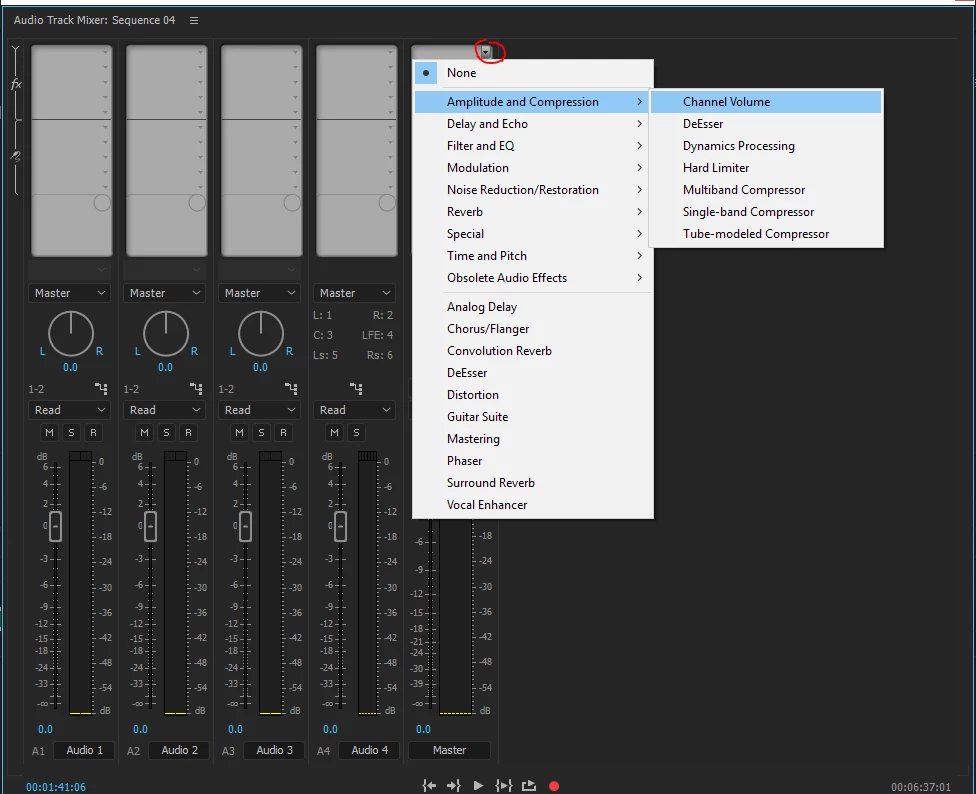
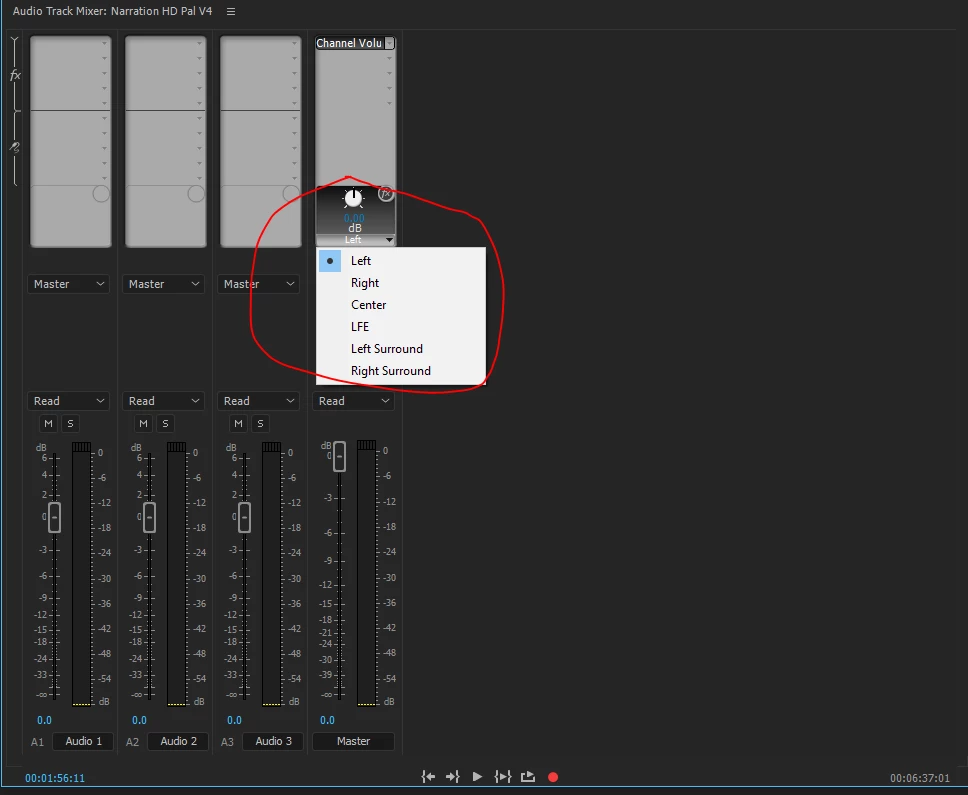
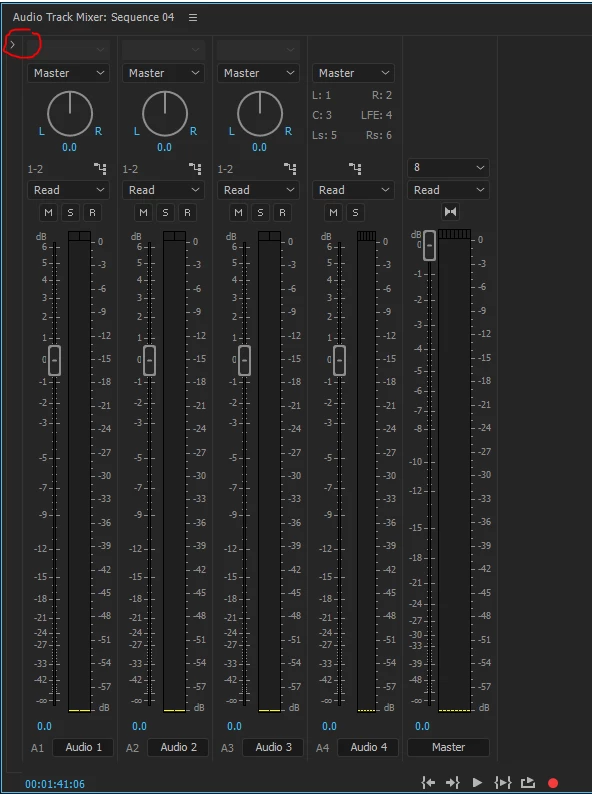
Ok I'm looking at the track mixer. How can I add this channel volume effect. Extra question how and if I can fix it with the audio gain menu?


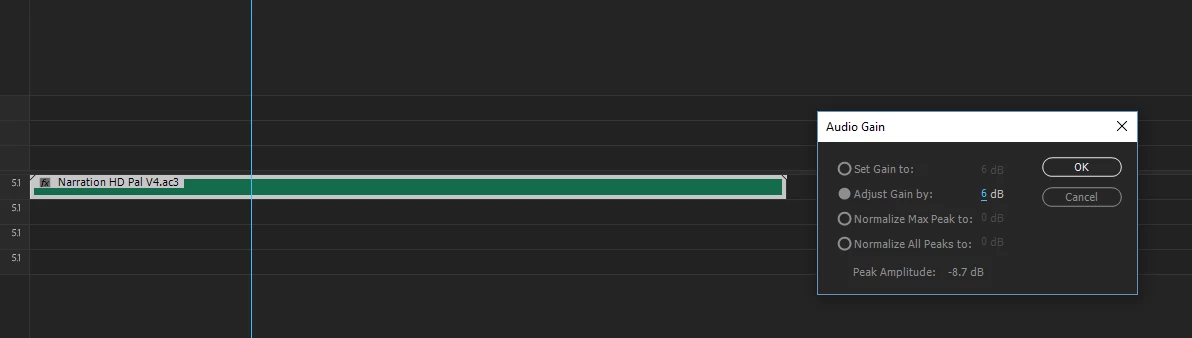
Or audio gain on clip:

2 replies

Legend
October 2, 2017

1. Do you have a 5.1 setup attached to your computer for proper monitoring?

2. What makes you think the volume is being lowered?  What is your external reference?

Dunno NoAuthor
Inspiring
October 2, 2017

No I've got 2.1. When I play this vid in any player it's louder than after import to Premiere

Community Expert
September 29, 2017

How much does it lower it by? Can you do a test with tone

Dunno NoAuthor
Inspiring
October 2, 2017

I don't know but by a significant amount. With a tone? I don't know how to do it. How can I?

When I click audio gain the peak amplitude says  usually - 10  or -11 And I try to fix the issue by tinkering in that menu

Richard M KnightCommunity ExpertCorrect answer
Community Expert
October 2, 2017

Ok I'm looking at the track mixer. How can I add this channel volume effect. Extra question how and if I can fix it with the audio gain menu?


Or audio gain on clip: