

Premiere not accepting new security settings in macOS Monterey
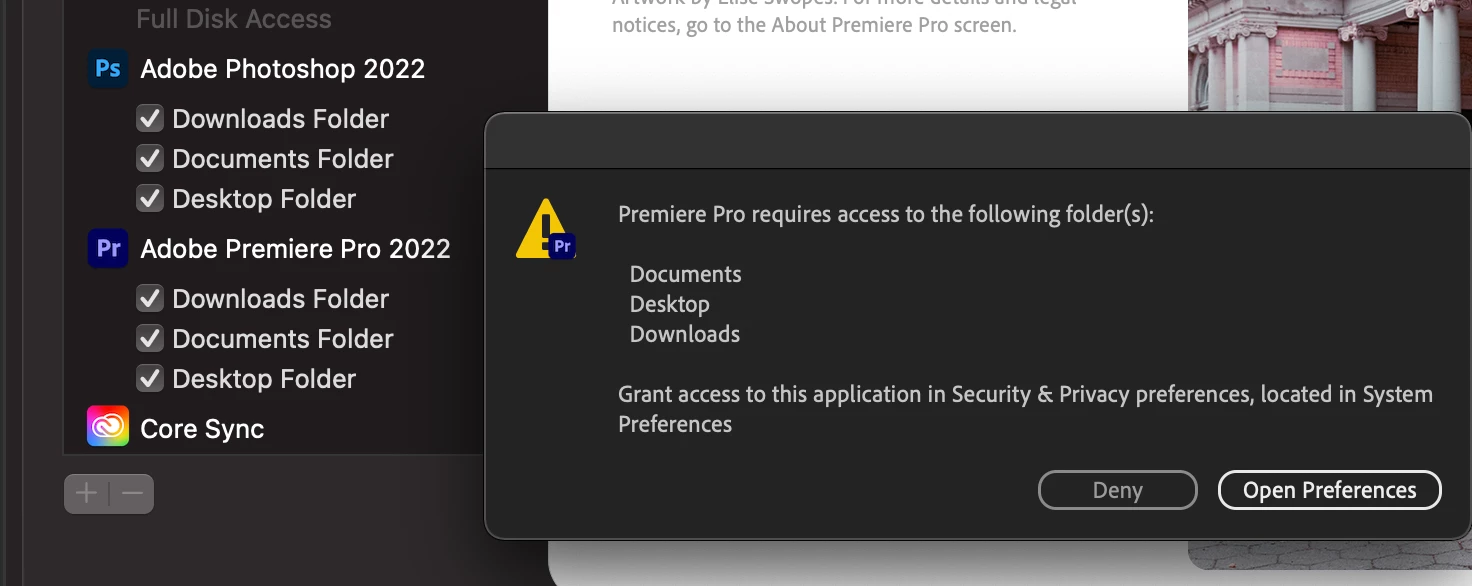
As you can see in the screenshot, I've already granted access to Documents, Desktop and Downloads. However, whenever I open Premiere it still brings up the warning message. Without Premiere recognizing that I've granted it permission, I can't open or use Premiere at all.
Steps I've tried
1) Right click and open Premiere to see if opening it as admin helps (it does not)
2) Reset my machine after granting access to Premiere, still doesn't work.
3) Uninstalling Premiere Pro using the CC app and reinstalling it. Same problem persists.
I have been able to open and use Photoshop, and that app also has these same permissions granted.
How do I fix this problem? I really need to be able to edit video again. Thanks in advance for your help.
My current machine
macOS Monterey
Version 12.0.1
MacBook Pro (16-inch, 2021)
Chip Apple M1 Max
Memory 64GB
-Hayley


 AdChoices