
Participant
June 25, 2020
Question

Premiere Pro 2020 14.3 Nvidea Gtx 1070 Ti problem

  • June 25, 2020
  • 8 replies
  • 2076 views

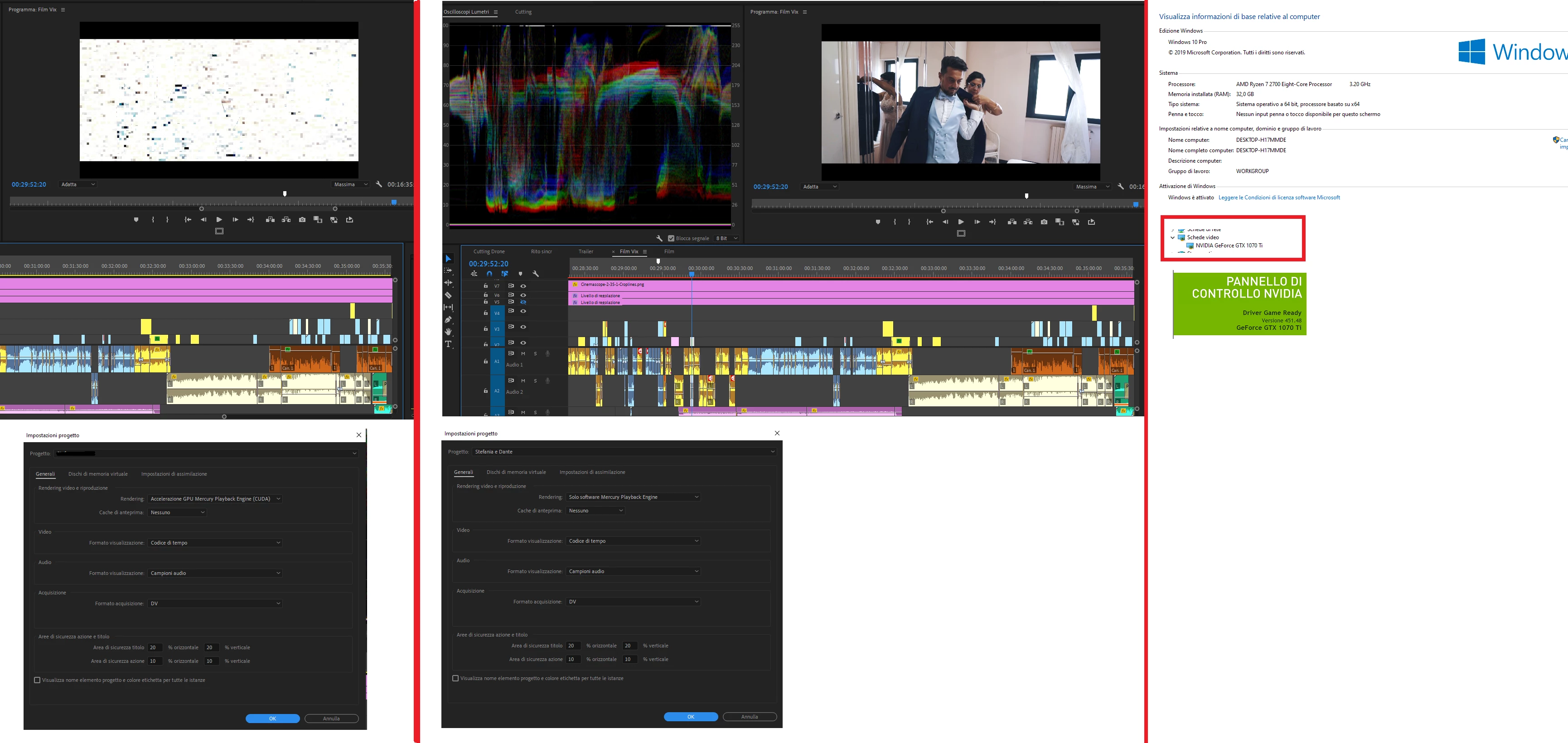
Hi guys, today after the update of Premiere Pro to 14.03, I'm having problems with video acceleration, the graphics card is a Gtx 1070 Ti, I leave you the technical specifications below; what can it depend on? I have already proceeded to reinstall both the video card drivers and premiere but the problem persists.
This topic has been closed for replies.

8 replies

Participant
June 27, 2020

I'm having this issue as well with a Geforce GTX 1080 FTW. Rolled back both premiere and nvidia drivers. I'll try the link in this thread to see if that works. Here's to a solution..

Ann Bens
Community Expert
Community Expert
June 27, 2020

Actually its the other way around.

Known issue for the latest nvidia driver which you are using now according to your screenshot.

Roll on back.

Christian.Z
Community Expert
Community Expert
June 27, 2020

please make sure you download an update your drivers from the Nvidia website and not from windows

Legend
June 27, 2020

It's actually neither. The latest Nvidia driver from the Nvidia site has SEVERE issues. But Windows Update will downgrade all the way down to version 432.00, which has NOT been verified to work properly with Premiere Pro, and may trigger an "Incompatible graphics driver" warning message when Premiere Pro is launched. As a result, you will need to manually search for "Beta and older drivers," then choose a driver version that is one or two versions older than the latest.

Participant
June 27, 2020

I just happened to update my NVidia drivers on day, then went back to Premiere Pro the next day... which also had an update. Since then, I've had the same issues with Lumetri. The NVidia rollback helped. Saved my skin, I was so stuck!

JakeHeidecker
Known Participant
June 25, 2020

I found a workaround for now. Go to this link and download this version of NVIDIA graphics driver. Once I did a clean install of this v446.14 graphics driver, everything got back to normal.


LINK: https://www.nvidia.com/Download/driverResults.aspx/159887/en-us?ncid=afm-chs-44270&ranMID=44270&ranEAID=je6NUbpObpQ&ranSiteID=je6NUbpObpQ-OIk4oouk34eH1.6XQfl.wQ

JakeHeidecker
Known Participant
June 25, 2020

i am having the exact same issue. I tried running premiere pro 14.2 and the same thing is still happening. I think it is an issue with the most recent NVIDIA update.


Participant
June 25, 2020

I have the same problem. It has something to do with the latest Nvidia drivers and Lumetri Color.

I updated the nvidia driver today to 451.48, after that i couldn't use cinespace lumetri anymore.

Lumetri on looks like this:


Lumetri Off looks like this:


Im will downgrade the nvidia driver. That will probably fix it.

Legend
June 25, 2020

Or probably not. That might just be a major bug in Premiere Pro 14.3 (the official release) itself. You might want to downgrade Premiere Pro itself to 14.2.

JakeHeidecker
Known Participant
June 25, 2020

I downgraded to 14.2 and still had the same issue when trying to color grade with lumetri. I believe it is an issue with the newest NVIDIA driver update becuase it just came out yesterday and that is when I started to see the issue.


Ann Bens
Community Expert
Community Expert
June 25, 2020

I have the same card. Have not seen this with Premiere. Did have trouble with Ae and the studio driver.

Try 445.87.

Participant
June 27, 2020

I updated my drive yesterday and have the same issue...downgrading PP to 14.2 did not help so likely it is the driver's issue.

I will try this solution