
Participant
April 15, 2020
Beantwortet

Premiere Pro 2020 stuck at loading when starting up on macOS

  • April 15, 2020
  • 9 Antworten
  • 8370 Ansichten

I am using Macbook Pro (15in-2016) with macOS Catalina ver. 10.15.4.

I face a problem when I trying to open premiere pro. I haven't opened Pr lately, and when I open up today, it appears like this.
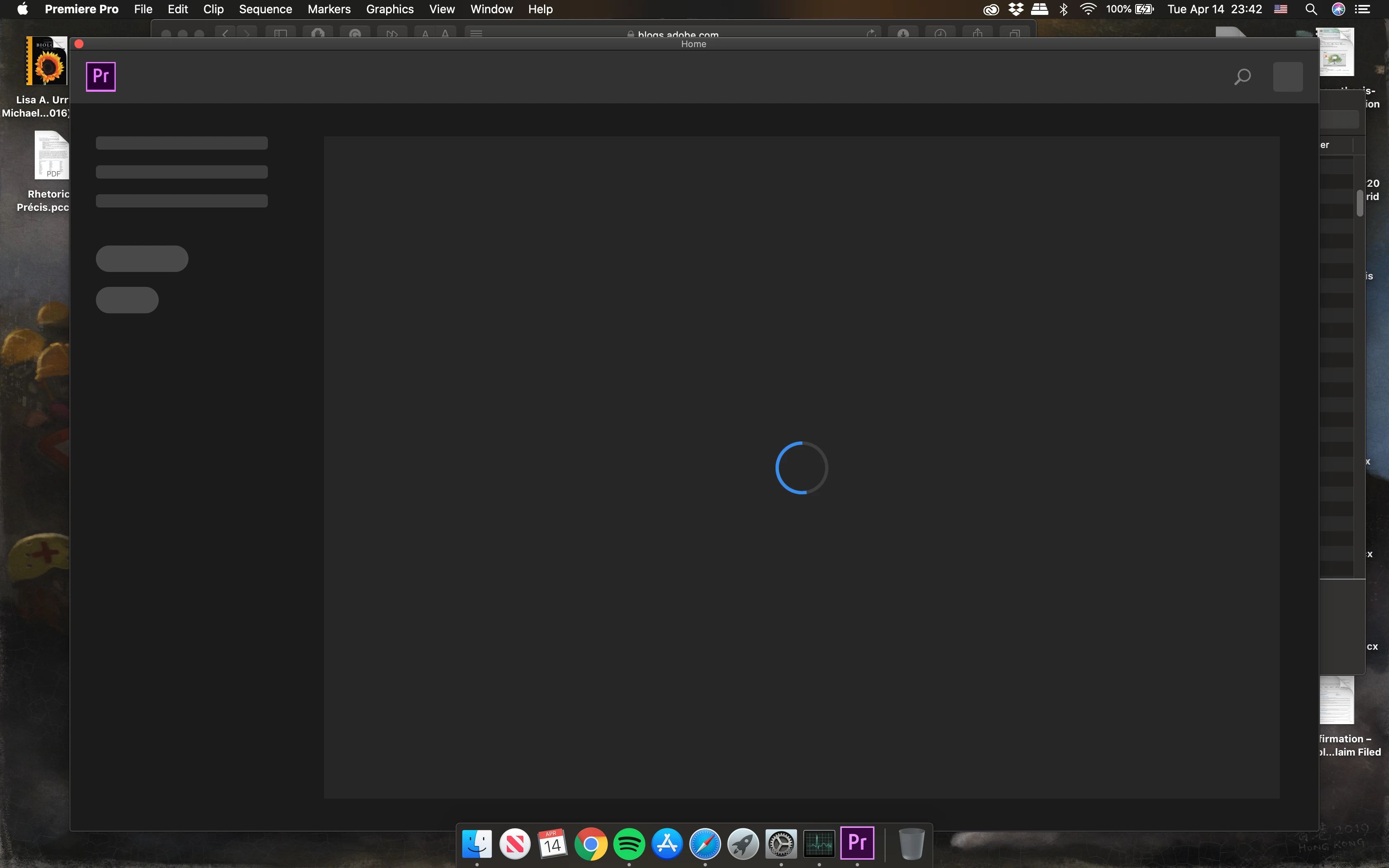
 My Pr version is 14.1.0 (Build 116), I believe it is the newest version.

I have tried to reboot the Macbook and force quit Pr, neither of them worked. 

It just keeps spinning. Any way could solve this problem? 


*******update*******

problem still exists after reinstall, resetting preferences and downgrade.

Title edited by Mod.

Dieses Thema wurde für Antworten geschlossen.
Beste Antwort von nishu_kush

In the meantime, you can try renaming the extensions folder? Location of the extensions folder:
Win: C:\Program Files (x86)\Common Files\Adobe\CEP\extensions
Mac: /Library/Application Support/Adobe/CEP/extensions

Let us know how it goes.


Thanks,

Nishu

9 Antworten

Participant
September 29, 2023

Hi beautiful people! Having similar issue on Mac Mini M1 with latest PP 23.0. I have tried everything already - re-installing multiple time, uninstalling with cleaner tool, renaming folders, starting using Rosetta. Nothing works... I wonder if there might be some sort of plugin on my Mac somewhere, that is outdated and it makes the program crash? Because on the splash screen I don't even see the plugins being loaded... Please help, I'm paying money for air...

Participant
August 2, 2021

Hmmm... I solved in another way. I just opened PP using project file and in that way everything was fine, then just deleted old project and imported new files.

DevFrIO
Participant
February 16, 2022

Bingo... I'm using Premiere Pro version 22.0 (Build 128) on my iMac. This work around just resolved my issue. Photoshop did the same thing to me previous versions back, where it would only load up if I opened it from a file. Just have to wait until another update to see when/if Adobe fixes it.

Participant
January 13, 2021

update or downdate driver graphic card

Participant
December 16, 2020

what do i rename it to

nishu_kush
Community Manager
Community Manager
December 18, 2020

Hi Daniel5D8F,


You can rename it to anything. For example, extensionsold.

Let us know it helps.


Thanks,

Nishu

Participant
May 22, 2020

What should I rename the extension folder? 

Kevin-Monahan
Community Manager
Community Manager
April 15, 2020

Lucas, 

If none of these other suggestions work, please try resetting preferences.

Kevin Monahan - Sr. Community and Engagement Strategist – Adobe Pro Video and Audio
Participant
April 16, 2020

not working either, I contacted a technician earlier today, they couldn't fix it either.

They said they will ask for help from the seniors.

Participant
May 19, 2020

Hi! I'm having the same problem as you and was wondering if they ended up helping you fix the problem?

Mo Moolla
Legend
April 15, 2020

Hi


Try reinstalling Adobe Creative cloud for desktop again


Here is the link:

Link


Once installed uninstall PP and reinstall using the desltop app

If this does not resolve the issue the common reasons for startup failures are either corrupt VST's or plugins

When yu are loading up PP keep a close eye on the splash screen and see which plugin it stops at. Generally that will be the culprit. Delete that plugin or VST and you should load up troble free. Dont use that VST or plugin again


Mo


nishu_kush
Community Manager
Community Manager
April 15, 2020

Hi Lucas,


Welcome to the Community and sorry for your issue.

In addition to what Mike has suggested, try signing out and signing in into the Creative Cloud desktop app.

Let us know if it brings any change.


Thanks,

Nishu

Participant
April 15, 2020

it doesn't work, I have reinstalled it 2 times and the problem still exists.

Mike Dziennik
Community Expert
Community Expert
April 15, 2020

Try uninstalling and reinstalling.