
Premiere Pro 2022 Distorting Colors
Hi, I am currently running Premiere Pro 2022, and I am experiencing some strange phenomena. Roughly 13 hours ago, I opened Premiere and realized that displayed colors were off.
Here are my computer specs:
- MacBook Pro (16-inch, 2021)
- Apple M1 Max
- 64 GB RAM
- macOS Monteray (version 12.0.1)
- 1TB SSD
Here are my Premiere Pro specs:
- Premiere Pro 2022 (22.1.2) Apple Silicon version
- Rec.709 Colorspace
- 52GB of RAM dedicated for Premiere
When I first noticed the issue, I tried quitting to fix the problem; however that did not work. So I then uninstalled Premiere Pro entirely and reinstalled it to try and remedy the problem. This method also failed. To demonstrate what is happening, I will share some screenshots:
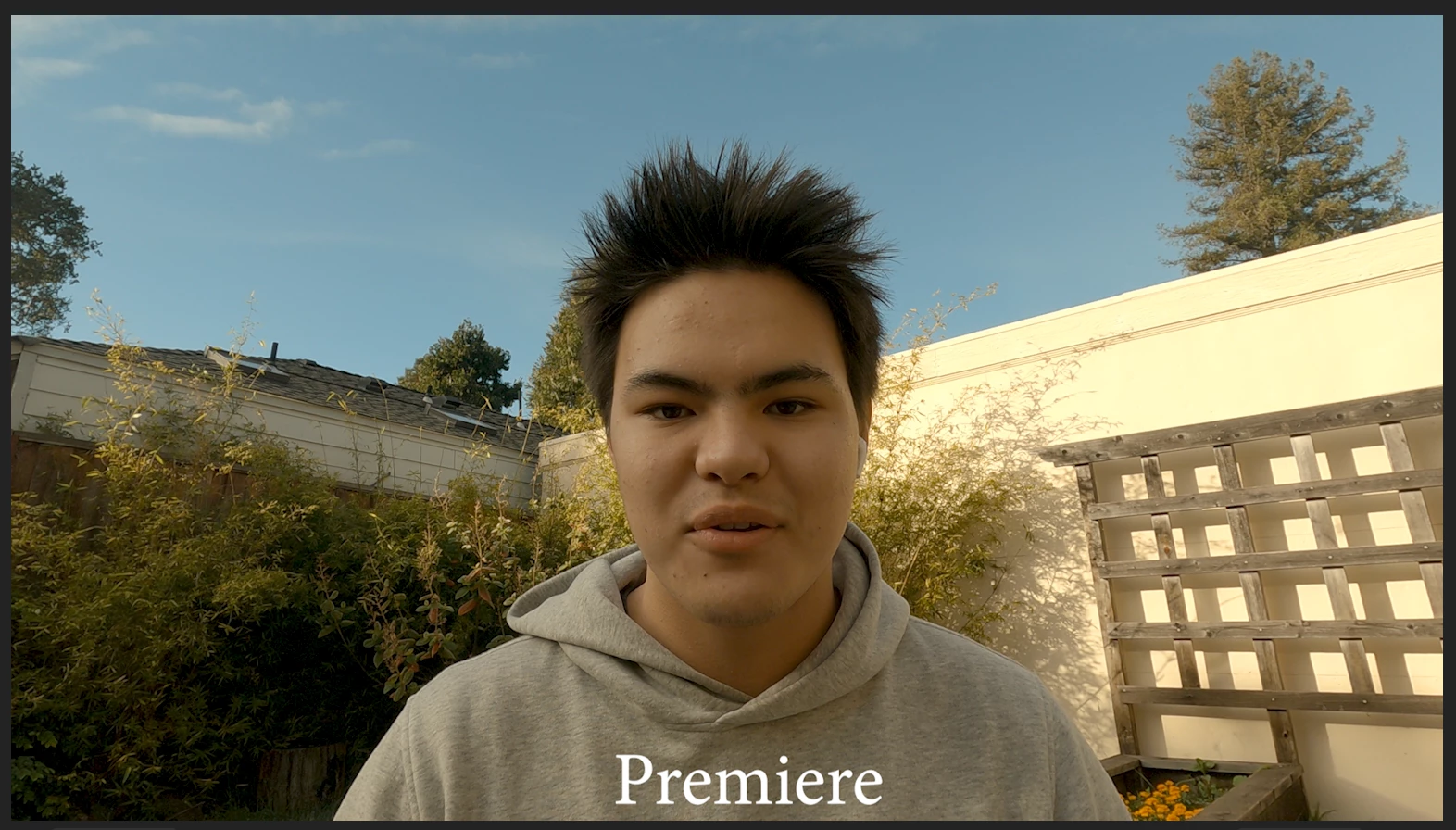
The above is a screenshot from the Premiere program window with no effects applied.
Below is a screenshot from QuickTime Player.
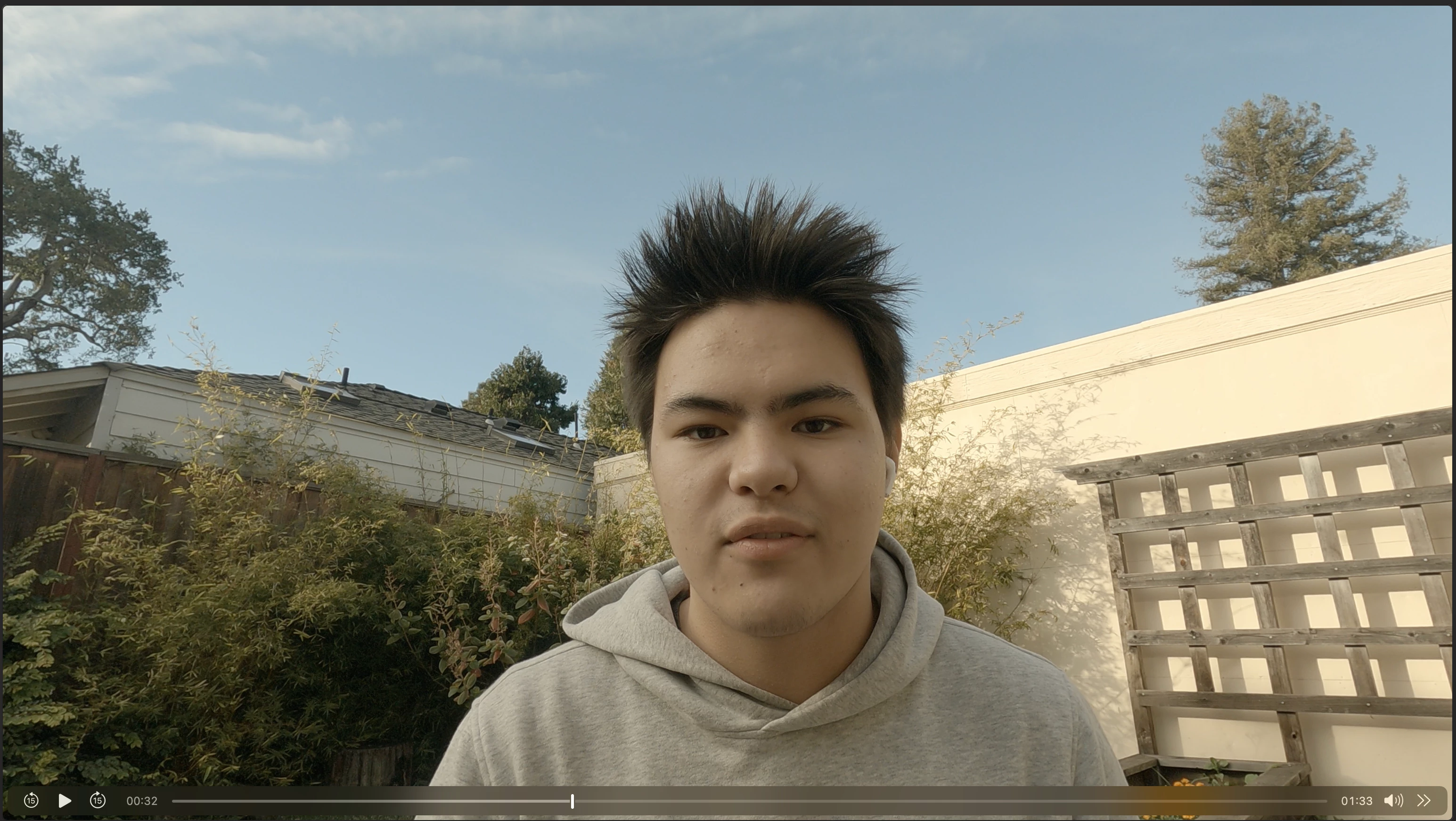
This video was shot on a GoPro Hero 8:
- Color: Flat
- White Balance: Native
- Shutter: Auto
- ISO: Auto
- Resolution: 4K
- Frame Rate: 30fps
As you can see, Premiere Pro is grotesquely distorting the video. However, as expected, this issue is further exacerbated when applying a color grade. However, another interesting point is when LUTs are utilized. I sent the same footage to a buddy and asked him to create a LUT for me to test if it was the footage or premiere.
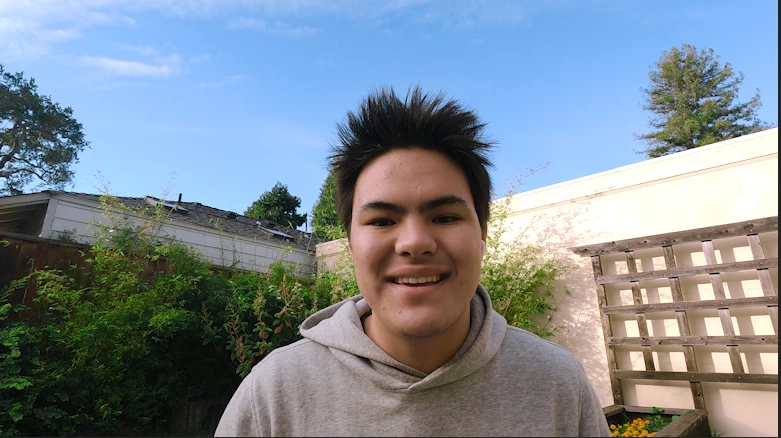
The above is the same video on HIS computer with his LUT applied.
Below is the same video on MY computer with his LUT applied.
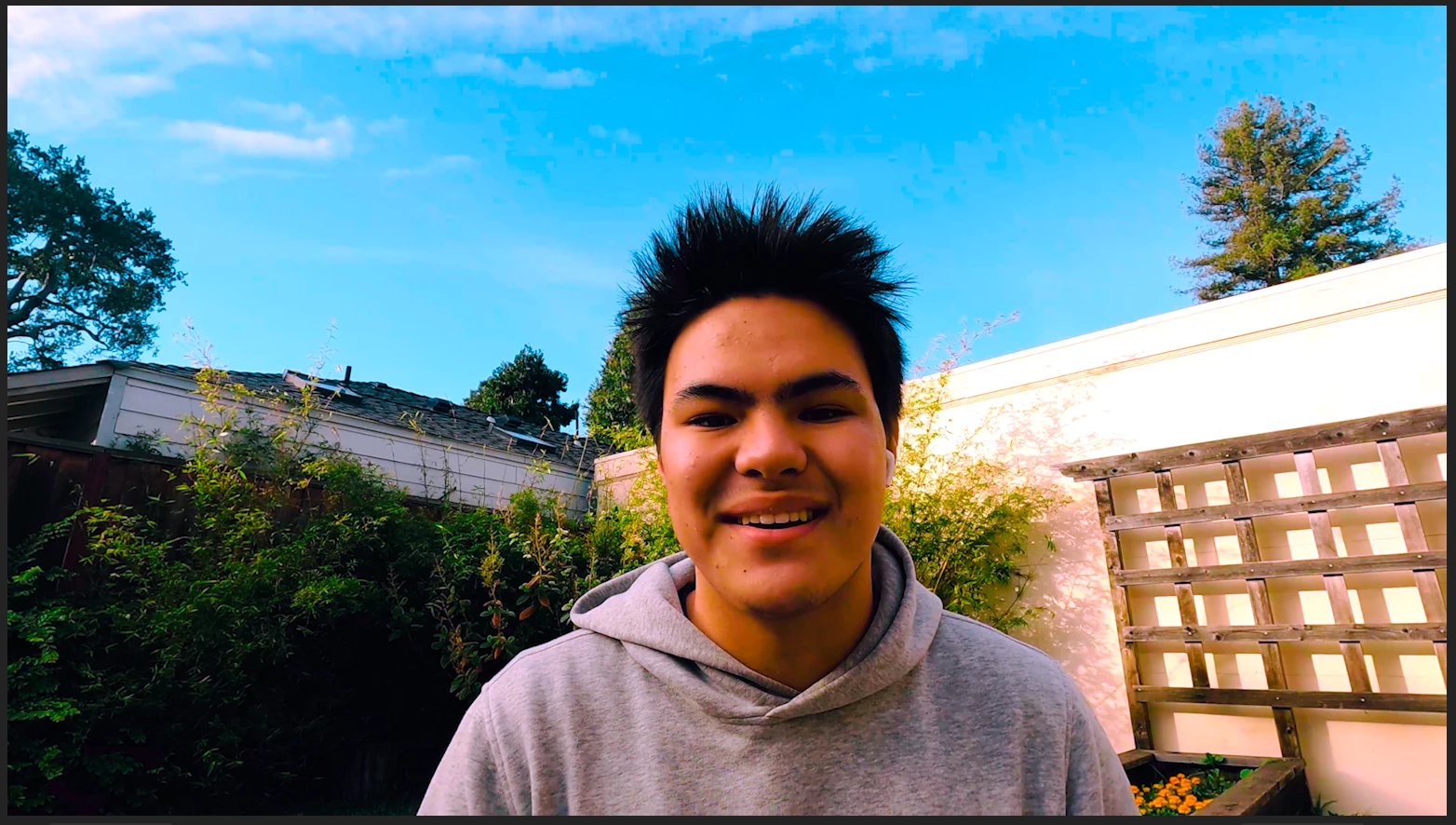
Both images were captured around roughly the same time in the video. However, it is evident that the colors are far from similar. As stated earlier, no other effects are applied to the video. To apply his LUT I simply loaded the .cube file into the "Input LUT" Dropdown in the Lumetri Color panel. I will drop the .cube file (Google Drive Link) as well as some sample footage below. Thank you in advance for all the help!
 AdChoices