

kjricker
Known Participant
October 26, 2022
Answered

Premiere Pro 2023 Autosave location

  • October 26, 2022
  • 1 reply
  • 13445 views

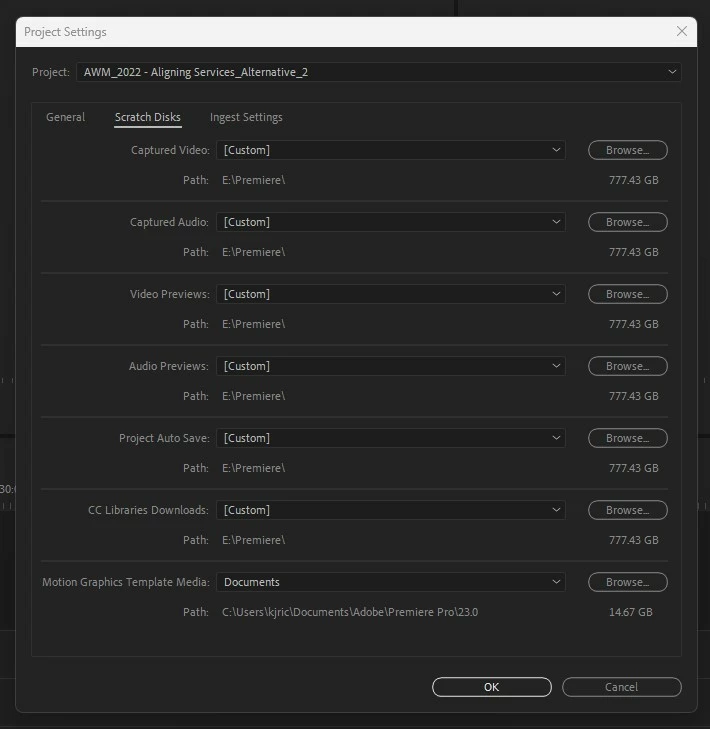
Why has the Auto-save location feature changed in Premiere Pro 2023? Previously Auto-Save would allow me to choose the default location for my Auto-Saves. I generally have it set up to be in the same folder as the project file just like After Effects does. I DO NOT want anything going onto my C drive buried deep in other folders! I do not know when this changed, but please tell me how I can get back to how it used to work.
This topic has been closed for replies.
Correct answer Warren Heaton

Thank Neil. So I see this option, but that sets a specific folder. Not allowing it to be wherever the project file is located.


@kjricker 


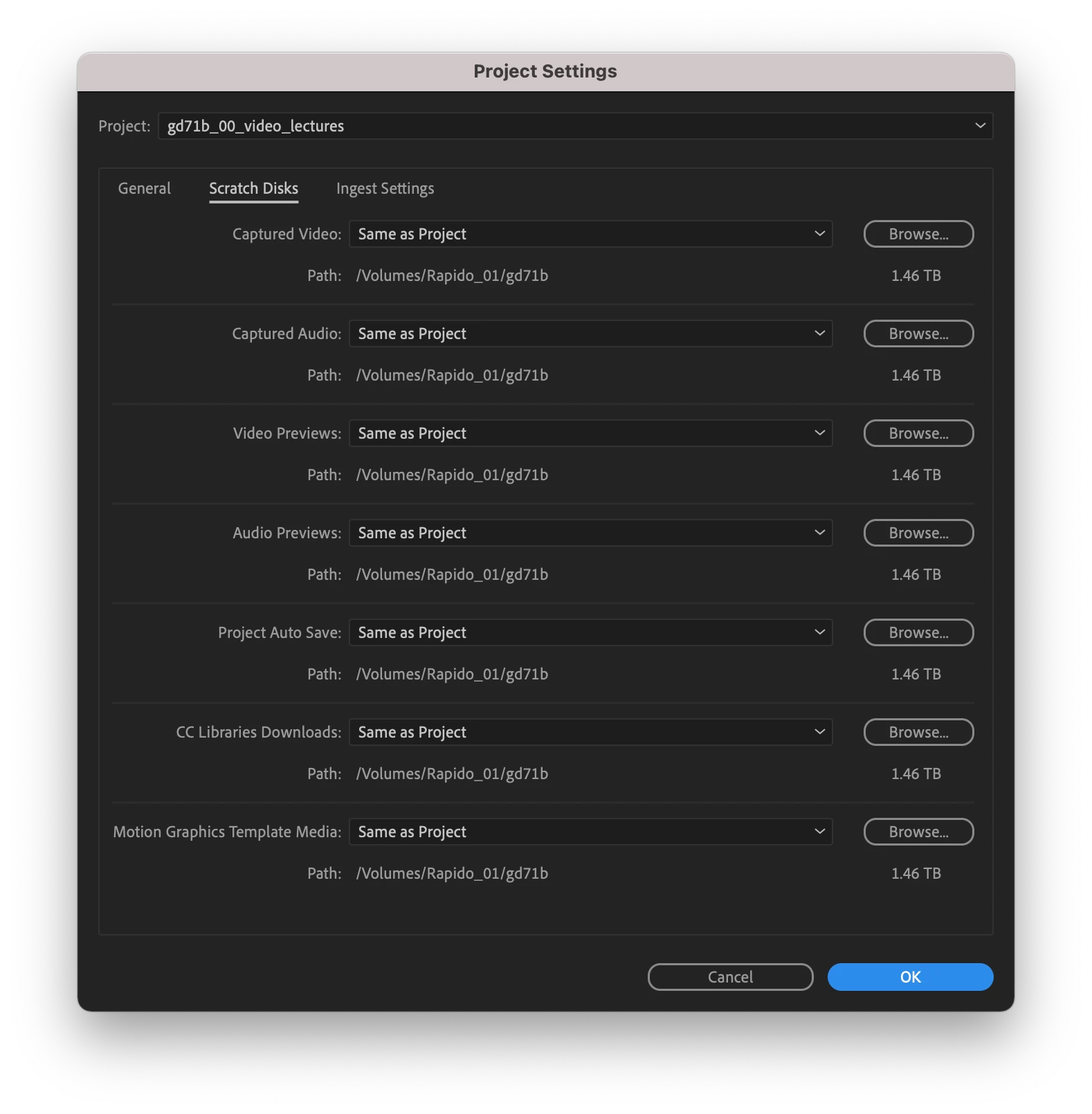
In the Project Settings dialog box under Scratch Disk tab, click the Project Auto Save pop-up menu (currently set to "Custom" in your screenshot) and choose "Same As Project.

Then click OK.


1 reply

R Neil Haugen
Legend
October 26, 2022

The scratch disk options are always in the Project settings dialog, on PCs in the File/Project Settings dialog, the Scratch Disk tab. On Macs that's what, the Premiere menu or whatever ... it's the farthest left main menu list on both I think.


Neil

Everyone's mileage always varies ...
kjricker
kjrickerAuthor
Known Participant
October 26, 2022

So I've looked at that, but it does not so what it used to. I can't recall where the old options were exactly, but I did not have to do this per project. It was a default setting for all my projects. Setting the scratch disk doesn't move the Auto-Save folder to the same location of my projects. I have the scratch disk set to an NVME drive for fast access to the scratch files. I am unsure how setting the scratch disk chooses my Auto-Save location where it hadn't seemed to work that way in the past.