

kjricker
Known Participant
October 26, 2022
Answered

Premiere Pro 2023 Autosave location

  • October 26, 2022
  • 1 reply
  • 13458 views

Why has the Auto-save location feature changed in Premiere Pro 2023? Previously Auto-Save would allow me to choose the default location for my Auto-Saves. I generally have it set up to be in the same folder as the project file just like After Effects does. I DO NOT want anything going onto my C drive buried deep in other folders! I do not know when this changed, but please tell me how I can get back to how it used to work.
This topic has been closed for replies.
Correct answer Warren Heaton

Thank Neil. So I see this option, but that sets a specific folder. Not allowing it to be wherever the project file is located.


@kjricker 


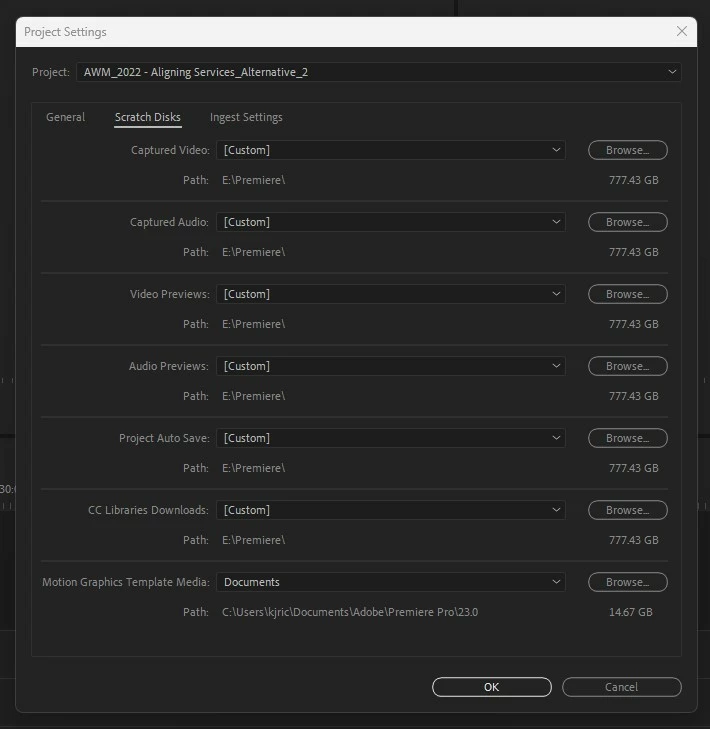
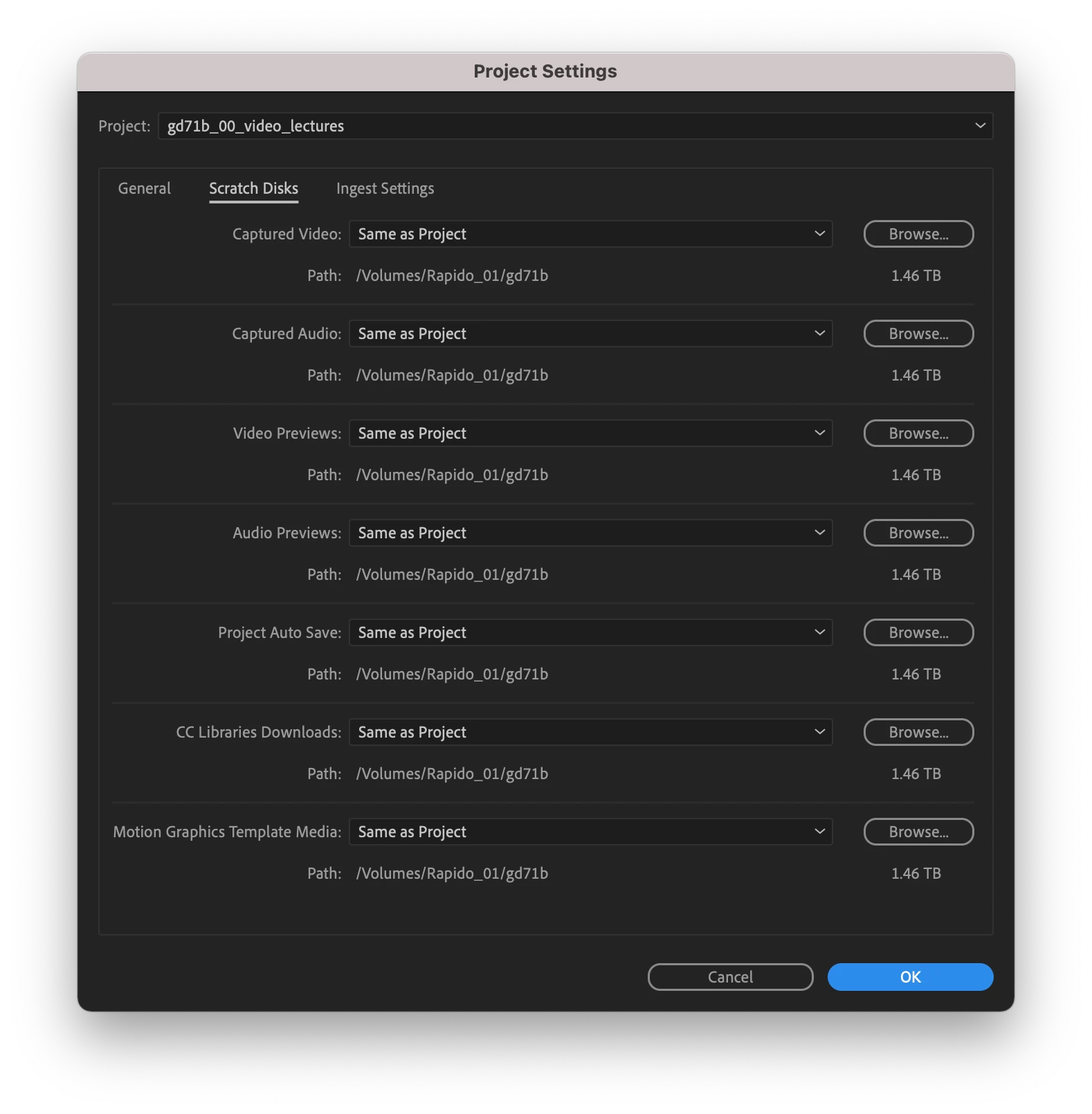
In the Project Settings dialog box under Scratch Disk tab, click the Project Auto Save pop-up menu (currently set to "Custom" in your screenshot) and choose "Same As Project.

Then click OK.


1 reply

R Neil Haugen
Legend
October 26, 2022

The scratch disk options are always in the Project settings dialog, on PCs in the File/Project Settings dialog, the Scratch Disk tab. On Macs that's what, the Premiere menu or whatever ... it's the farthest left main menu list on both I think.


Neil

Everyone's mileage always varies ...
kjricker
kjrickerAuthor
Known Participant
October 26, 2022

Here are screenshots as examples. You can see in the project folder from back in September, it had my Auto-Save folder located exactly where I want it and expected it. The other shows no such folder and I can't find any way to make it work that way again.

kjricker
kjrickerAuthor
Known Participant
October 27, 2022

The old options were in this dialog and also in the "new project" dialog. And were sticky, so once you set a project as you wanted, you never needed to change them. Which is why the options went away from that location.


But they are where they always have been otherwise.


I've got some things on that list of options saved to my Productions folder setup. And some to my dedicated cache disk. Autosaves go into the Productions folder tree on my rig.


Neil


Thank Neil. So I see this option, but that sets a specific folder. Not allowing it to be wherever the project file is located.