Premiere Pro 2023 overexposing my video in the timeline and export
I am a professional videographer and have been using Premiere Pro for years and have never run into a problem like this...
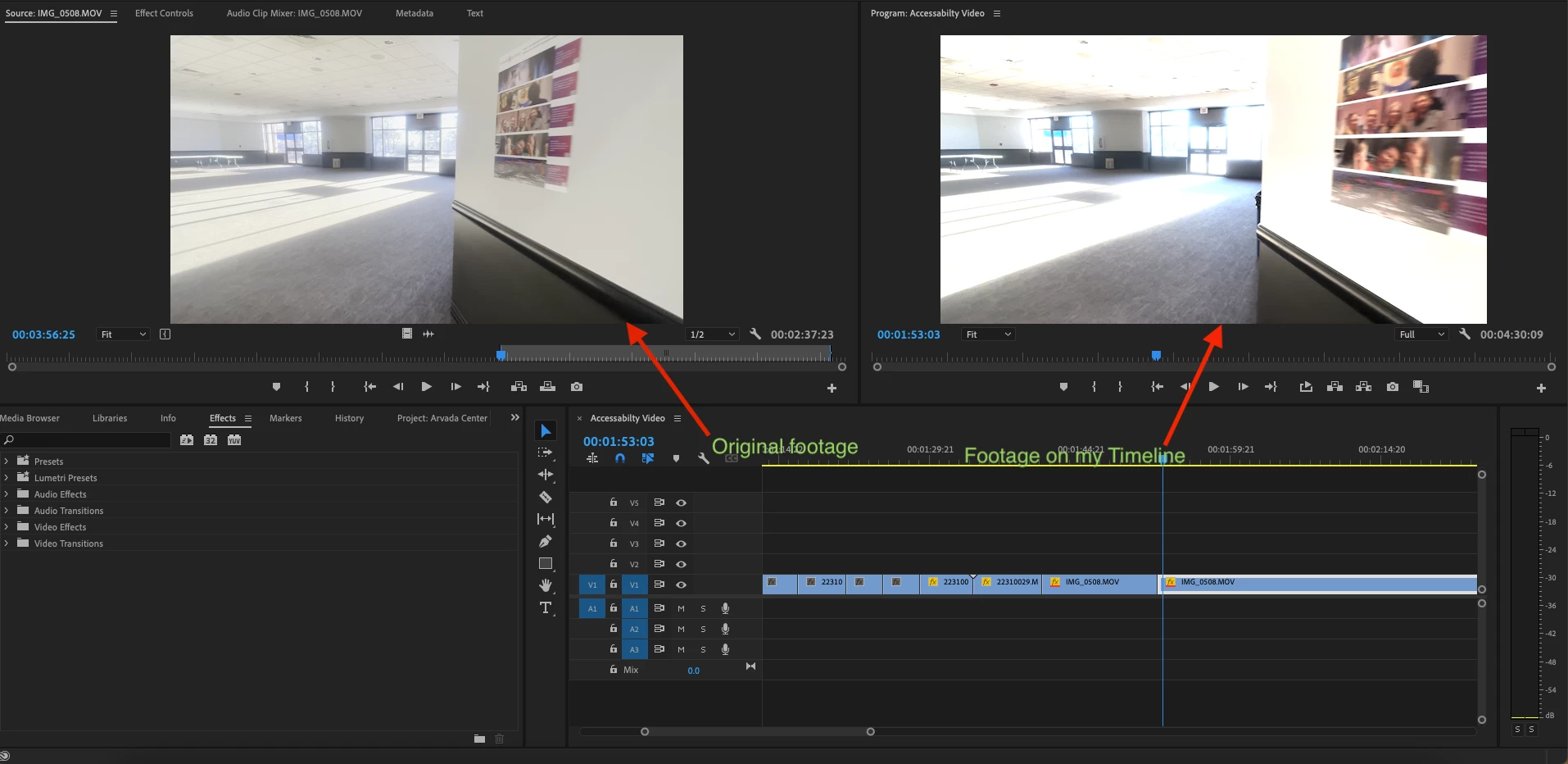
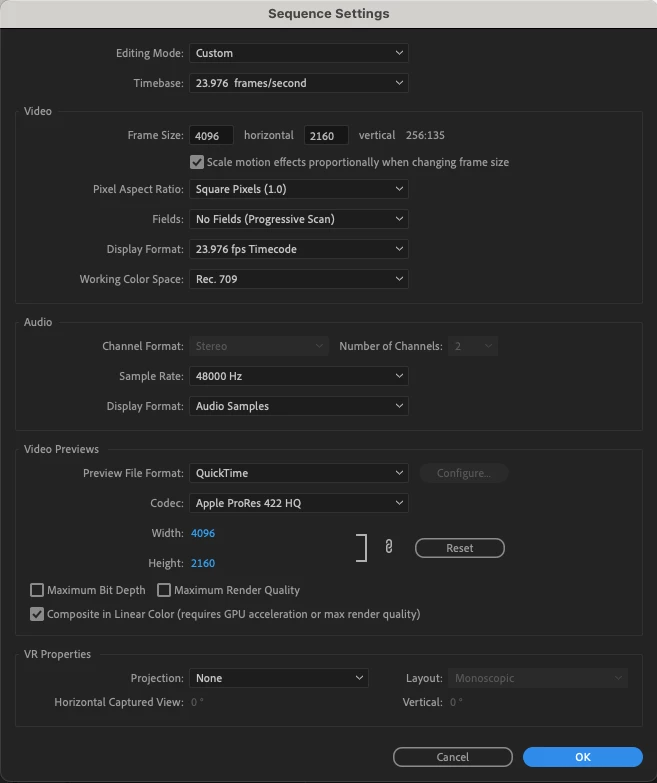
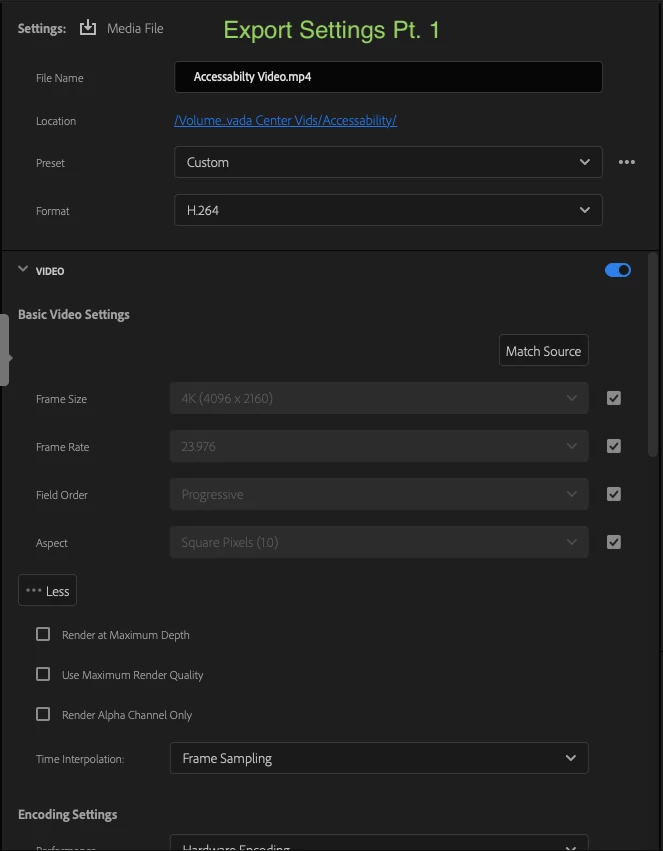
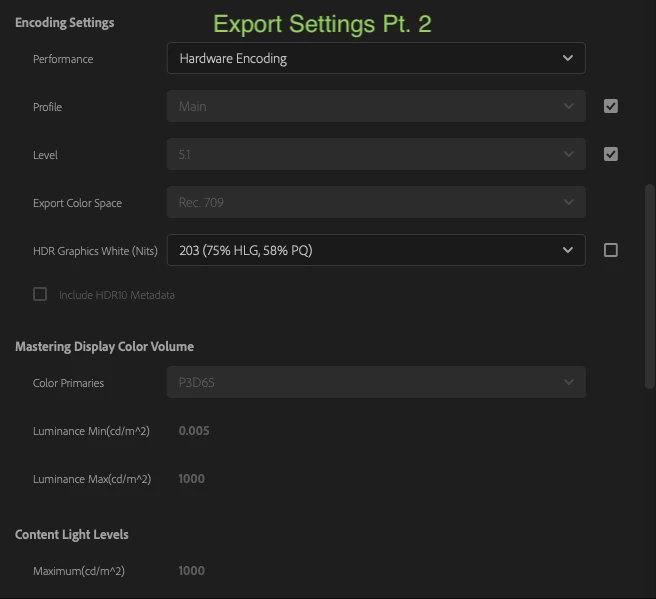
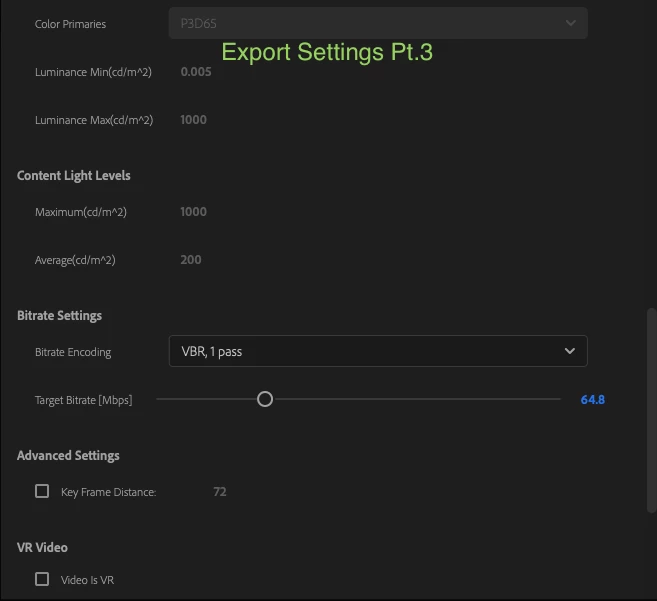
I am currently editing a video for my job using both a 4k camera and my iPhone 14 Pro (I've combined footage from my phone and this 4k camera before in a project and never had an issue) the footage looks fine when I import the footage into Premiere but once I move the footage onto my timeline to watch it, the color and exposure is incredibly blown out. Normally when I have footage that needs color correcting I will use Lumetri Color and adjust it till it looks good and I would use the same default settings I always use with no issue, however, after exporting my current project the footage is completely different (usually worse) Which I then have to go in and tediously color correct the footage to account for Premiere changing it in export. I've done some research and have tried a variety of different LUTs that many claims to fix this issue however nothing changes. I've attached screenshots of my export setting is, and my sequence settings, as well as a comparison of the same shot (the first one on the left is the original footage and the one on the right is the same shot but what it looks like on my timeline).
If someone could please take a look at these and let me know what silly thing I am doing wrong and what I need to fix, Thanks
 AdChoices