
Participant
March 28, 2024
Answered

Premiere Pro 2024 - Chinese input bug

  • March 28, 2024
  • 3 replies
  • 2230 views

Hello Adobe team,

I wanted to bring attention to a glitch I've encountered when working with Chinese text in Premiere Pro. Specifically, when inserting Chinese "Pinyin," the alphabet behind the Chinese characters gets duplicated, which is quite bothersome.

I reached out to customer service regarding this issue and received assistance. Despite several hours of troubleshooting, the team was unable to determine the root cause. However, they suggested a temporary solution by downgrading to Premiere Pro 2023.

It seems that the glitch may be specific to the Premiere Pro 2024 version, as downgrading resolved the problem. I'm hopeful that the Adobe team can investigate and address this issue promptly.

Thank you for your attention to this matter.
Correct answer X28

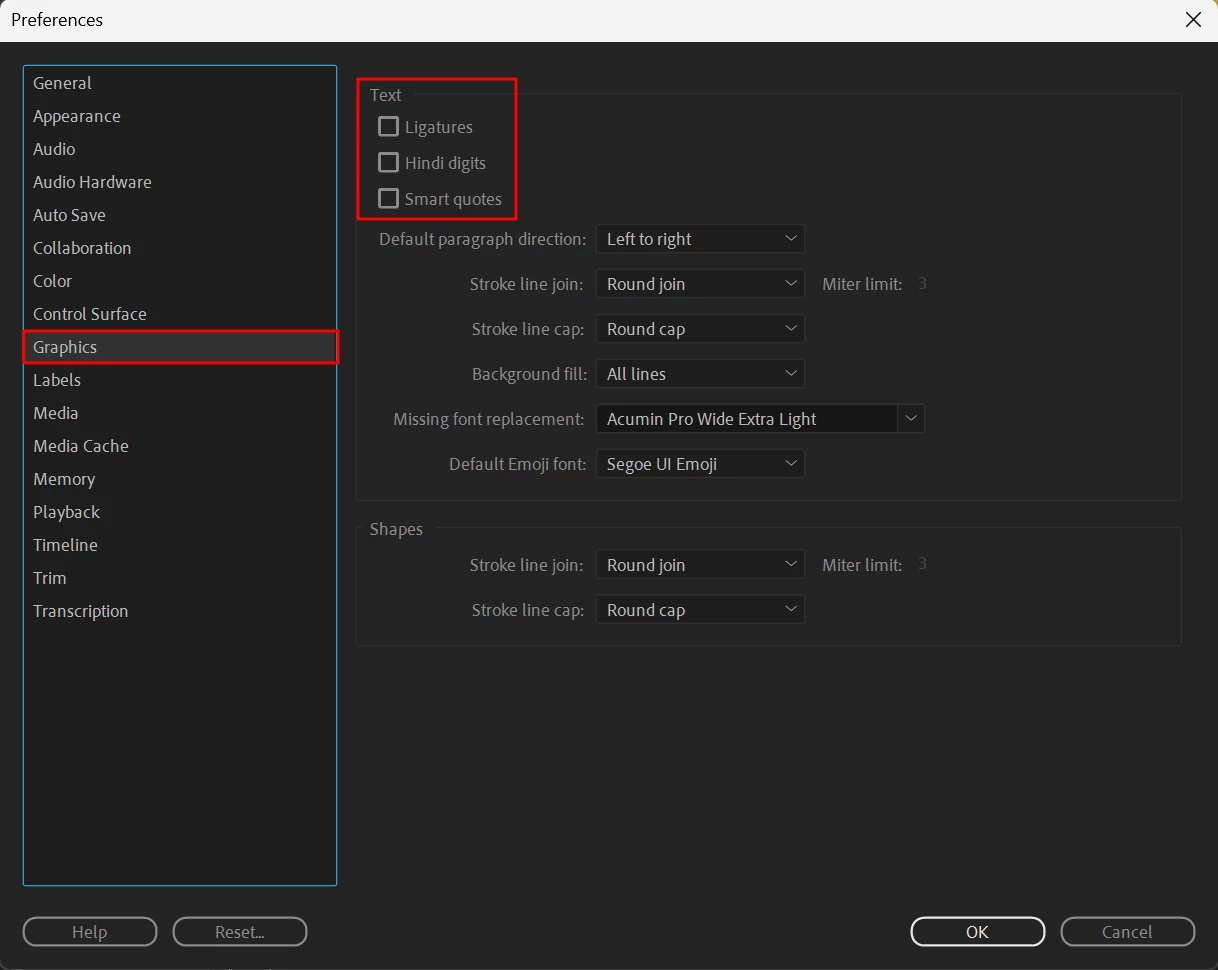
You may try to uncheck that selection.


Edit - Preferences - Graphics - Ligatures / Hindi digits / Smart quotes


3 replies

Participant
August 20, 2024

微软输入法的问题,换一个输入法就行,比如搜狗

Inspiring
December 13, 2024

跟输入法没关系,最好不要随便用国产软件的输入法。

X28Correct answer
Inspiring
July 4, 2024

You may try to uncheck that selection.


Edit - Preferences - Graphics - Ligatures / Hindi digits / Smart quotes


Participant
September 3, 2024

Thank you for your support.

It works perfectly!


Regards

July 2, 2024

Dear Adobe Premiere Development Team,

I am writing to report a bug regarding the conflict between the Chinese input method and Adobe Premiere. My PR version is 24.5 and my system version is Windows 11 23H2.

The issue occurs when I input Chinese characters; the Latin letters (Pinyin) used for indexing the Chinese characters are also being entered simultaneously.

Thank you for your attention to this matter.

Best regards,

-- Jhonny Cui