
Participant
November 23, 2024
Question

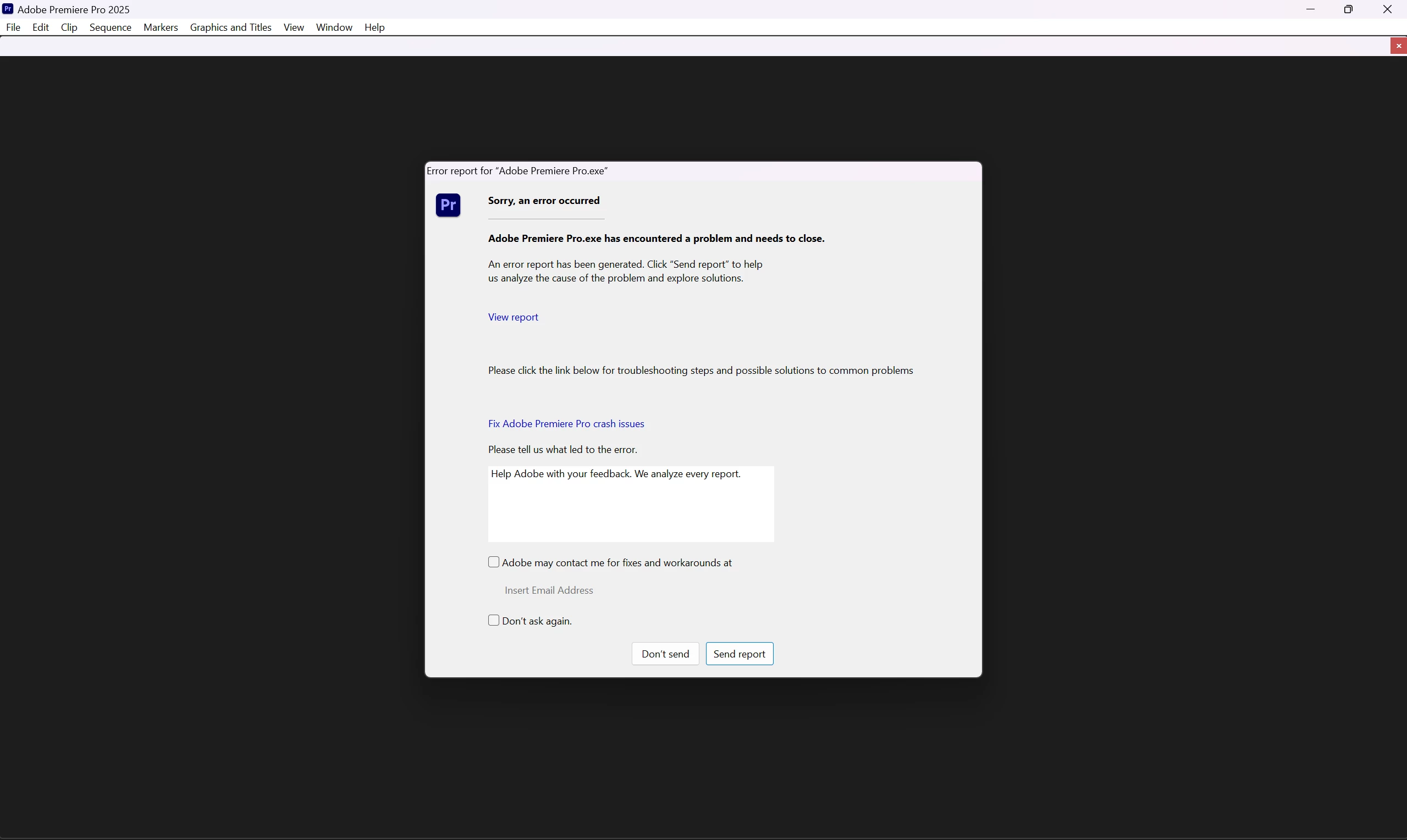
Premiere Pro 2025 Crashes on Startup – Unable to Resolve After Multiple Attempts

  • November 23, 2024
  • 5 replies
  • 5740 views

I am experiencing an issue with Adobe Premiere Pro 2025, as it crashes immediately upon startup every time I try to open it. I have already attempted several troubleshooting steps to resolve the problem, but none have been successful so far.

Here’s what I’ve tried:

  1. I uninstalled and reinstalled Premiere Pro, but the crash persists.
  2. I updated my GPU driver to the latest version available, but this did not solve the issue.
  3. I ensured my system is running smoothly and restarted it multiple times, with no change in outcome.

My system specifications are as follows:

  • CPU: Intel Core i7 (13th Gen)
  • GPU: NVIDIA GeForce RTX 4060 (8GB VRAM)
  • RAM: 8GB
  • Operating System: Windows 11 Pro

It’s worth noting that the crash happens before I can load any projects or media. This suggests the issue might be related to the software itself or a compatibility problem.

I would appreciate any guidance on resolving this issue, as it is preventing me from using the software entirely. If additional information, such as crash logs or system details, is required, I am happy to provide it.
 

5 replies

tonyr90017502
Participating Frequently
February 14, 2025

I've had this same issue ever since around the time you posted this. I've tried every single thing that tech support could recommend besides doing a clean wipe of my hard drive, which I'm about to do right now. BTW I'm on a mac, MacBook Pro M2 Max from 2023.


Like you, I even disabled third party plug-ins. The weird thing is that PP2025 is working on my old MacBook Pro from 2019 using all the same plugins, with all the same software installed including the same OS. But Premiere just decided to stop working on my newer mac. I haven't had time to do the whole backup / reformat / reinstall process since I've been busy with projects, but that means I've had to use my older and slower mac to do client projects. So, looks like going nuclear and doing a totally clean install is the better option. Yes I've used CC Cleaner and I've even tried using older PP installs.

Participant
April 9, 2025

I had the same issue right now with the 25.2 update. (MacBook Pro M2Pro 2023)
When I tried to start, it told me to put the app in the trash. MacOs detects Premiere as "damaged software" because of new code. So I checked the security settings and it turned out that MacOs blocked the app. In your security settings you can click on "open anyway". Now I can use it again.

 https://support.apple.com/en-gb/guide/mac-help/mh40616/mac

tonyr90017502
Participating Frequently
April 9, 2025

I never tried this when I was having the issue, but if it comes up again I'll try to remember this one. Thanks! 

I haven't had the issue since reformating but other weird things happen, like the app crashing when I change workspaces. But that's a whole other post. 

tonyr90017502
Participating Frequently
December 20, 2024

Just started having this issue this morning and have to turn in a project in less than 2 hours. I've also tried what you tried and nothing fixes it. I'm on a MacBook Pro M2 Max with 32gb of ram. 

tonyr90017502
Participating Frequently
February 14, 2025

Did you ever solve this? It happened to me on this exact computer. I'm about to do a reformat / reinstall as I've tried literally everything else.

Participating Frequently
November 26, 2024

I'm on the same boat here. This will be the last time I'm using the latest software version. If not I'm sticking with 2023 version....

Community Expert
November 25, 2024

did you try to update your Microsoft Visual C++ libraries?

Participant
November 25, 2024

yeh , i will but no result

Community Expert
November 23, 2024

If Premiere Pro 2025 crashes on startup, try resetting the application preferences. You can follow the instructions in this Adobe guide: Reset Preferences.

To reset preferences, hold down the following keys while launching Premiere Pro and continue holding them until the welcome screen appears:

  • Opt or Alt: Reset app preferences
  • Shift: Reset plugin loading cache
  • Opt or Alt + Shift: Reset app preferences and reset plugin loading cache
  • Cmd or Ctrl + 3: Disable third-party video plugins
Participant
November 24, 2024

even reset preferences not fix my issue , and i tried to Disable third-party video plugins and loading cache and same thing