
Legend
February 8, 2022
Question

Premiere Pro 22.2 - poor HEVC 4:2:2 4K playback with computer exceeding system requirements

  • February 8, 2022
  • 4 replies
  • 7219 views

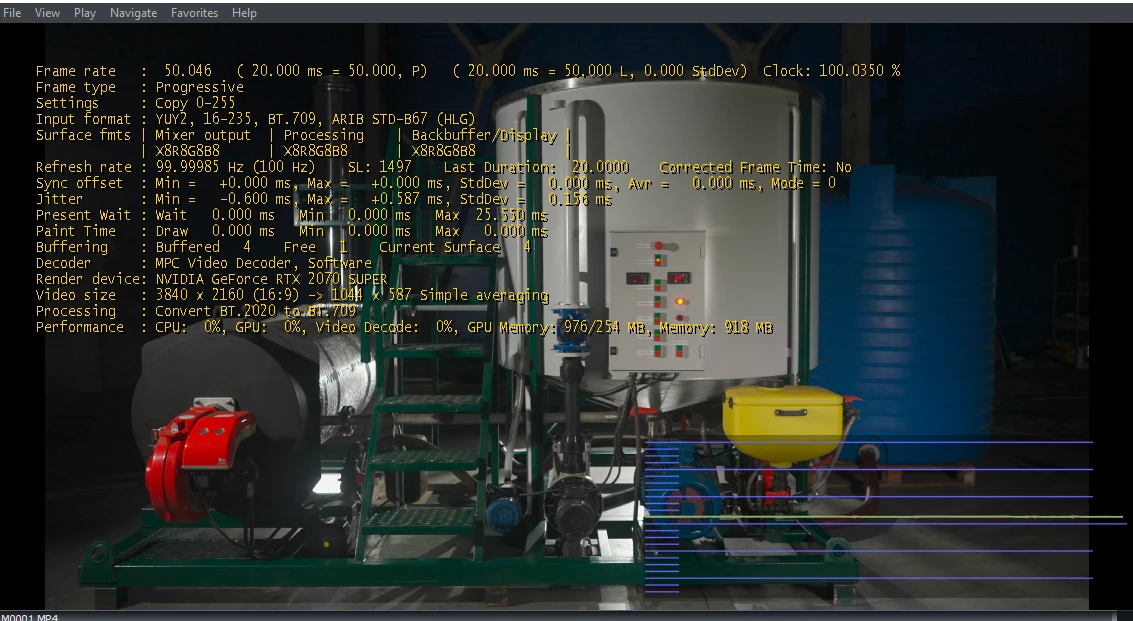
Hi, Kevin. Updates are great. That's how stable it will be, the question is. I have already noticed that 4K files with a 4:2:2 subcriding are played back on the timeline with delays and jerks. I use Win 11, Core I9, M.2 - 3500 mb/sec, RAM - 32 Gb, Nvidia - 2070 Super with Studio Driver 511.65

I ATTACH A SCREENSHOT
This topic has been closed for replies.

4 replies

Participant
November 6, 2022

This lack of codec support is pushing me away from adobe towards da vinci. Even my 12700 3070ti setup is struggling to play back A7siii 10bit 422 files which is a shame.  Hope they can support this soon but looks like no. 

Kevin-Monahan
Community Manager
Community Manager
November 7, 2022

Hi Sophia,

That isn't very pleasant. Have you dropped the playback resolution? That can help. What about your system? Do you have fast HDs? Are they full? How about the Timeline? Do you have any effects applied? Let me know!


Thanks,

Kevin

Kevin Monahan - Sr. Community and Engagement Strategist – Adobe Pro Video and Audio
Participant
March 18, 2022

Hey, I just had the same problem.. and found out my client has given me some mix bag of SONY footage. for e.g

1: Codec type : MP4/MOV H.264 4:2:0 (Full Range) (playing fine)...!

2: Codec type : MP4/MOV H.264 10bit  4:2:2 (Not Playing at all).


So what i tried is to jump to Davinci Resolve 17 and its playing pretty much fine.. a little lag but OK for editing. my timeline length is almost 40 min.

my system is XEON 2687W, Hp820 with 64gb RAM/ GTX 1070/ and a 7TB internal RAID 0. 

Inspiring
March 18, 2022

Adobe needs to up the ante of it's H.264/265 support for Nvenc and Quick Sync. 

Baffy19Author
Legend
March 18, 2022

It would be nice to have her on board 🙌

Legend
February 9, 2022

According to a Puget Systems article about H.264 and HEVC hardware decoding support in Premiere Pro, only 10-bit is supported for 4:2:2 HEVC (oddly, 8-bit 4:2:2 is not supported) - and only for the 11th- and 12th-Gen Intel CPUs using QuickSync. If you have a 10th-Gen i9 CPU, then you cannot use hardware decoding at all with 4:2:2 HEVC material. Only 4:2:0 is supported.


And Adobe does not currently support 4:2:2 hardware decoding at all with a discrete GPU. Again, only 4:2:0 is supported.

Baffy19Author
Legend
February 9, 2022

Sadly. I'm really looking forward to this moment on a Core I9 9900K processor. I hope they will hear me.

Baffy19Author
Legend
February 10, 2022

Computer technology changes every year. Having said that your computer hardware can still encode and decode certain variations of H.264. My i9900K and RTX 2070 can edit the video clips from my Sony A7 III with ease using Nvenc or Quick Sync. 


I wonder if users have problems with playing this source using Nvidia RTX 30 series?

Kevin-Monahan
Community Manager
Community Manager
February 8, 2022

Hi Baffy,

Sorry to hear that but thank you for reporting quickly on the matter. Which camera did this footage come from? Have a sample that I can share with engineering? Let me know.


Thanks,
Kevin

Kevin Monahan - Sr. Community and Engagement Strategist – Adobe Pro Video and Audio
Participant
February 8, 2022

I have the same issue with all 22 versions including the new 22.2 update.


Camera: Fujifilm X-T3

Video format: HEVC 4:2:0 4K 60 fps HLG

Premiere Pro Sequence: Rec. 2100 HLG

CPU: AMD Ryzen 7 5800H

Video: RTX 3070

RAM: 16GB

OS: Wind 10 with latest updates


I tried everything: setting all playback resolution and high quality playback on an off, Optimize render for: Memory and Performance, last nvidia studio and game drivers, turning on and off integrated graphics, dual boot to Windows 11.

Nothing helps. I get smooth playback for few seconds, then it start to freese to 1 frame or less per second with CPU to 100% and GPU to 0%. When I hit play it uses the GPU for few seconds (30-70% depending of playback resolution), then it drops to 0%

On my older PC with 32GB ram, Ryzen 7 4800H, GPU 2060 I get the same behavior. I'm going to upgrade RAM on my curent PC as well, but I don't think this will solve the issue.

Other footage plays fine, it seems the issue is only with the Fujifilm footage.

Older Premiere Pro versions works great (ex. 15.4), however HDR colors looks different (worse). How can I make v. 22+ work for me?

Inspiring
February 9, 2022

Baffy

The title of your post states HEVC 4:2:2. I am not sure if Premiere Pro can use Quick Sync or Nvenc with the HEVC 4:2:2 video codec. Some 4K video codecs can bring a 24 core system to it's knees.