
Premiere Pro (22.3 and 22.0) not exporting video, stuck at 0% (not using markers)
Hey,
I'm trying to export a 'simple' video with a short intro and outtro, which I have done many times (20+) before, but with different video files (it's a lecture series; recorded Teams meetings). Haven't had any issues with exporting until now. Both PP and ME render the audio and then it just stops, stays at 0% and I can hear the PC isn't working like it usually does when exporting. The programs (PP and ME) also tend to crash when I have to cancel the process.
I have tried several of the previously suggested solutions to similar problems:
1. download previous version of PP (22.0) and ME (22.2 and 22.0)
2. restart Adobe / PC
3. "remove markers" is often a solution for many, but I haven't used any markers
4. creating a new project and copy paste from previous timeline
5. exporting via Media Encoder
6. cleared media cache
7. tried exporting in Adobe presets (however only used H.264)
8. tried exporting to different file location
9. yes, I have enough storage (1.5 tb)
10. tried to "deselect Enable hardware accelerated decoding (requires restart)."
11. tried with 3 different projects (2 recent/new and 1 old)
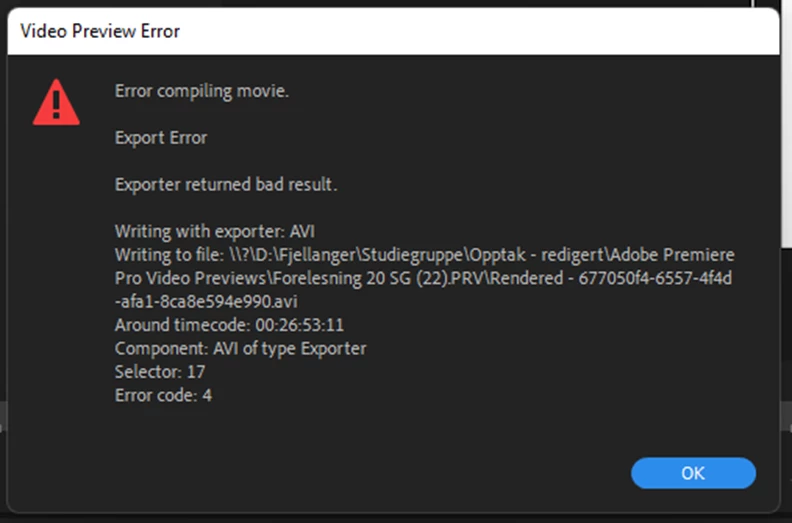
12. tried rendering the whole timeline, got an error message: "error compiling movie, export error, error code 4"
Currently trying to render again while I wait for suggestions.
Thank you for any and all help!
 AdChoices