
Exit
  • Global community
    • Language:
      • Deutsch
      • English
      • Español
      • Français
      • Português
  • 日本語コミュニティ
  • 한국 커뮤니티
0

Premiere pro captions/text (fade in and out + text style)

Community Beginner ,
Jan 03, 2022 Jan 03, 2022

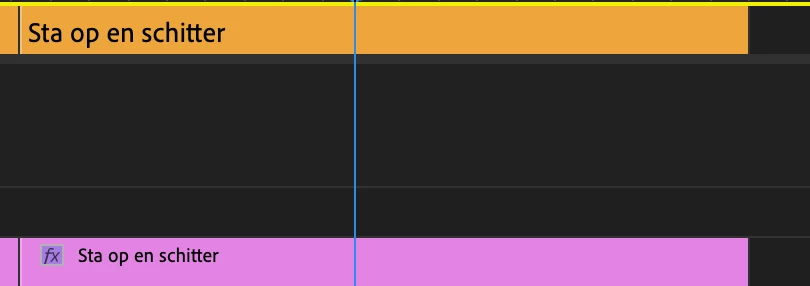
I got a question. I want to fade the text in and out. I can't seem to do it with captions so I made text layers, but it seem like i need to change the placement and style for every item itself. 


Schermafbeelding 2022-01-03 om 23.48.11.png

TOPICS
Editing , Effects and Titles
2.9K
Translate
Report
Community guidelines
Be kind and respectful, give credit to the original source of content, and search for duplicates before posting. Learn more
community guidelines

correct answers 1 Correct answer

Community Expert , Jan 03, 2022 Jan 03, 2022

The new caption workflow (PR 2021 and 2022) no longer treats captions as "video" track items. So you cannot apply effects.


A workaround is to convert the captions to text/graphics items, and then apply some kind of preset to fade the caption in/out.


See this thread for some workarounds:

https://community.adobe.com/t5/premiere-pro/faq-workaround-nesting-to-apply-effect-controls-to-caption-track/td-p/11935335


Stan


Translate
Community Expert ,
Jan 03, 2022 Jan 03, 2022

Not sure that I'm following your question. Maybe making a razor cut and applying a cross dissolve would be helpful. Also in the Effect Controls panel try adjsting the end of cut and beginning of cut settings.

Translate
Report
Community guidelines
Be kind and respectful, give credit to the original source of content, and search for duplicates before posting. Learn more
community guidelines
Community Expert ,
Jan 03, 2022 Jan 03, 2022

The new caption workflow (PR 2021 and 2022) no longer treats captions as "video" track items. So you cannot apply effects.


A workaround is to convert the captions to text/graphics items, and then apply some kind of preset to fade the caption in/out.


See this thread for some workarounds:

https://community.adobe.com/t5/premiere-pro/faq-workaround-nesting-to-apply-effect-controls-to-capti...


Stan


Translate
Report
Community guidelines
Be kind and respectful, give credit to the original source of content, and search for duplicates before posting. Learn more
community guidelines
Community Beginner ,
Jan 03, 2022 Jan 03, 2022

Thanks a lot, next time this will safe me a lot of time. I didn't think about nesting the sequence with captions as an option so it's possible to use effects. 

Translate
Report
Community guidelines
Be kind and respectful, give credit to the original source of content, and search for duplicates before posting. Learn more
community guidelines
Engaged ,
Nov 10, 2025 Nov 10, 2025
LATEST

Okay, surely Adobe has made some advancements with being able to apply effects (fade in/fade out) with captions, right?  I mean, this post is from three years ago, and I am hoping Adobe has made some improvements to captioning.  

Translate
Report
Community guidelines
Be kind and respectful, give credit to the original source of content, and search for duplicates before posting. Learn more
community guidelines