
Participant
September 1, 2017
Question

Premiere Pro CC 2017 - Error Compiling Movie - GPU Render Error

  • September 1, 2017
  • 2 replies
  • 2181 views

Hi fellow editors/video people,

A project of mine is suddenly showing this error message when I export media with Lumetri Color adjustments applied:
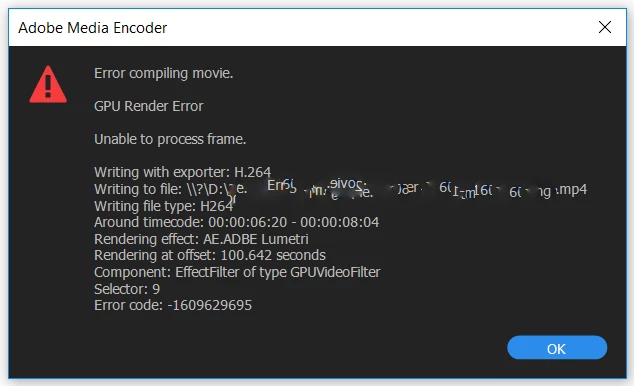
Here's what I've tried to remedy this (in addition to all I could find on this forum):

Copied project and sequence and retried to export, round tripping to DaVinci Resolve (hasn't worked for me yet), selected "Software Only" as my render engine (I was met by crazy render times, and the progress just froze at the same point as CUDA failed).

The only ways I can export anything from this project are removing all Lumetri attributes from my clips, or bringing the project to my MacBook Pro, which seems to have no trouble exporting the sequence. I am currently exporting on the Apple because the project needs to export tomorrow, but I need to find another sustainable solution on my more powerful machine, the components of which are shown in the picture and description below.

AMD Ryzen 7 1700x // Asus NVIDIA GTX 1060 3GB // G. Skill 2x16 RAM // Windows 10
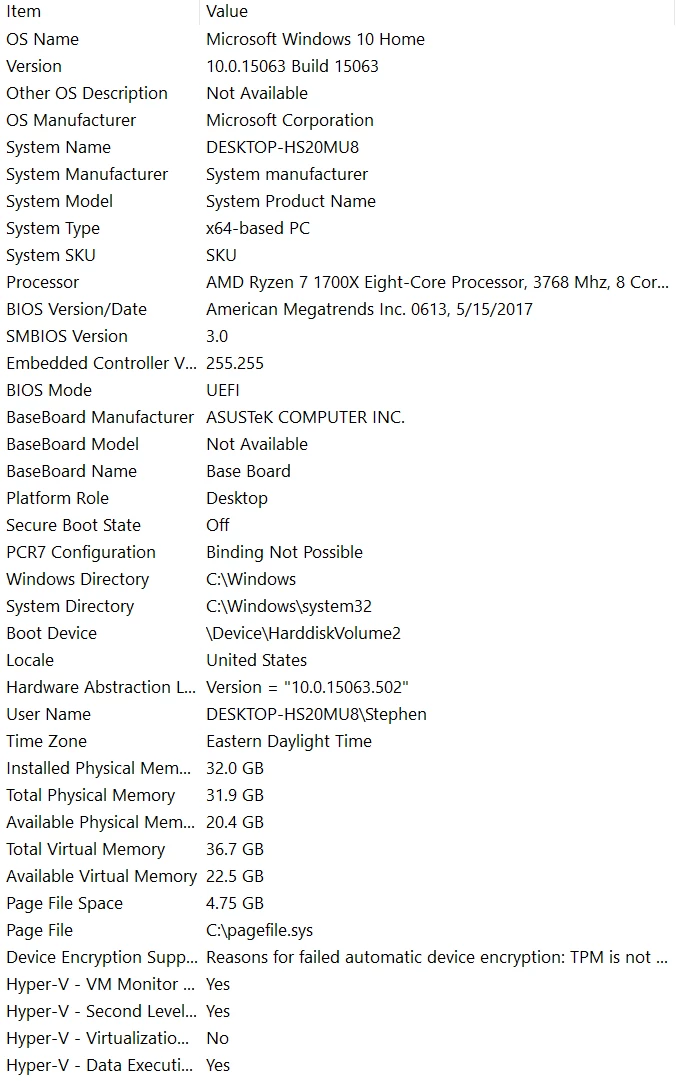
This computer exported this same sequence two days ago without any trouble. When I came back to it, I removed all Warp Stabilizer, and added a Lower Thirds title from the new graphics panel, and was met by this issue.

Thanks to all the helpful people here - I hope we can find a solution for myself and anyone else encountering this issue.

All the best,

Stephen B.

This topic has been closed for replies.

2 replies

Rameez_Khan
Legend
September 5, 2017

Hi Stephen,

Sorry for your issue!

Please go through the troubleshooting steps in this document: How to fix issues that cause errors when rendering or exporting

Thanks,

Rameez

Participant
September 5, 2017

Thank you Rameez,

I've been through the document you mentioned without any success. I tried location, format, filename spelling, restarting my computer, restarting premiere, and while it exported without video, it had no trouble exporting frames on which no Lumetri color correction was applied. I tried exporting from different projects using Lumetri, and those exported, just nothing from this particular project with Lumetri.

I also copied the project, re-imported all my footage, started the edit from scratch, and ran into the same problem.

What did work, was transferring the project to another computer. I took the drive over to my MacBook, and it exported overnight without issue.

Thanks again for the help,

Stephen Brouillette

Inspiring
September 5, 2017

I have this exact same error appear on my Mac computer all the time. I have a GTX 980 and I think there is some incompatibility between the Adobe GPU acceleration for the Lumetri plugin and GTX cards. It's been an issue for months, maybe a year. I've submitted bug reports and talked on the phone with them about it but they insist it's a graphics card issue and never seem too interested in fixing it.

Legend
September 1, 2017

If CUDA and software are failing at the same point, find what's there in the sequence and troubleshoot it.