
Known Participant
February 23, 2017
Answered

Premiere Pro CC 2017 UI is wasting space

  • February 23, 2017
  • 3 replies
  • 713 views

The new UI of Premiere 2017 is wasting space at the left end of the timeline. There is no reason for this. The timeline itself could be larger.

That space cannot be reduced by clicking at the border and moving it.

See attached image
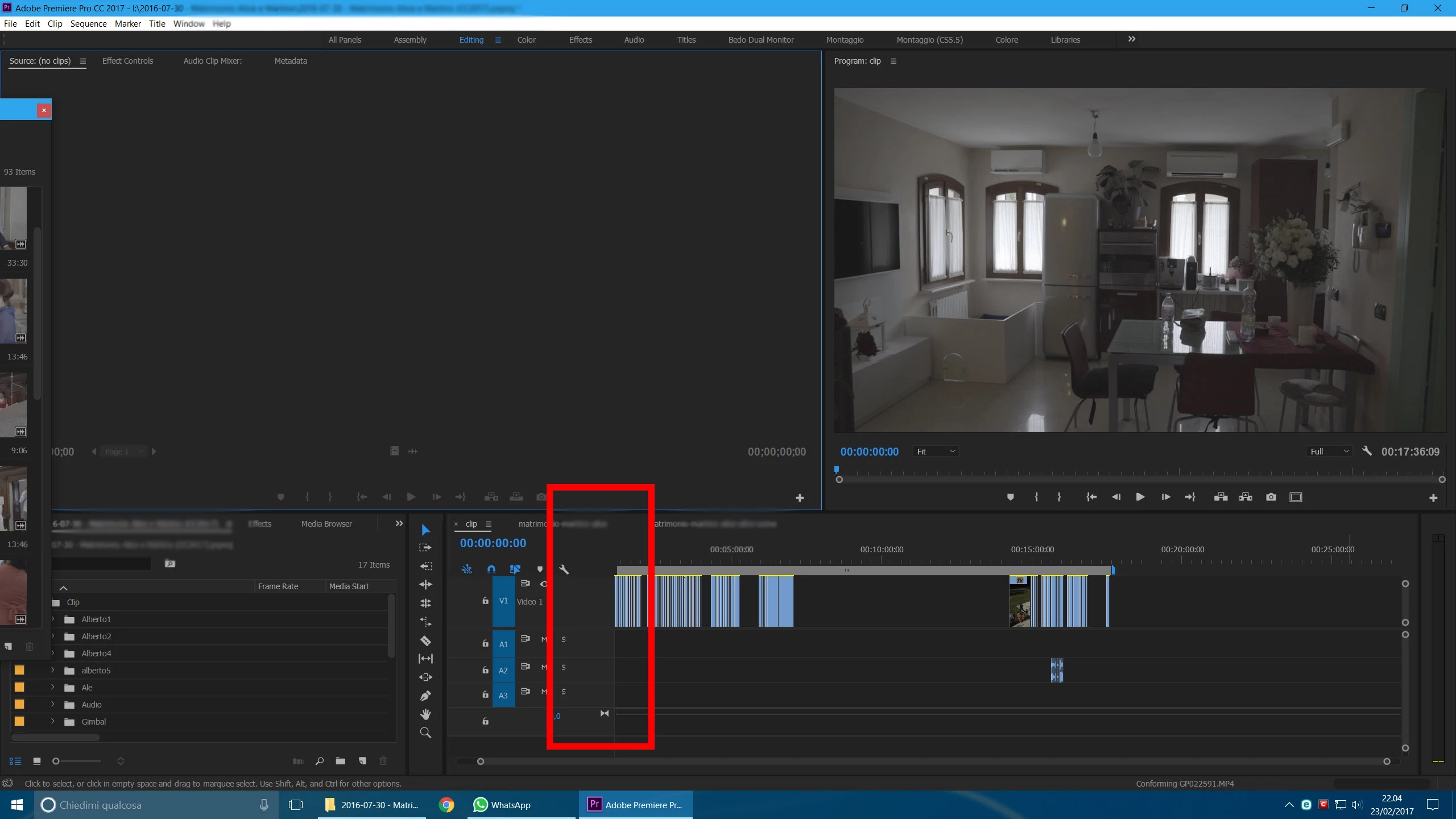
Is there a way to fix this?

Thank you

This topic has been closed for replies.
Correct answer jasontcox

Hmmmm yes, a little frustrating. Played with it for a while to confirm but can't seem to shrink it any further, even by taking more buttons out.

Feature Request/Bug Report Form

3 replies

Known Participant
February 28, 2017

I sent a Feature Request/Bug Report Form

If you are annoyed by the same problem, please do the same!

Thank you

Legend
February 24, 2017

I add the audio levels to the tracks, so the space does get used in my case.

jasontcox
jasontcoxCorrect answer
Inspiring
February 23, 2017

Hmmmm yes, a little frustrating. Played with it for a while to confirm but can't seem to shrink it any further, even by taking more buttons out.

Feature Request/Bug Report Form

Ann Bens
Community Expert
Community Expert
February 24, 2017

I put the track name next to the eye.

When tracks are at their minimum I can still read the name.

Did the same for the audio.