
Question
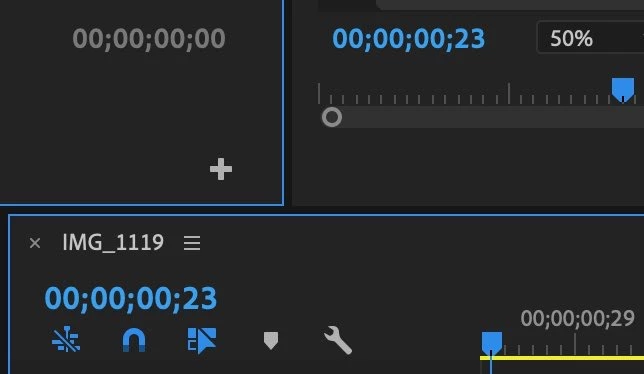
Premiere Pro CC 2019 displaying unknown timecode, and command-clicking it will only go to frames
My Premiere Pro CC 2019 is displaying a timecode I don't understand (check the screenshot), and when I tried command-clicking it, it went over to frames and would not switch to anything else even after spamming command-clicks on it. I also opened up my project settings, and it clearly said "timecode". This is definitely a bug in Premiere Pro CC version 13.1.5, and it needs to be fixed urgently.
 AdChoices