If I create a new project and try to import the files, I still get the same error message "missing media." When you click "locate," it cannot find them.
LydiaT8318 When you download the ZIP file and extract its contents, the files should all appear in a folder called create-project-import-media. When you open the first practice file (create-project-import-media-step1.prproj) in that folder, Premiere Pro will notify you that you must convert the file to the latest format (new name: create-project-import-media-step1_1). When I tried this, every practice file (.prproj) opened for me just fine because Premiere Pro could link all the media.
However, if the media is not linked for you, I assume that all the clips appear red:
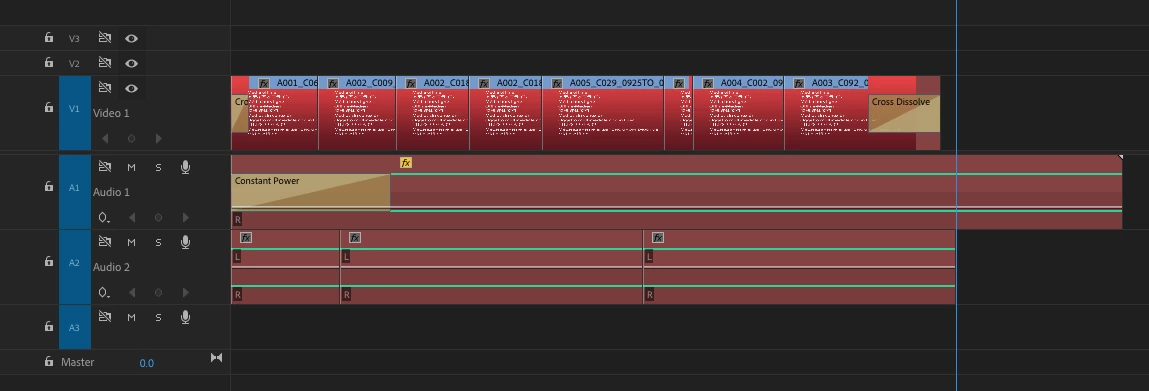
I tried to recreate your situation by deliberately moving the Media Files folder to another location. Now to link the media, choose File > Link Media from the main menu. You see the Link Media dialog box:
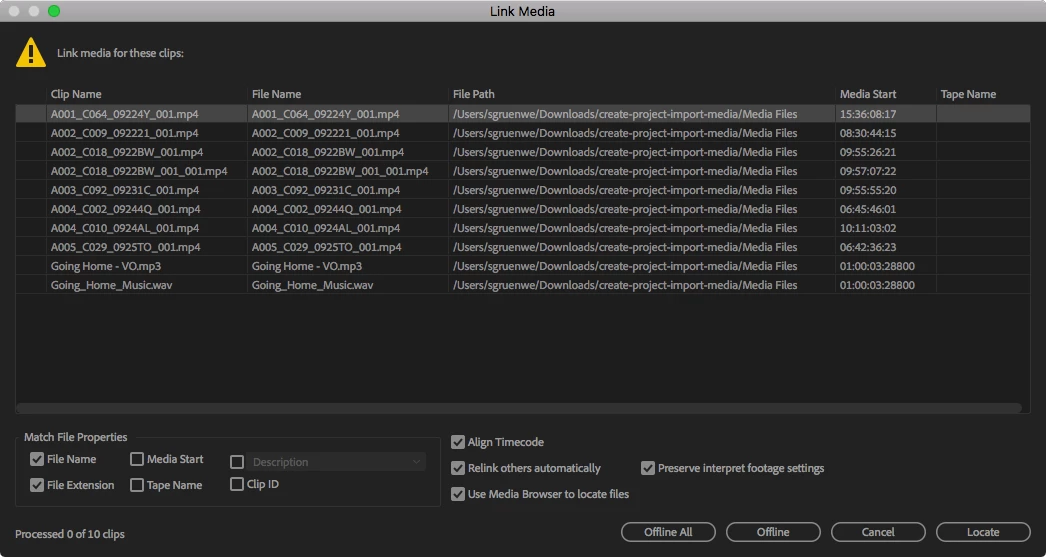
Click the Locate button. Navigate to the Media Files folder on your hard drive and then find the first file that's missing. In this case, it's probably called A001_C064_09224Y_001.mp4:
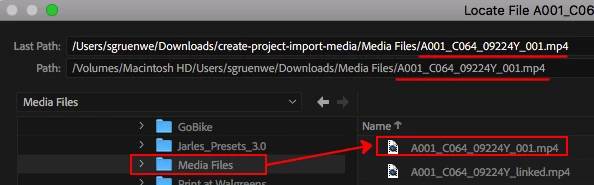
Click OK and Premiere Pro will automatically link all the media in the project. You should be good to go.
Watch this tutorial to learn more: Import and relink media. This tutorial is a few years old but the basics still apply. People have found it to be very useful.
Please report back if you are able to successfully open the practice Premiere Pro project files completely.


 AdChoices