
Known Participant
June 19, 2019
Question

Premiere pro crashes... ImporterMPEG (importer:8), a low-elvel exception occured

  • June 19, 2019
  • 6 replies
  • 2909 views

After updating premiere to 2019 it crashes about 1082378921 per day... I can't work, thats sick! (i would prefer to use harder words)
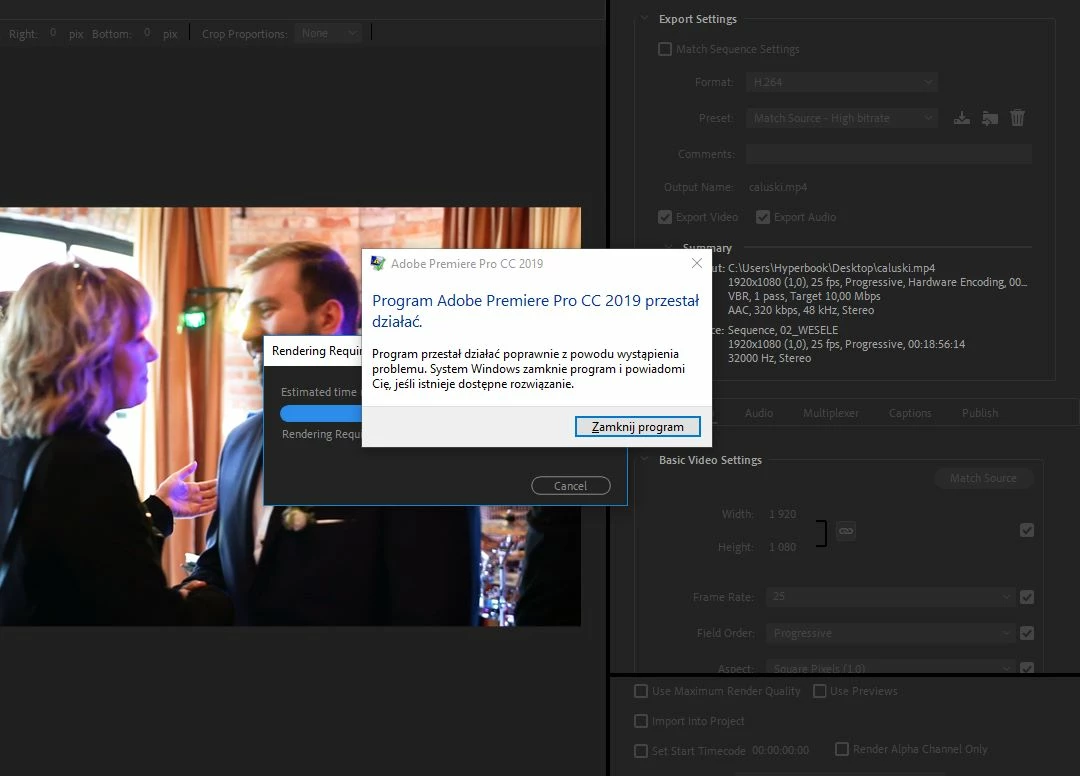
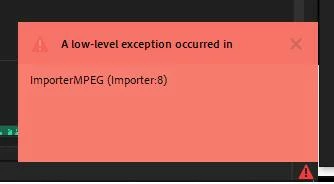
No, its not happen only when exporting, its happen everytime round and round. (sometimes i dont get this red window)

Premiere pro version 13.1.2 build 9,

Inter i7-8750H

32gb ram

project and cache on SSD (tried to clean). over 300gb free space on ssd.

nvidia geforce gtx 1050ti

    This topic has been closed for replies.

    6 replies

    Warren Heaton
    Community Expert
    Community Expert
    March 13, 2020

    Transcode to a mezzanine CODEC and leave the formats that were never meant for editing behind.


    Since you're on macOS, I can't recommend an all Apple ProRes workflow highly enough.


    It may be worth noting that if your editing with Avid Media Composer, your MPEG source would be transcoded to DNxHD upon ingest.  If you were editing in Final Cut Pro X, it would transcode to Apple ProRes.  If you were editing in Resolve, Blackmagic's CODEC.  

    tabacp62846656
    Participant
    September 28, 2019

    Same error here. i tried everything. adobe PLEASE fix this ASAP 

    Participant
    March 13, 2020

    There was such a problem too! I just haven't tried it. Found a solution! The latest graphics card driver must be installed intel from the official site. If it is not installed automatically, it must be forced! I had a driver a year ago after I installed a new problem disappeared! 

    Participating Frequently
    August 19, 2019

    Same here. Happens when just LOOKING at footage in the timeline. Doesn't seem to coincide with any action. Yet another fatal flaw with absolutely no answer support or quality control.

    vacwars
    Participant
    August 19, 2019

    I get the importer 8 error about 10 times a session. usually when dragging clips from file explorer. it happens with all types of files, sometimes when I simply open file explorer.

    the only way I have not gone crazy is that I have it set to autosave every minute.

    PLEASE help.

    vacwars
    Participant
    August 19, 2019

    I am wondering if its the video card? I seem to notice a lot of GeForce GTX being listed here, I am using the GeForce GTX 2060.

    I recently updated the driver which fixed another issue I was having but this importer 8 crashing thing remains.

    Participating Frequently
    June 25, 2019

    I think I solved the problem. Apparently Camtasia generates video compressed in a way Premiere can't handle it. Since I just had GoPro and Camtasia videos for that project, and I used GoPro lots of times before, I figured out that import error was because of Camtasia.
    Solution: Imported that camtasia video to Magix, exported it again (10 folded the size of the video), and then used that Magix exported video to Premiere. No crashes so far...

    Participating Frequently
    July 1, 2019

    Problem arised again. Now with Lightroom exported JPGs, and maybe that was the reason from the start.
    From lightroom? Yes...

    Participating Frequently
    July 1, 2019

    By the way, @adobe , cleaning media cache files doesn't work, or most of the times, I can't reach that option because Pr crashes.

    Kevin-Monahan
    Community Manager
    Community Manager
    June 25, 2019

    Karolina,

    Try cleaning Media Cache Database from Preferences, not just the cache. Also check application of audio effects. Do you have any?

    More info:

    A low level exception occured in: Importer MPEG (Importer)

    Sorry about this.

    Kevin

    Kevin Monahan - Sr. Community and Engagement Strategist – Adobe Pro Video and Audio
    Participating Frequently
    June 25, 2019

    Same here

    PP13.1.2 Build 9

    i7 8930

    64GB RAM

    m.2 + ssd
    GeForce GTX 1070.

    Can't make a 3 minute video.

    Some Camtasia and GoPro generated content.