
Question
Premiere Pro Displaying Glitching on Footage on M1 iMac
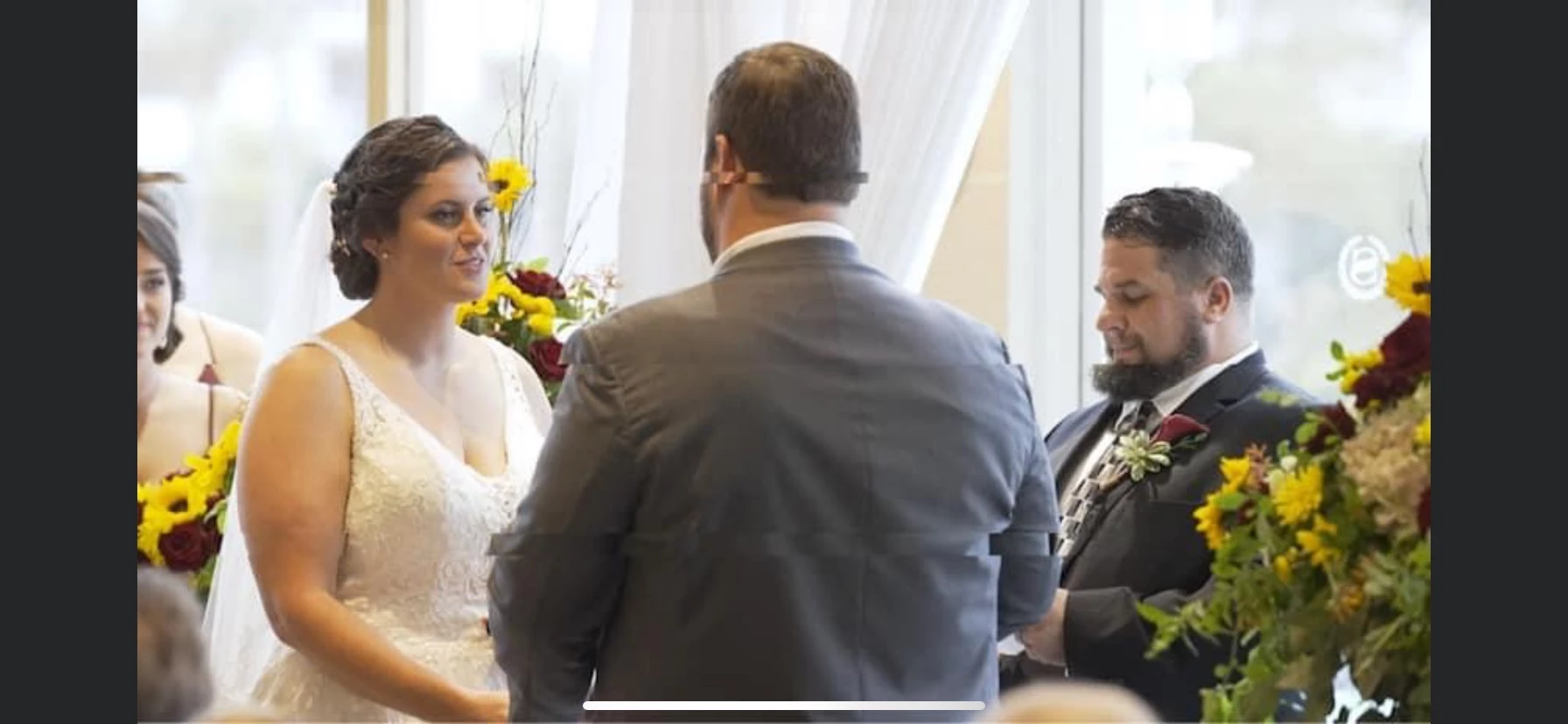
Hey everyone, I recently bought the new M1 iMac with 16GB of RAM (the highest available), and I was super excited to get working on my 4K Sony A7SIII footage since I had heard that the M1 chip should edit smooth as butter. Unfortunately, the editing is just as choppy, including dropped frames and now a glitching effect (sort of like little "tears" in the clips) throughout my clips that shows up in the source monitor, program monitor, and when the clips are exported. Am I missing something here? Since Premiere is now native, these things shouldn't be happening. Anybody know a fix? Attaching a screenshot of the glitching for reference.
 AdChoices