
Premiere Pro does not have audio files when importing MTS files
I am working on a project for work. To do this, I have shot my B-roll and some of my testimonies. Then I download them on my home computer from my HDVCs, iPhone, DJI wireless microphone, and then I copy them to my Google Drive. This way, when I get to work, I can download all those files, and add them to my project. However, after downloading them to my work laptop, I create the project and start to import all of my files. As I was trying to sync up the video files from 3 cameras (2 Sony HDVCs and my iPhone), I noticed something as odd. NONE of the MTS files have audio files...they are just the videos. Which without the audio makes it IMPOSSIBLE to sync the three files. This is what they look like after importing them into PP:
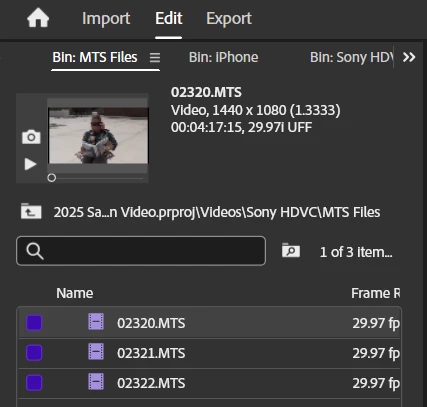
NO AUDIO FILES!!!
So I went to Google and tried searching for issues. I guess since Sony and Adobe don't always play nice, one of the solutions was to convert them to H.264 using the Adobe Media Encoder. So I encoded all of my MTS files. When I added them to the project, they appear to have audio:
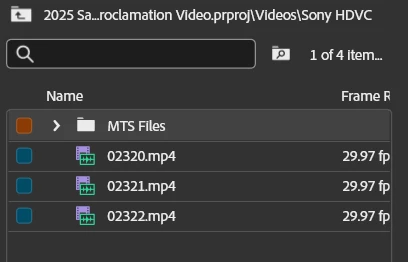
But after I add them to the timeline, hoping I will be able to sync all three cameras, this is what I get:
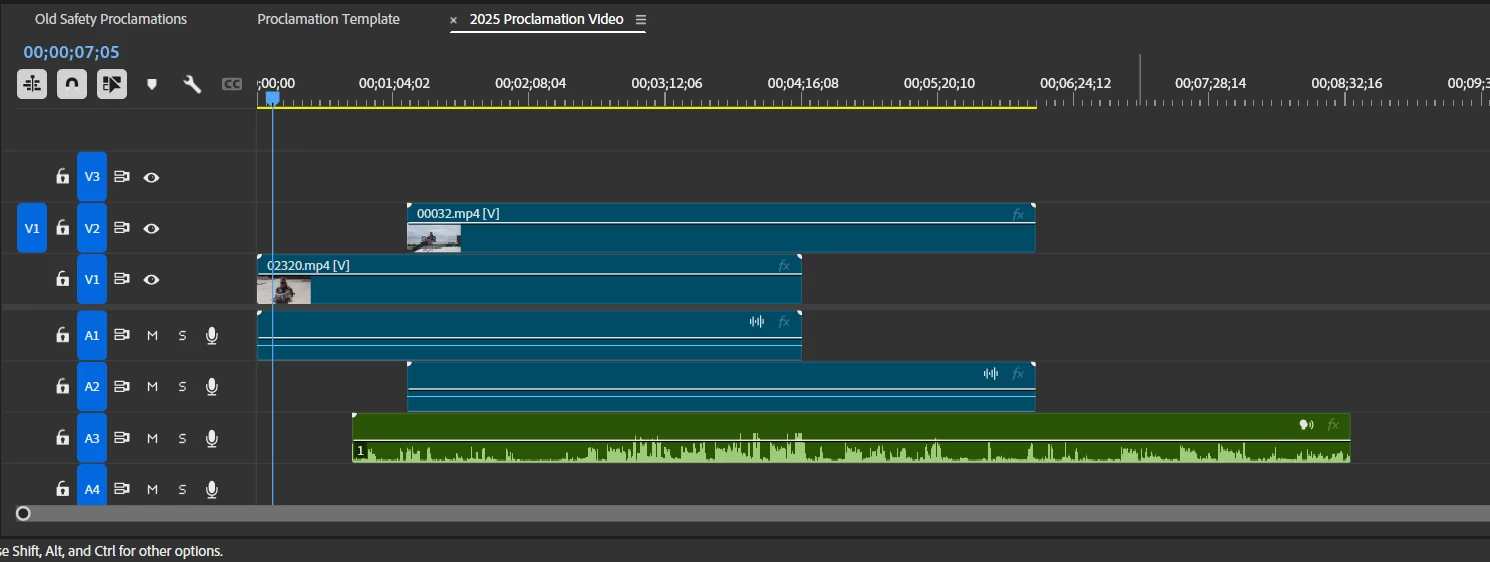
Only the DJI wireless mic displays the waveform. When I try to play the converted files after encoding (using VLC player), they don't have ANY AUDIO! The crazy part is when I open the MTS file in VLC, it plays the audio perfectly. So what am I missing???
I really, really don't want to have to use my home computer to complete this project.
Any advice, tips, and tricks are greatly appreciated.
Randy M.
 AdChoices