
Participating Frequently
March 13, 2021
Question

Premiere Pro √er 15,0

  • March 13, 2021
  • 3 replies
  • 957 views

Hello all, I am working in Premiere Pro V15.0..... I am setting my settings for exporting. Then I look and see the thumbnails in the folder they are saved to, I then see black bars above and below. Some are all the way around the image. I am filming in 60 Fps HD. I am uploading to a client who says that I need to remove the black bars to be excepted. These are samples of what is being shown to the client when uploaded. I have to remove the black bars in order to be excepted. I am stuck. Can anyone give me some help with what I need to?
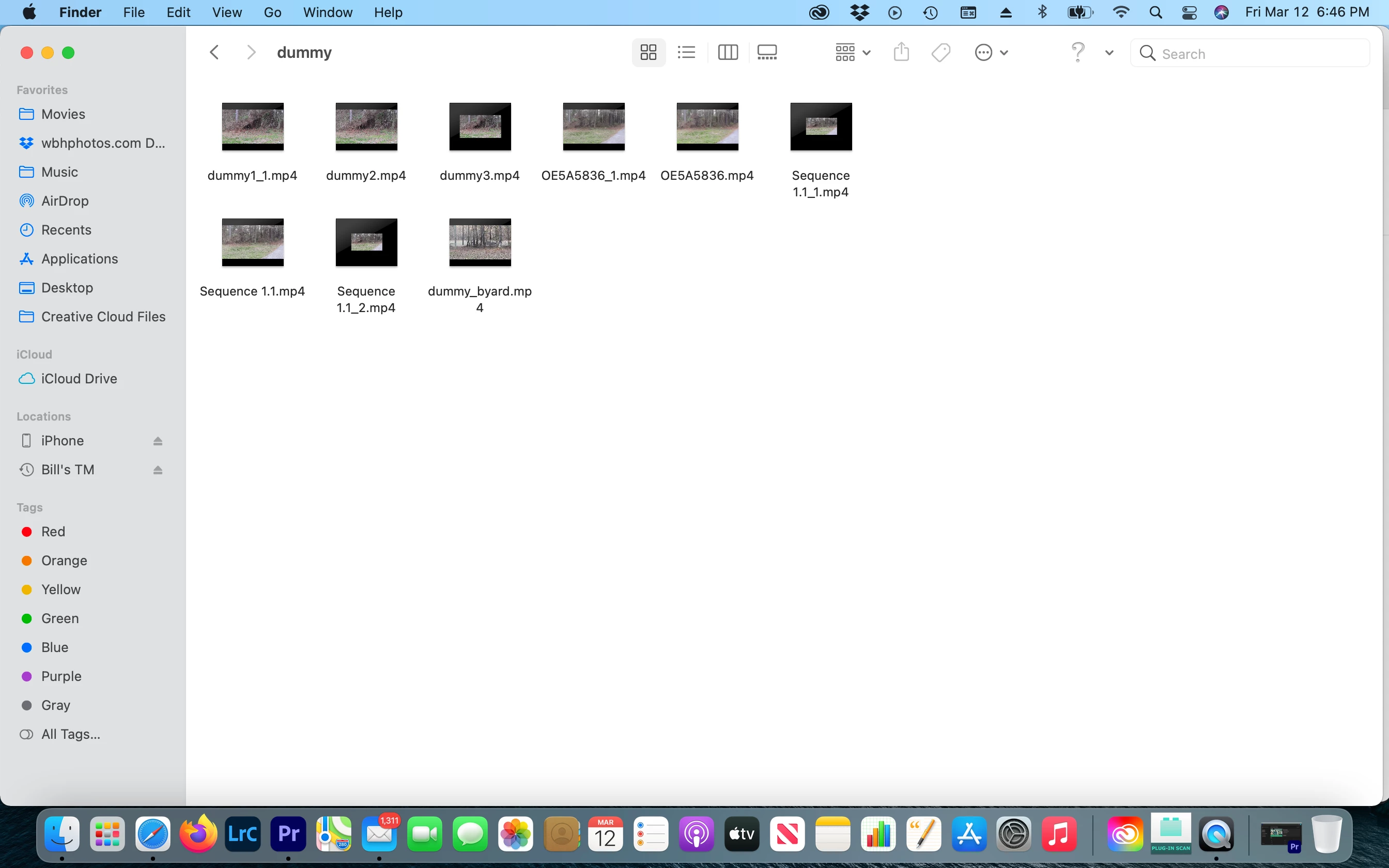


Thank you, 

Bill


This topic has been closed for replies.

3 replies

Inspiring
March 13, 2021

Use "Set to Frame Size."

Participating Frequently
March 13, 2021

Good morning  Justin, 

Yes, these are imports, exports, and rendering in Adobe Premiere Pro V15.0. here are the screenshots....... Ok, they are here. If you can is there a video tutorial I can watch for steps to follow to get it right. The originals were all done at 60 fps at 3840 x 1620. I will have to pick one and redo it with screenshots too.  thank you so much for your response. 

Bill Hirsh


Ann Bens
Community Expert
Community Expert
March 13, 2021

The train is scale up to fit the frame, the kitchen has a black border meaning

the sequence settings does not match the source.

Post screenshot of properties train and kitchen.

Participating Frequently
March 13, 2021

ANN, I. am confused about the properties you are asking for? What Properties? I shoot with a Canon 7DMKii, at HD 59.94 All-P that was for the train, and the Kitchen was 7DMkii  at FHD 23.98 AllP. If there is something else you want please help me find it, since I am confused. 


thank you


Bill


Justin Taylor-Hyper Brew
Community Expert
Community Expert
March 13, 2021

These are exports from Premiere? Can you send screenshots of your sequence settings and export preset settings?

Participating Frequently
March 13, 2021

Hi Justin, this is the original footage settings in Pr 2021 v15.0...... Again, Thank y9ou for any help you may provide me. It is nice to learn new things for your passion. 


Bill Hirsh

Justin Taylor-Hyper Brew
Community Expert
Community Expert
March 13, 2021

This train shot looks fine to me, no added borders.


Can you post a screenshot of the kitchen sequence with the timeline? That one either has to be the wrong scale or you're using a proxy file with different dimensions.