
Participant
October 4, 2017
Answered

Premiere pro Export Contrast different from Original footage

  • October 4, 2017
  • 2 replies
  • 1688 views

Hi,

Sorry for my english that isnt very good !

So i have something i would settle ! When a import a video on premiere pro, contrasts are different in the viewer of premiere. Same when i export it.

I mean that if i import a clip in premiere, and without any modifications, i export it; i havn't the same contrasts on the two footages.

But when i do an XML to davinci resolve, footages in resolve looks like original ones.

This is the image i can see in VLC from the orginial footage and also from davinci
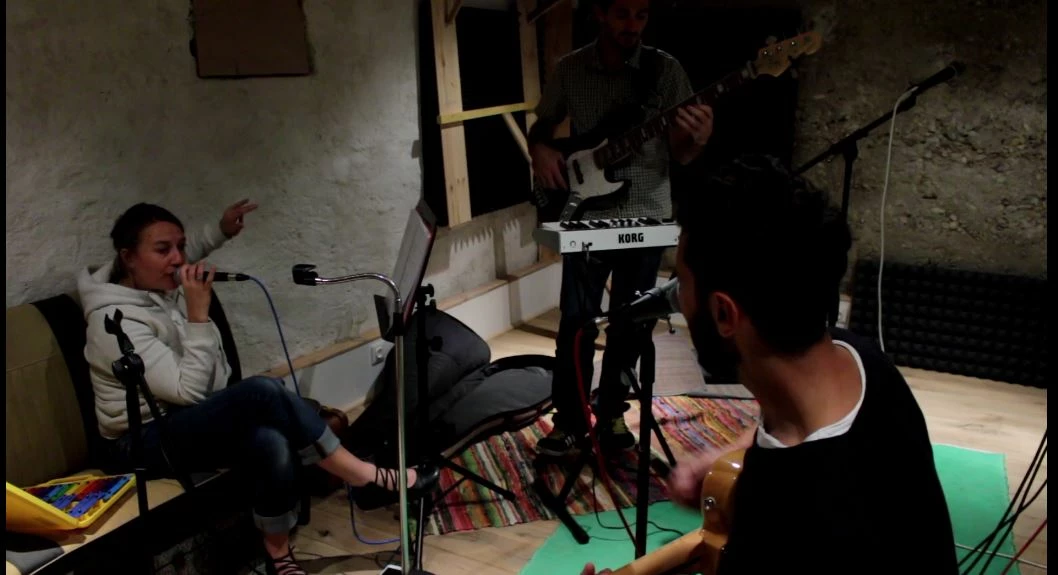
and this is what i see in premiere
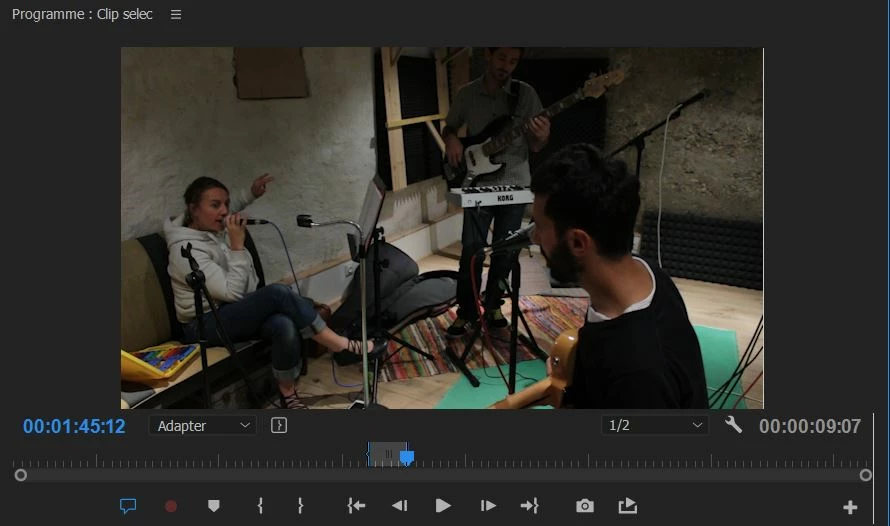
Could you help me to understant this and how to figure it, thanks !

I hope you understood me.

    This topic has been closed for replies.
    Correct answer excited_Genie16B8

    The first part of any quality control is making sure you're seeing the image accurately.  Because software, the GPU driver, the operating system and even the computer monitor itself make such viewing accuracy difficult (if not impossible in many cases), you'll need to get the image off the computer and onto a calibrated display.

    Blackmagic and AJA make devices that work with PP for editing, and you can put the exported video onto a Blu-ray or thumb drive and walk it over to a calibrated TV.

    Start there, report back.

    2 replies

    excited_Genie16B8Correct answer
    Legend
    October 4, 2017

    The first part of any quality control is making sure you're seeing the image accurately.  Because software, the GPU driver, the operating system and even the computer monitor itself make such viewing accuracy difficult (if not impossible in many cases), you'll need to get the image off the computer and onto a calibrated display.

    Blackmagic and AJA make devices that work with PP for editing, and you can put the exported video onto a Blu-ray or thumb drive and walk it over to a calibrated TV.

    Start there, report back.

    R Neil Haugen
    Legend
    October 4, 2017

    Differences in color management and video card settings, most likely.

    First, what is your monitor set for color space? Premiere Pro is locked into the BT(Rec.) 709 professional video standard, expecting a monitor using sRGB and with gamma of 2.2/2.4. There are a range of other color spaces that could be involved for your monitor, Resolve has many options for color space internally, and VLC will probably be showing what your video card defaults to.

    So ... the next question after what your monitor is set for, is what your video card is set to do? In the Nvidia control panels under the Video tab, is an option that is by default set improperly for most systems ... I include the following example of how that should be set:

    Note .... how to make color adjustments, with the Nvidia settings rather than the video player settings, and ... Dynamic Range set for Full (0-255). Someone posted a recent AMD control panel, which had options roughly similar.

    And finally, if your monitor is profiled by a puck & software, something like the Spyder units or the i1 Color Munki stuff, you're better off than not, IF you use the Rec709 settings and are running the monitor in sRGB.

    So ... how is your monitor set up and calibrated?

    Neil

    Everyone's mileage always varies ...