Participating Frequently
September 29, 2022
Answered

Premiere Pro Export in H.265 gets stuck at 98-100%

  • September 29, 2022
  • 2 replies
  • 3105 views

I'm using a Macbook Pro M1 64gb with Premiere Pro Version 22.6.2 (Build 2). I can export in H.264, but not in H.265. The export stalls and I have to force quit the program (this happens in Media Encoder as well). 


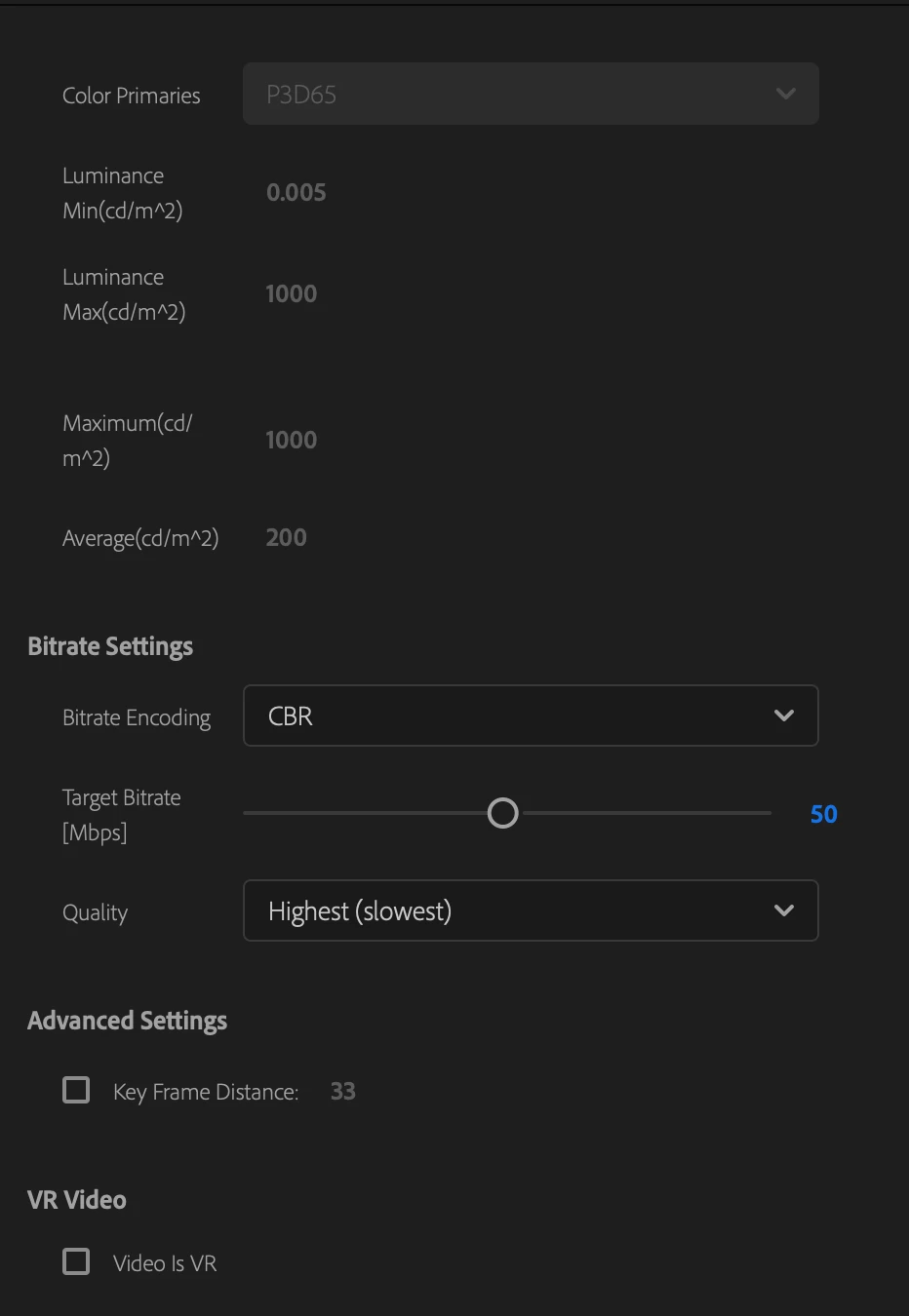
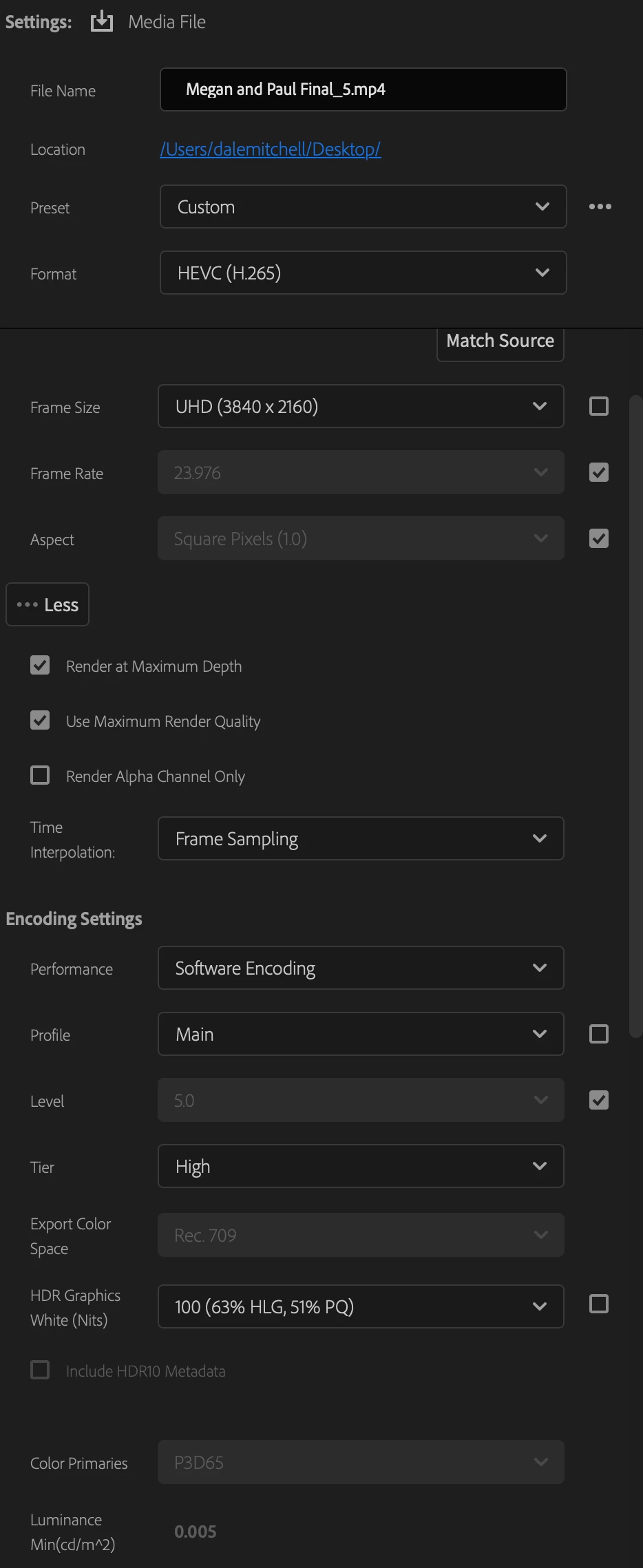
Here are my export settings:
 

This topic has been closed for replies.
Correct answer Peru Bob

Try unchecking Render at Maximum Depth and Use Maximum Render Quality.

2 replies

Peru Bob
Community Expert
Peru BobCommunity ExpertCorrect answer
Community Expert
October 3, 2022

Try unchecking Render at Maximum Depth and Use Maximum Render Quality.

Participating Frequently
October 4, 2022

This worked! I was able to export the file. It took about 3 hours to export a 2 minute video. Does this sound right? For bitrate encoding I'm using CBR at 50 and exporting in UHD. 

Peru Bob
Community Expert
Community Expert
October 4, 2022
quote

 It took about 3 hours to export a 2 minute video. Does this sound right?


By @Dale26355517xubj


What effects and transitions were used?

Kartika Rawat
Community Manager
Community Manager
October 3, 2022

Hi there!

Sorry to hear that. What type of files are you editing (codec/ format, frame rate, frame size)? Also, what happens when you change the location of the targeted export folder?


Let us know.

Thanks,

Kartika