
Inspiring
June 24, 2021
Answered

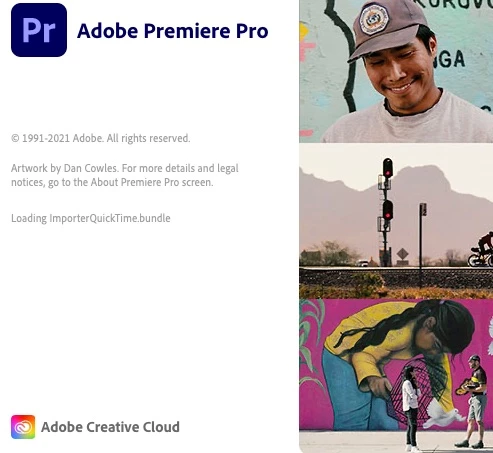
Premiere Pro freezes on startup at "Loading ImporterQuickTime.bundle" - no previous solutions work

  • June 24, 2021
  • 4 replies
  • 3568 views

This seems to be an ongoing issue across versions, operating systems, and years. I don't know who to convince at Adobe that there is a legitimate bug causing this and for them to roll out some sort of fix.


I'm using a Mac running OS Catalina, and Premiere Pro CC 2021 version 15.2. For whatever reason, Premiere Pro started hanging on startup every single time on "Loading ImporterQuickTime.bundle". I have uninstalled/reinstalled; employed the variety of solutions such as repairing permissions on my Mac; deleted the DynamicLink thing; deleted my user preference folder; and deleted the QuickTime plugins themselves in the past - all of which resulted in sometimes fixing Premiere Pro only once - and then the next time, it goes back to hanging at the same spot. What is the actual reason this is happening, and what is a permanent fix for it? 
 

Correct answer benm59497544

FINALLY - it looks like I have found a solution, no thanks to Adobe or Apple. 


The solution for me, is thanks to the user shilocase in this thread: https://community.adobe.com/t5/premiere-pro-discussions/premiere-pro-stuck-in-quot-loading-importerquicktime-bundle/m-p/12364752/page/3


I will paste the solution here:


Know what ACTUALLY just worked for me?


Uninstalled DropBox

Deactivated iCloud Drive (I firmly believe this is/was the culprit)

Rebooted.


Upon login - Opened Terminal (Applications ➞ Utilities ➞ Terminal)

Copied/pasted at prompt:  diskutil resetUserPermissions / `id -u`

Let it complete.

Went to Home (your user folder)

Changed Sharing & Permissions for Documents and Desktop folders (click on folder, command/control i ➞ "Sharing & Permissions" ➞ Click on lock and enter your password ➞ click on your username ➞ click on gear ➞ "Apply to enclosed folder")

Rebooted.

Opened up Premiere...

Voila! it opened.

4 replies

benm59497544AuthorCorrect answer
Inspiring
April 7, 2022

FINALLY - it looks like I have found a solution, no thanks to Adobe or Apple. 


The solution for me, is thanks to the user shilocase in this thread: https://community.adobe.com/t5/premiere-pro-discussions/premiere-pro-stuck-in-quot-loading-importerquicktime-bundle/m-p/12364752/page/3


I will paste the solution here:


Know what ACTUALLY just worked for me?


Uninstalled DropBox

Deactivated iCloud Drive (I firmly believe this is/was the culprit)

Rebooted.


Upon login - Opened Terminal (Applications ➞ Utilities ➞ Terminal)

Copied/pasted at prompt:  diskutil resetUserPermissions / `id -u`

Let it complete.

Went to Home (your user folder)

Changed Sharing & Permissions for Documents and Desktop folders (click on folder, command/control i ➞ "Sharing & Permissions" ➞ Click on lock and enter your password ➞ click on your username ➞ click on gear ➞ "Apply to enclosed folder")

Rebooted.

Opened up Premiere...

Voila! it opened.

Kevin-Monahan
Community Manager
Community Manager
April 12, 2022

Good one, man. Thanks for the thread. I've been recommending ditching iCloud when troubleshooting this error for a long while now. It helps to have your feedback to back up my hunch, so thanks a lot.


Kevin

Kevin Monahan - Sr. Community and Engagement Strategist – Adobe Pro Video and Audio
Inspiring
April 7, 2022

STILL AFTER ALL THIS TIME

No solutions work. I have tried EVERYTHING. I cannot use Premier or Rush even though I am paying for them. Is there anyone there at Adobe capable of fixing this? There have been plenty of others with the same issue. Please issue a patch or something. I have absolutely no plug-ins. My MediaCore folder is completely empty. Repeat: no previous "solutions" work. It still hangs on startup - both Premiere 21 and 22

Kevin-Monahan
Community Manager
Community Manager
April 7, 2022

Sorry about this, Ben. I am so sorry that this is occurring to you. This error can be nasty for some. Are you running Mac or PC? Let me know. 


On Mac, you can often make a new user account, which may avoid the error. On PC, you can try running the app as an Administrator. If reinstalling the application does not work, you can run Adobe Cleaner and reinstall it afterward. 


The ultimate takedown for this error is to reinstall the OS, which is extreme but can work.


Thanks,
Kevin

Kevin Monahan - Sr. Community and Engagement Strategist – Adobe Pro Video and Audio
Inspiring
April 7, 2022

Those solutions do not work. I have tried them over and over again. You guys need to embrace the fact that this is a bug and patch it or fix it. The problem, as others have stated on other threads, is with Dropbox and/or iCloud on Mac. Even if Adobe didn't create the problem, they can fix it by patching some sort of code that ognores whatever parameters are being corrupted by the cloud account stuff. I have fixed the issue thanks to another user on another thread, and finally, Premiere seems to be working for me.

Inspiring
June 25, 2021

I did a complete removal of all CC software using the cleaner tool, restart, and a clean download/installation - and the same exact problem is still happening. Can anyone fix this?

nishu_kush
Community Manager
Community Manager
July 2, 2021

Hi benm59497544,


Sorry for the delay.

Would you mind contacting us on the phone or chat so that we can assist you with the help of remote sharing.

https://helpx.adobe.com/in/contact.html


Thanks,

Nishu

Participant
July 13, 2021

Hi Nishu,


is there now a solution to the problem described? I have also been struggling with the phenomenon for a long time.


Thanks,

Moritz

Kevin-Monahan
Community Manager
Community Manager
June 24, 2021

Ben,

Any other plug-ins or extensions you can remove?


Thanks,
Kevin

Kevin Monahan - Sr. Community and Engagement Strategist – Adobe Pro Video and Audio
Inspiring
June 24, 2021

Not that I know of. I've never used any outside plugins or extensions with Premiere.