
Known Participant
February 11, 2019
Question

Premiere Pro jittery footage

  • February 11, 2019
  • 2 replies
  • 1121 views

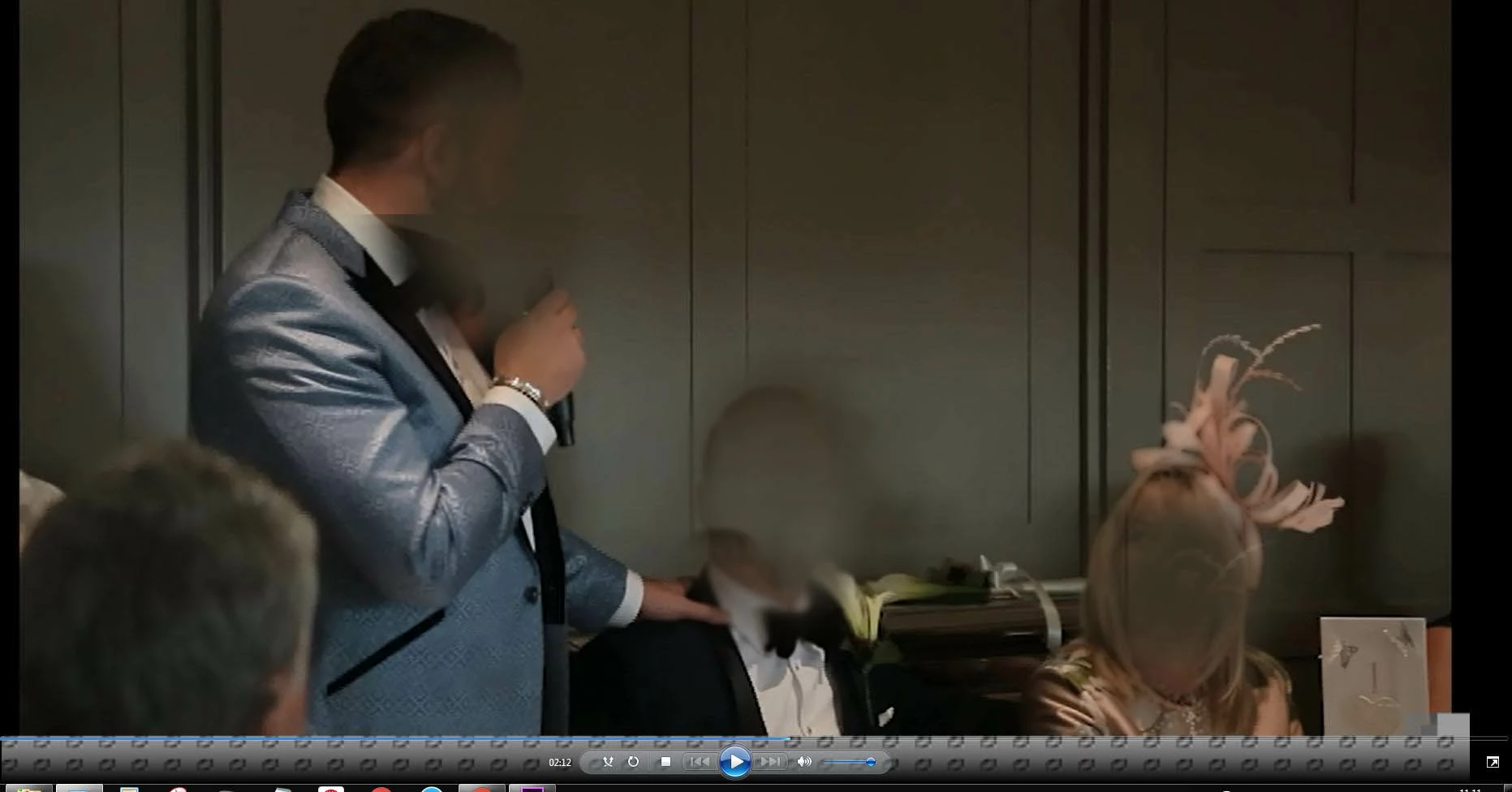
Hi I have a 2 hour video that I want to export as an MPEG2-DVD I'm having so many problems trying to get this to export successfully.  Each time the footage is shaky, jittery, freezing and jumping throughout tried several different options, cleared my cache files and still no success. 

Need help can anyone advise please thank you

Screengrab of what the exported footage is doing you can see grey funny coded line at the bottom, what is this and why is this happening?

Faces have been disguised for privacy reasons.
    This topic has been closed for replies.

    2 replies

    Community Expert
    February 11, 2019

    Might not be a solution, but something you should do: go to sequence - delete render files

    are you sending the export to Media Encoder or straight from Premiere Pro ?

    Known Participant
    February 11, 2019

    HI Carlos thank you I've gone to sequence and clicked on delete render files, it comes up with a box asking me are you sure this cannot be undone? I won't lose anything from my final video edit will I if I do this?  I am sending the export straight from Premiere Pro, I've always done it this way and have never had any problems until now would you suggest I try media encoder I've never used it?

    Community Expert
    February 11, 2019

    deleting the render files will only delete the video previews created upon rendering, but will not delete any original media files.

    So if you have rendered, you will have to render everything from the start (time issue only).

    Yes I personally would prefer sending to Media Encoder - click on Queue it will automatically take you there

    Wes Howell
    Adobe Employee
    Adobe Employee
    February 11, 2019

    This requires a bit more info, investigation and isolation in order to understand what's going on here.

    As MPEG-2 DVD is SD and interlaced, it would be worth verifying Sequence settings and the details of the source clips involved.

    Do you have some clips that have different frame rates or field issues? Where does the source media come from?

    Can you provide more information related to the portions of the export that are jittery or jumpy?

    Known Participant
    February 11, 2019

    Hi Wes thanks for replying attached are the sequence settings

    Known Participant
    February 11, 2019

    I've just grabbed this from the clip that I have included in my initial screengrab this is what it is showing

    File Path: F:\gareth+scottvideo\IMG_0169.MOV

    Type: MPEG Movie

    File Size: 3.99 GB

    Image Size: 1920 x 1080

    Frame Rate: 25.00

    Source Audio Format: 48000 Hz - 16 bit - Stereo

    Project Audio Format: 48000 Hz - 32 bit floating point - Stereo

    Total Duration: 00:18:13:11

    Pixel Aspect Ratio: 1.0

    VR Projection: None