
Copy link to clipboard
Copied
Hi I've been trying to make multiple youtube videos on premiere pro but now it has decided when i want to upload a video that is 14 minutes long, it will export only 7 or as low as 1 minute videos and even then the file gets corrupted most of the time
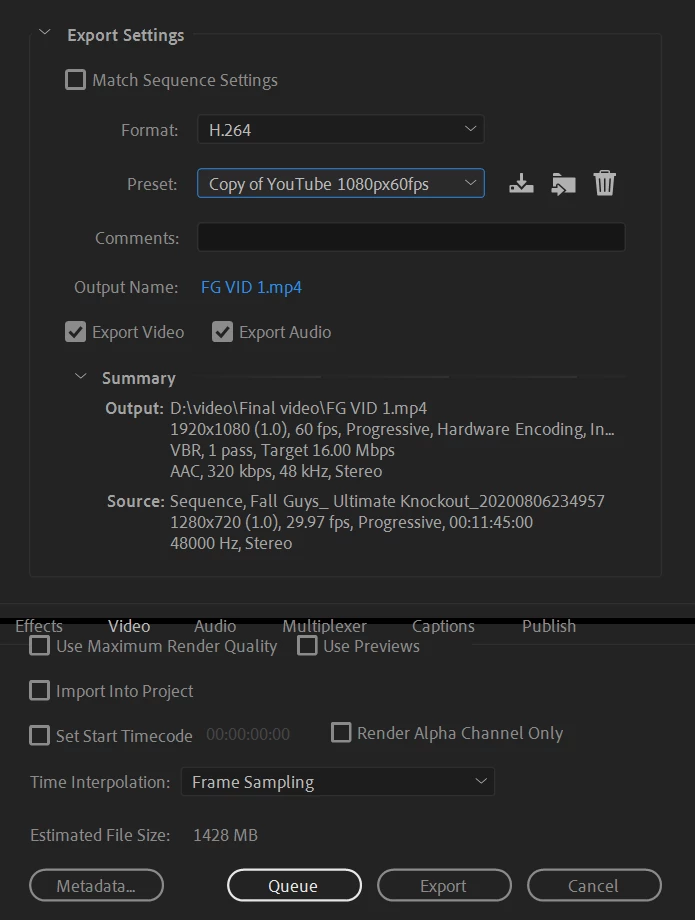
it says the video is only 1428 MB when it should be alot more
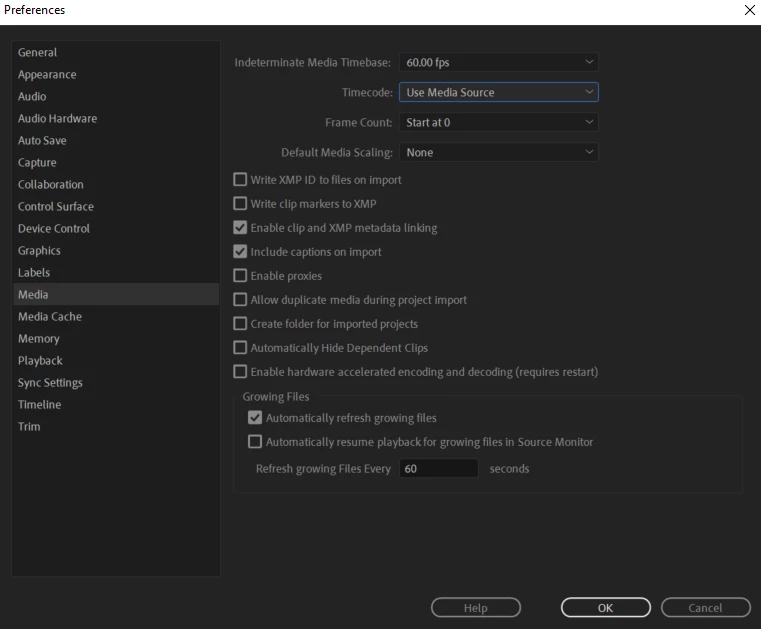
Would really appreciate any help as I'm not sure what else I can do
Copy link to clipboard
Copied
Check the Source Range in the Export Settings (left tab).
Any reason why you are converting the framerate?
Might want to try without hardware encoding.
Copy link to clipboard
Copied
Thank you for the reply,I wanted to have my frame rate at 60 as it was recommended for youtube videos for the best quality, it always worked for me also every other video I made.
for my source range I believe this to be right as it should start at 00:00:00:00 and end at 00:11:39:19
I also tried without hardware encoding and didn't seem to make a difference
Copy link to clipboard
Copied
60 fps might be the best setting but if your source footage is 29.97 you are gaining nothing by increasing the framerate on export.
Copy link to clipboard
Copied
Is your D drive an internal or external drive (aka: flash drive?)
Copy link to clipboard
Copied
Thanks for the reply, Internal drive. It seems to be working now but I had to completely scrap a video before as I was getting the same problem
Find more inspiration, events, and resources on the new Adobe Community
Explore Now