Participant
June 27, 2024
Question

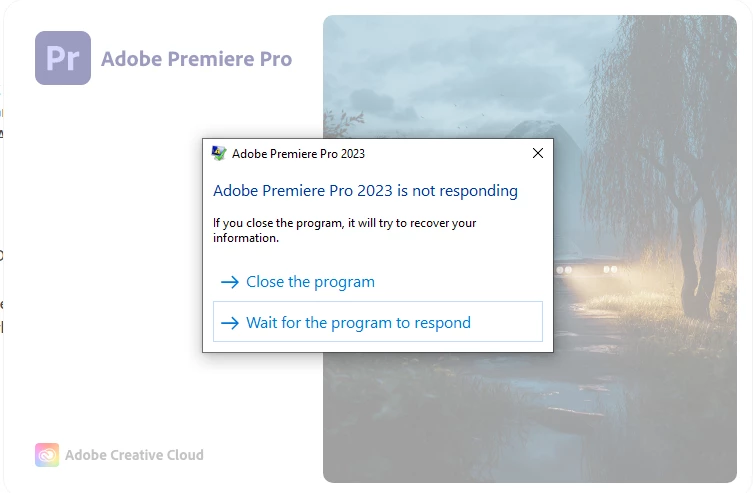
Premiere Pro not opening and crashes off the screen

  • June 27, 2024
  • 8 replies
  • 1241 views

This topic has been closed for replies.

8 replies

jamieclarke
Community Manager
Community Manager
October 24, 2024

HI @Soaiz - Checking in on your issue, have you been able to update to the latest software?

jamieclarke
Community Manager
Community Manager
July 24, 2024

Hi @Soaiz -

under the Admin user, everything functioned normally. The app worked, but when we switched back to my current user, the app stopped working again.

This sounds like an issue with your OS user account.  If you find any new information please update us.

SoaizAuthor
Participant
July 23, 2024

No, my issue is not fixed. You can see in the video I recorded that I can't open the app. Link: https://bit.ly/3Sh8W52 
My problem remains unresolved, even though I sought help from Adobe customer care. The help code is ADB-35210716-V5H2. We spent 3-4 hours together trying to identify the error. The staff tried everything, and finally, under the Admin user, everything functioned normally. The app worked, but when we switched back to my current user, the app stopped working again. To this day, I still can't use the Adobe app to edit my videos. Video editing apps won't start, although photo editors like Photoshop are still functioning normally.

jamieclarke
Community Manager
Community Manager
July 8, 2024

Hi @Soaiz - Checking in, Are you still experiencing issues?

SoaizAuthor
Participant
June 29, 2024

No, i dont. I clear file in C:\Program Files\Adobe\Common\Plug-ins\7.0\MediaCore too. but no. The issue is still the same

jamieclarke
Community Manager
Community Manager
June 28, 2024

Did something change with your system before this problem occured?  You don't need to hold alt or ctrl, only shift.  Do you have any plugins installed?

SoaizAuthor
Participant
June 28, 2024

i try old and new ver, but there always crashes. I have hold shift/alt/ctrl, but no work. Helpp me

jamieclarke
Community Manager
Community Manager
June 27, 2024

Hi @Soaiz - Can you try holding shift while opening Premiere and check all of the boxes.  I'm curious why you are using version 2023 and not 2024?