
Premiere Pro old projects open with misaligned or greyed out clips
Hi there, I am facing a massive problem where every single old project, and I mean EVERY project I have ever worked on has a completely messed up timeline.
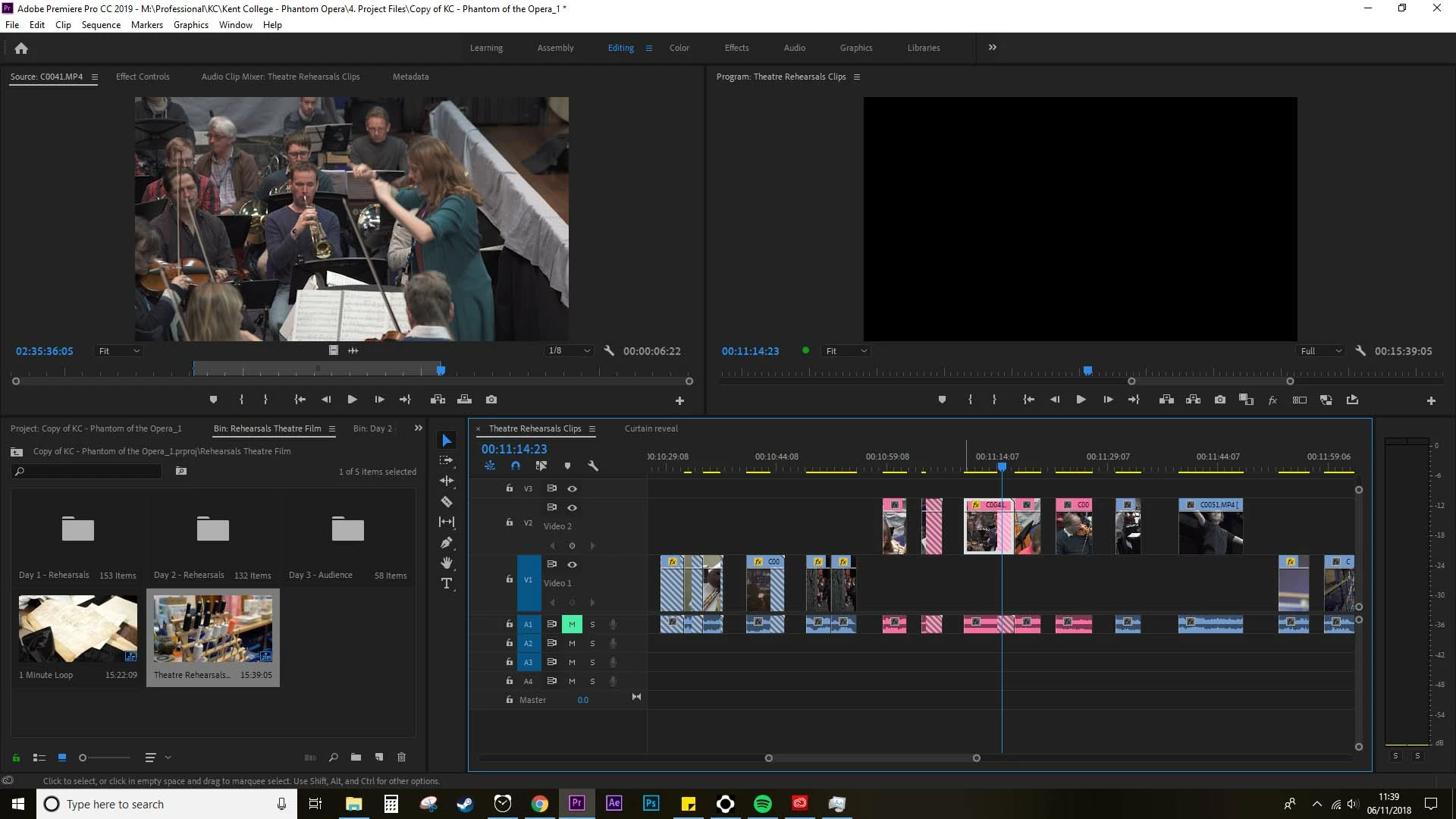
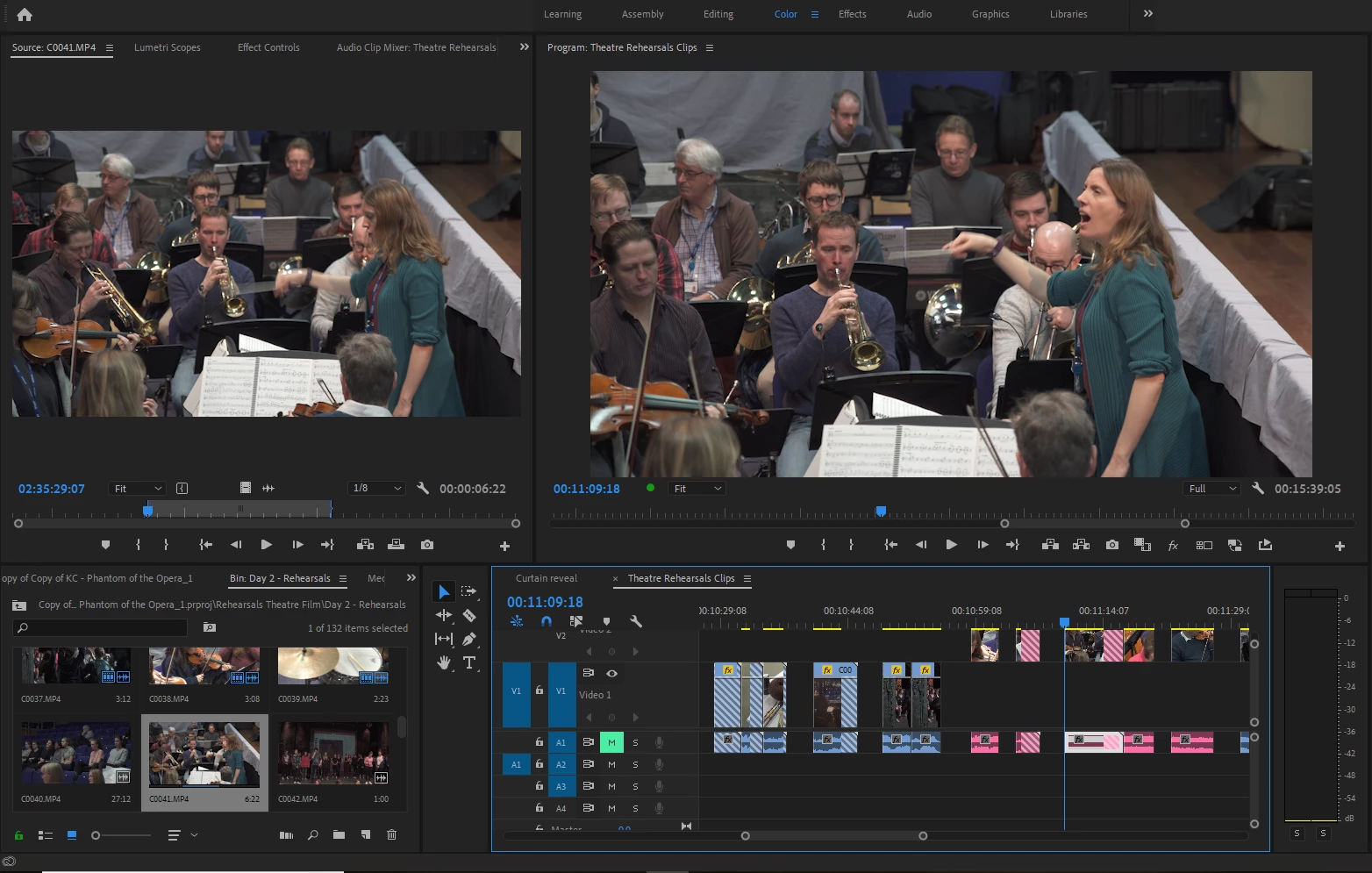
Each clip is either greyed out or showing in the wrong part of that clip (see image attached). It's slightly awkward to explain, and probably why I haven't found a solution yet. But essentially, the clips in the timeline are not in the correct 'in and out' selection of the source clip. So if a clip is selected between 2.30 -2.45 (i.e. a 15 sec clip) then what appears in the timeline is between 2.55-3.10.
Which, as you can image, is a problem when this is happening to every clip in every project I have ever worked on (100+).
To further the problem. Lets say, the clip as mentioned above, is only 3 mins long. So anything beyond 3.00 appears as a grey crosser hashed out and the video plays as black because it is trying to play video that doesn't exist. This has happened for part of clips and entire clips. You'll see in the second image that the beginning of the source clip is different to the timeline clip when they should be the same. I assume this is some kind of timecode error? Not sure how to fix it though.
Off-lining and re-linking the clip hasn't worked (not to mention I just tried this again quickly and Premiere crashed, which is happening a lot recently).
Any help you can give would be so appreciated!!
Thanks,
James
 AdChoices