
Premiere Pro pixel glitch appears after encoding
Hi everyone,
I finally create a post because I have the feeling that I tried almost anything. I make guitar related videos on Youtube that I film with an Iphone 11 Pro in 1080p 60fps.
Since a few months now, everything is fine in Premiere until I export my file, nothing that I can see on the preview. As you can see on the exported file the image get pixelated for half a second and it goes back to normal. If I re-encode the video it still happens but in another place. It glitches between 2 and 5-6 times in a 11 minute video, it's random. As you can see it doesn't affect the letters or the added images.
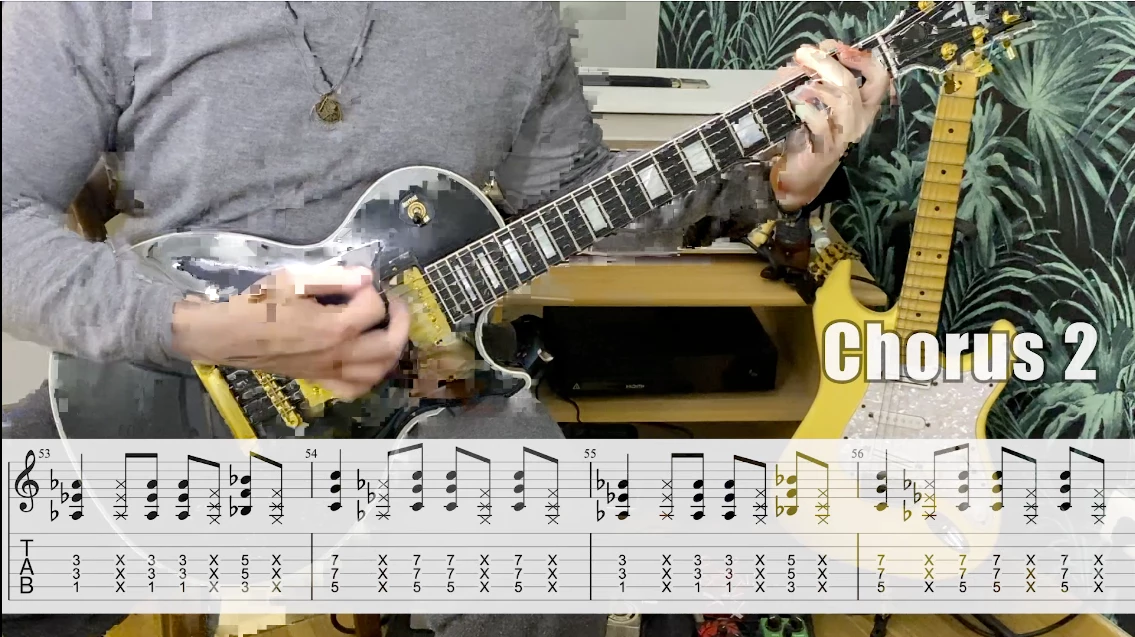
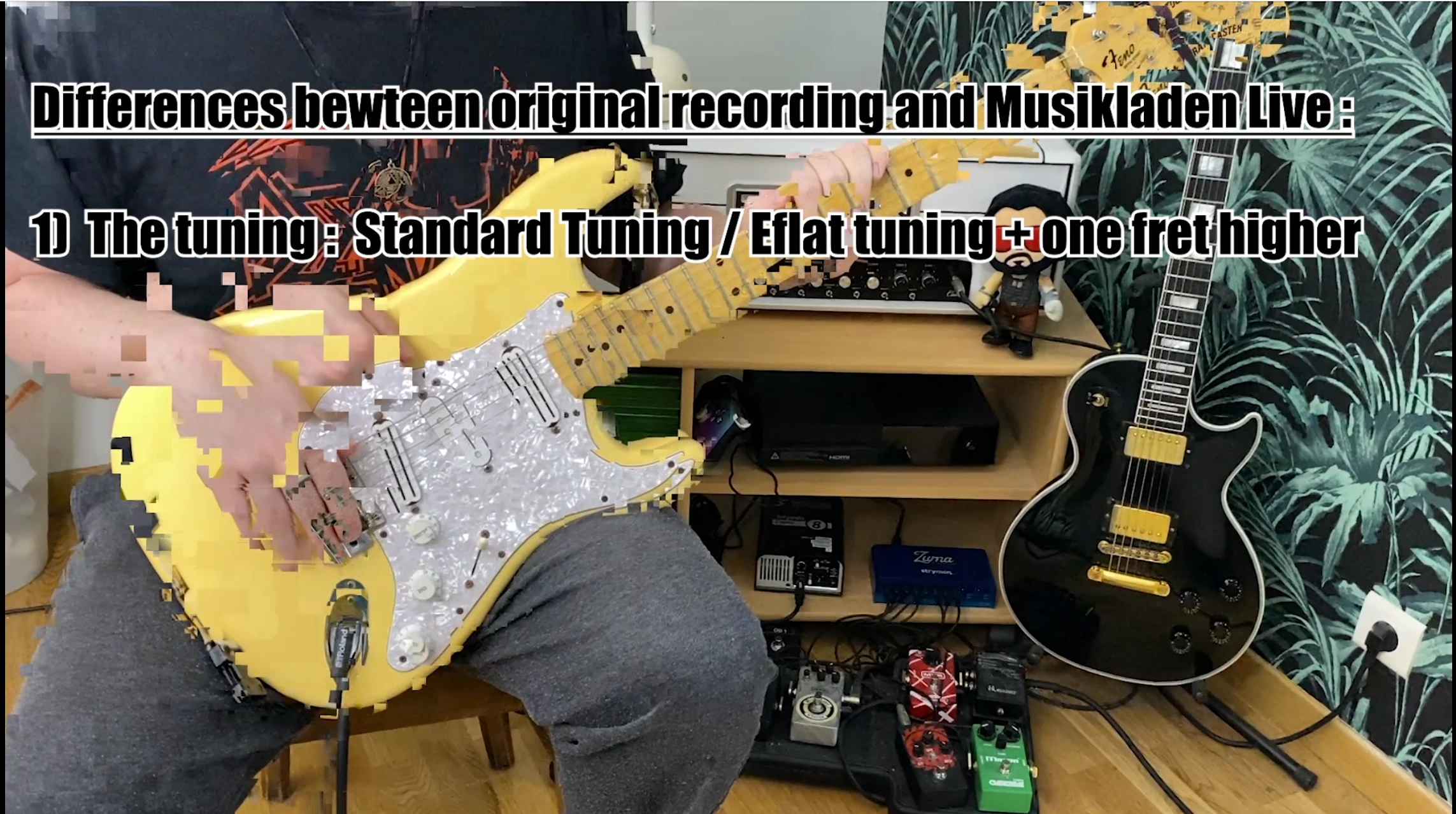
I am currently using a Macbook Pro Retina 13" early 2015 Big Sur 11.3.1
Processor : 3,1 GHz Intel Core i7 dual-core
RAM memory : 16 Go 1867 MHz DDR3
Graphic Card : Intel Iris Graphics 6100 1536 Mo
The latest encoding settings that I've used are those :
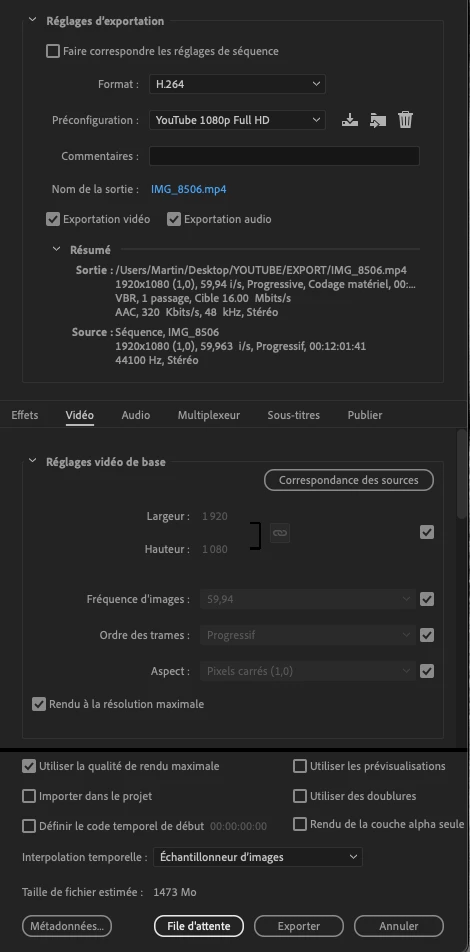
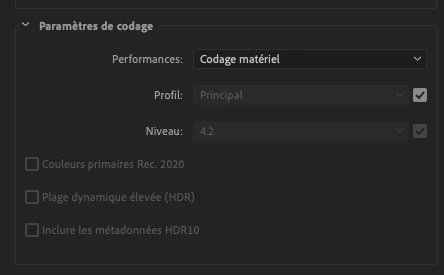
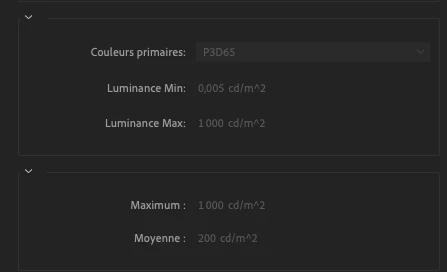
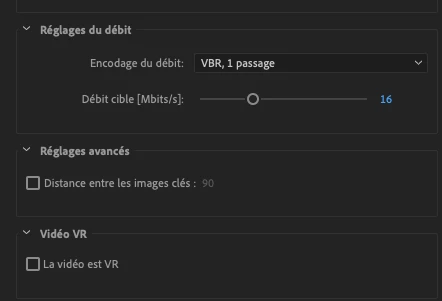
Sorry it's in french "Codage matériel" means "hardware encoding".
I've tried every encoding settings that I could think of : encoding in H265, VBR, CBR, lowest Mbp/s possible, software encoding, hardware encoding, no render at maximum depth, clicking on corresponding sources, different presets. I've tried all those things in Premiere 14.0 ; 14.7 and the latest version. I've even changed the "temporal interpolation" (bottom of the first settings pic) even if I don't know what it does lol. I've tried to change the settings on my Iphone to film in HEVC or in Quicktime, the glitches appear in both cases.
If their is a solution it's out of my small field of knowledge, the only thing that I can notice is that there's a small difference between Source fps (59,963) and Output fps (59,94). I don't know if it can cause the issue. Maybe the problem comes from my Mac's hardware. If so I am in trouble because I can't change it right now and I don't want to start to use Final Cut, I really like Premiere.
Thanks in advance to everyone who will try to help !
 AdChoices