Exit
  • Global community
    • Language:
      • Deutsch
      • English
      • Español
      • Français
      • Português
  • 日本語コミュニティ
  • 한국 커뮤니티
0

Premiere Pro Preview Screen Glitch During Playback

Community Beginner ,
Aug 07, 2022 Aug 07, 2022

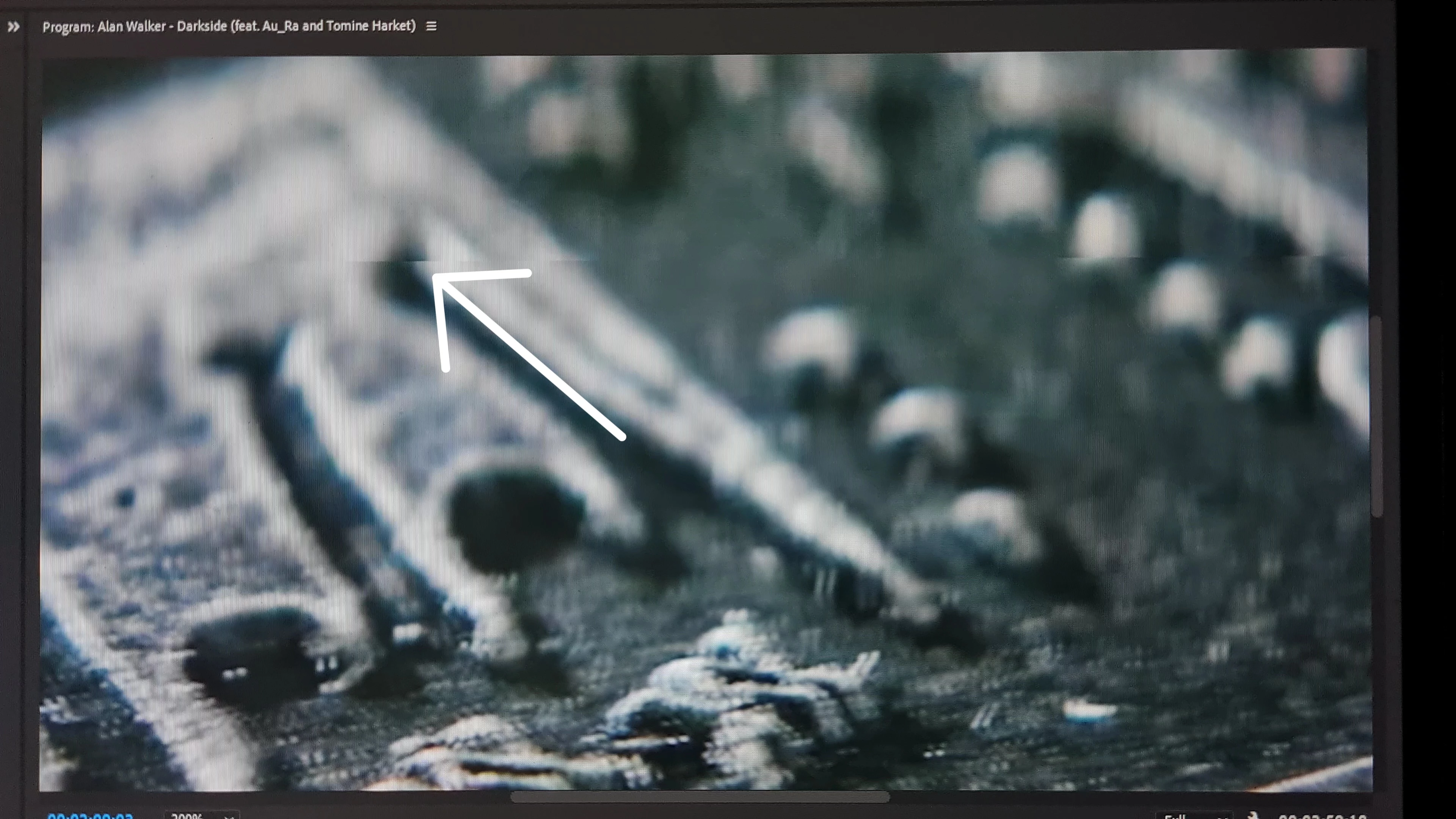
This problem Is only visible during playback. The video is playing in real time but the glitch is coming multiple times. If I pause the video then its immediately goes away. also everything is fine after exporting the video. Specially the glitch is appearing if the shot is moving or something/any objects moves in video.

I'm not sure why this issues are happening. I've added some example's below. Let me know if anyone have any solution for that. Thanks!

System:
Ryzen 9 3900X

RTX 3070

32GB DDR4
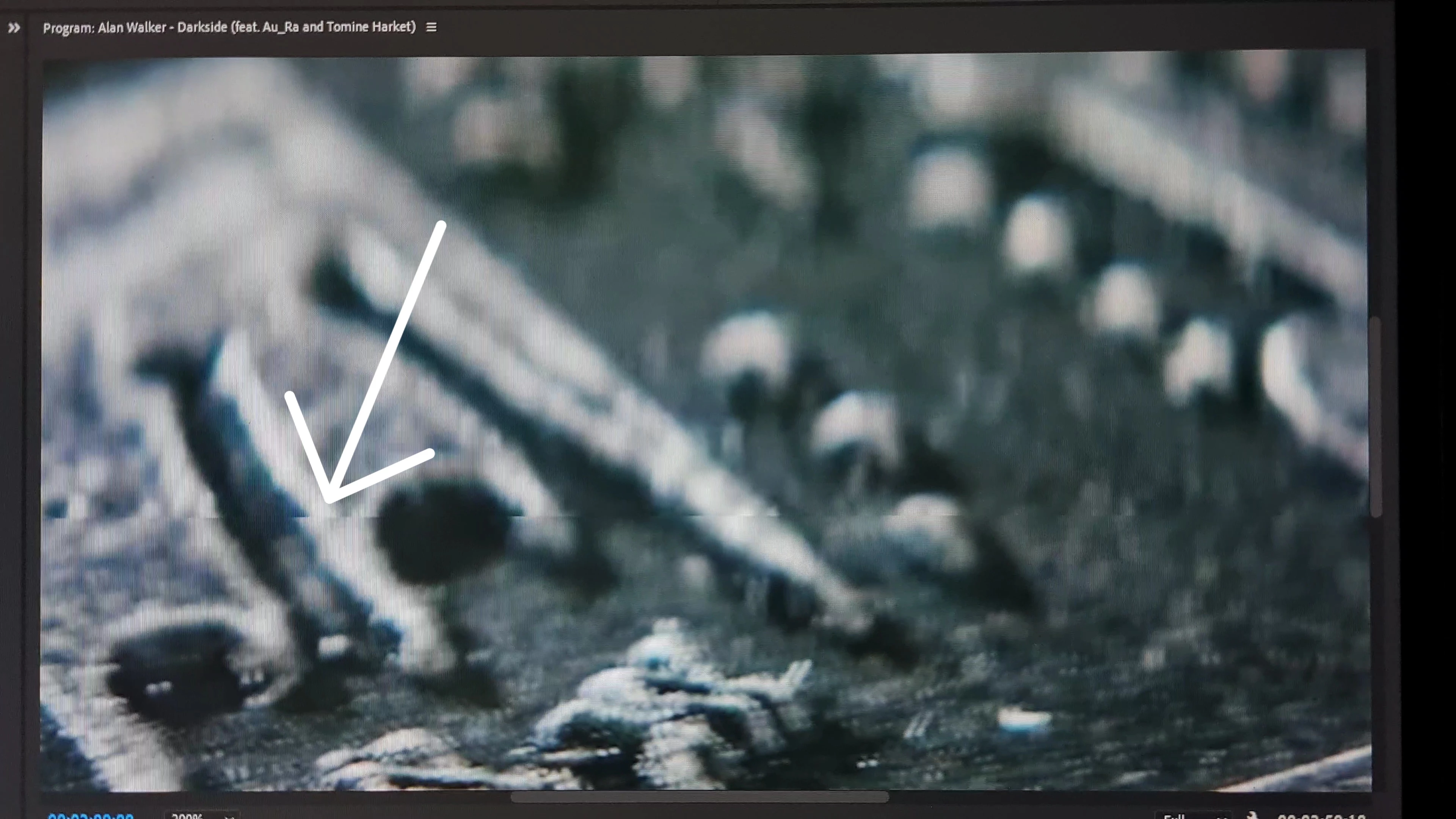
 

VideoCapture_20220808-010724.jpgVideoCapture_20220808-010711.jpg

TOPICS
Error or problem , Hardware or GPU
4.1K
Translate
Report
Community guidelines
Be kind and respectful, give credit to the original source of content, and search for duplicates before posting. Learn more
community guidelines

correct answers 1 Correct answer

Community Beginner , Aug 11, 2022 Aug 11, 2022

Hey, Thanks for your reply. 

I'm happy to say that my issue is got solved. and the craziest part is I don't even know how it got solved. I took remote support but the issue didn't got solved that time. Yesterday while I was working suddenly I noticed that the glitching isn't happening anymore. Anyway, finally I got rid of it but don't know how!!!

Translate
Community Expert ,
Aug 07, 2022 Aug 07, 2022

Delete the Media Cache and Media Cache files:
https://community.adobe.com/t5/premiere-pro/faq-how-to-clear-your-media-cache-in-30-seconds-in-premi...
Then try pressing Enter to render the timeline and turn the red line above the timeline to green.

Translate
Report
Community guidelines
Be kind and respectful, give credit to the original source of content, and search for duplicates before posting. Learn more
community guidelines
Community Beginner ,
Aug 07, 2022 Aug 07, 2022

I don't think rendering timeline is the best doing for me. coz right now I'm working on 1 and half hour of video. this is really waste of time everytime rendering the timeline after making any changes on it. 

Translate
Report
Community guidelines
Be kind and respectful, give credit to the original source of content, and search for duplicates before posting. Learn more
community guidelines
Community Expert ,
Aug 07, 2022 Aug 07, 2022
Translate
Report
Community guidelines
Be kind and respectful, give credit to the original source of content, and search for duplicates before posting. Learn more
community guidelines
Adobe Employee ,
Aug 08, 2022 Aug 08, 2022

Hi there!

Sorry about the glitches. Are you getting this issue on a specific project? What's the source of the media files?

Could you share sample files with us to test?


Thanks,

Kartika


Translate
Report
Community guidelines
Be kind and respectful, give credit to the original source of content, and search for duplicates before posting. Learn more
community guidelines
Community Beginner ,
Aug 09, 2022 Aug 09, 2022

Hey, Thanks for your reply!

Its not happening to a specific project. I'm having this glitch for all the projects I have and even if I create a new project I'm also getting this glitch. It's really frustrating. I tried out few different ways but still I'm failed to fix this.

Translate
Report
Community guidelines
Be kind and respectful, give credit to the original source of content, and search for duplicates before posting. Learn more
community guidelines
Adobe Employee ,
Aug 09, 2022 Aug 09, 2022

Hi Nuhash,

Sorry about that. I think everything is working as expected if the output is OK. Your playback may be of a lower resolution than your paused playback. You can adjust those settings in the Settings (Wrench) menu on the Program Monitor. Playback Resolution, Paused Resolution, and High Quality is the settings you can focus on. Let me know if you have questions.


Thanks,
Kevin

Kevin Monahan - Sr. Community & Engagement Strategist – Pro Video and Audio
Translate
Report
Community guidelines
Be kind and respectful, give credit to the original source of content, and search for duplicates before posting. Learn more
community guidelines
Community Beginner ,
Aug 11, 2022 Aug 11, 2022

Hey, Thanks for your reply. 

I'm happy to say that my issue is got solved. and the craziest part is I don't even know how it got solved. I took remote support but the issue didn't got solved that time. Yesterday while I was working suddenly I noticed that the glitching isn't happening anymore. Anyway, finally I got rid of it but don't know how!!!

Translate
Report
Community guidelines
Be kind and respectful, give credit to the original source of content, and search for duplicates before posting. Learn more
community guidelines
Adobe Employee ,
Aug 11, 2022 Aug 11, 2022
LATEST

The mystery is unsolved, but I am glad you are no longer getting the issue. Thanks for reporting back.


Kevin

Kevin Monahan - Sr. Community & Engagement Strategist – Pro Video and Audio
Translate
Report
Community guidelines
Be kind and respectful, give credit to the original source of content, and search for duplicates before posting. Learn more
community guidelines