Participant
May 26, 2020
Answered

Premiere Pro Project bugged on specific Pc after exchanging project files

  • May 26, 2020
  • 3 replies
  • 993 views

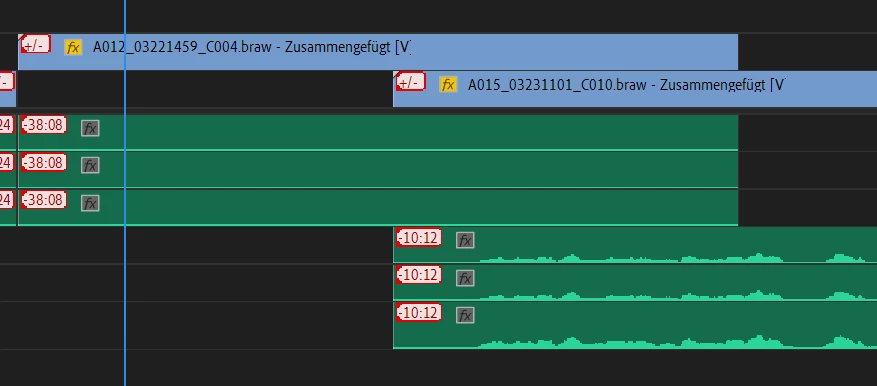
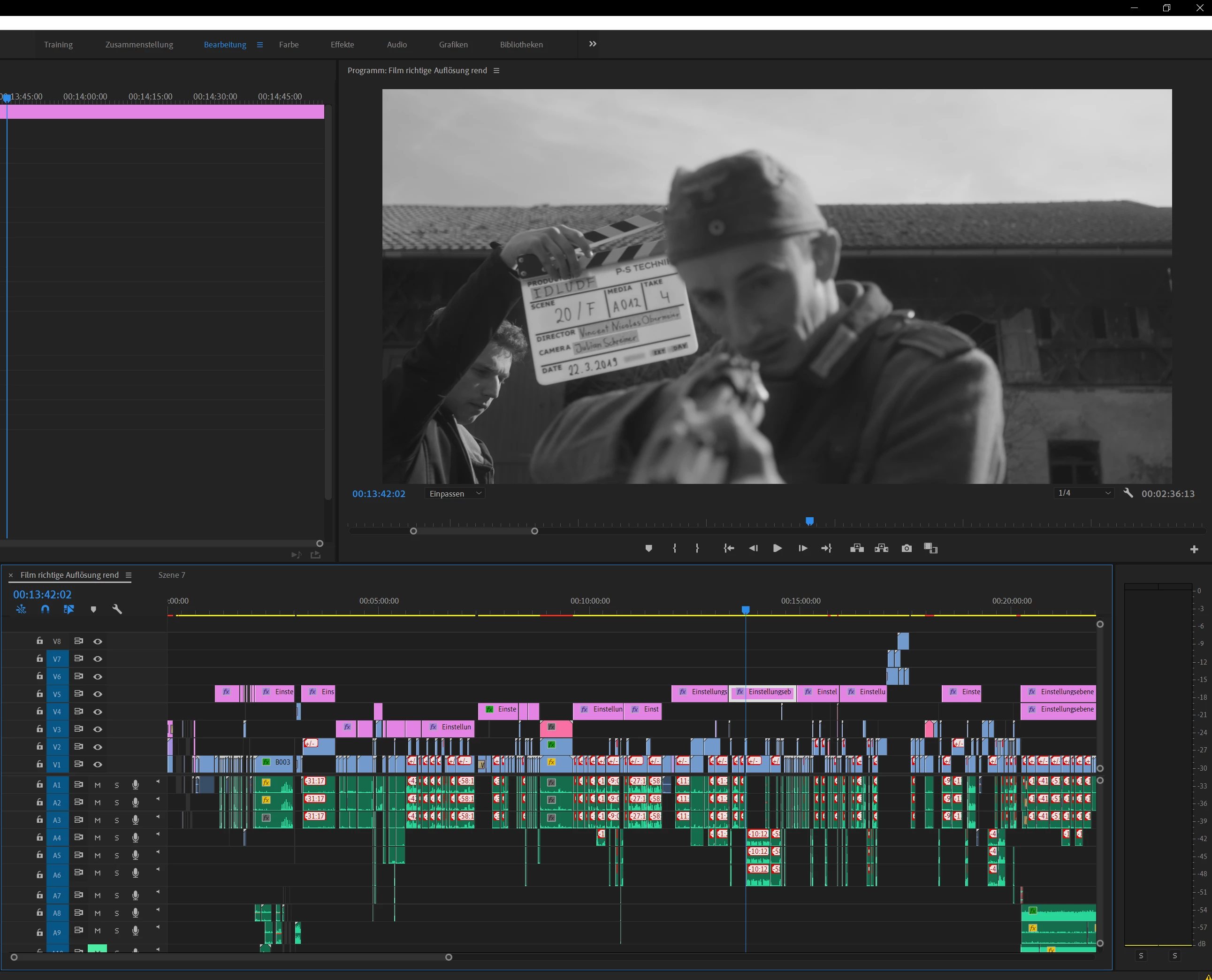
Hey, so me and a partner have been working on a film project for a while. Recently i switched to a new Pc and working on the Project was fine for some time. Recently a weird glitch appeared I've found nothing about, making it impossible for me to work on the project. We used a few different cameras with different Codecs, our main camera was the ursa mini Pro and we shot on Braw in 4.6k. All the Footage of this specific codec wont start at the previously "cut" start, but on the beginning of the clip. This happens for every file of said Codec. The Clips have been synced with our audio and stay synced even though this anommaly occured. An error message is labeled on the Clips, as can be seen in the screengrab i've attached. The project file however works fine however on the Pc of my partner. We have used Autokromas Braw Studio and I suspect the Error lies in a conflict between the Plugin and Adobe, but reinstalling everything and running without the plugin has not helped yet. We are both running the Project on mirrored external Harddrives. Has enyone experienced something simmilar, or has Ideas on how to fix this problem. 

Thank you for any help or insight you can provide. 🙂


Here some System specs for you:


CPU: AMD RYZEN 9 3950x 16-Core 3,49 Ghz

Ram: 64Gb 3600Mhz

GPU: RTX 2080 Super

Running on Win10 Pro
  

This topic has been closed for replies.
Correct answer Nicolas from Autokroma

Hello, 


There are 2 kind of "Shift bug" you could have.


If you are working with 23.96 or 29.97 framerate, and if you have ever corrected your BRAW timecodes (by hand or with the automatic tool in the BRAW Studio Panel), then you could suffer from the "Timecode Shift" bug. There is a easy step to avoid this shift ! Please read this article to see how and get more details : https://www.autokroma.com/blog/Clip-Shifted-Issue-BRAW-Studio

If you are working in PPro 2020, there is also a shift bug coming from Adobe. They seem to work on this problem but it is not solved yet, and the problem seems to happen when files need to be relocated (which happen when you are transfering files from one PC to another). We have made an automatic tool to correct this problem in the last version of BRAW Studio V2 (in the Panel). Here is also an article which will give you some details (not up to date, we don't mention our new automatic tool) : https://www.autokroma.com/blog/Premiere-Pro-Timeline-Shift-First-Frame-After-Moving-Project-Relinking

Please send us feedbacks and questions here at braw_studio@autokroma.com


Best,

Nicolas from Autokroma

3 replies

Participating Frequently
May 28, 2020

Hello, 


There are 2 kind of "Shift bug" you could have.


If you are working with 23.96 or 29.97 framerate, and if you have ever corrected your BRAW timecodes (by hand or with the automatic tool in the BRAW Studio Panel), then you could suffer from the "Timecode Shift" bug. There is a easy step to avoid this shift ! Please read this article to see how and get more details : https://www.autokroma.com/blog/Clip-Shifted-Issue-BRAW-Studio

If you are working in PPro 2020, there is also a shift bug coming from Adobe. They seem to work on this problem but it is not solved yet, and the problem seems to happen when files need to be relocated (which happen when you are transfering files from one PC to another). We have made an automatic tool to correct this problem in the last version of BRAW Studio V2 (in the Panel). Here is also an article which will give you some details (not up to date, we don't mention our new automatic tool) : https://www.autokroma.com/blog/Premiere-Pro-Timeline-Shift-First-Frame-After-Moving-Project-Relinking

Please send us feedbacks and questions here at braw_studio@autokroma.com


Best,

Nicolas from Autokroma

R Neil Haugen
Legend
May 26, 2020

Check with the Autokroma support, they are very helpful ...


Neil

Everyone's mileage always varies ...
Participant
May 26, 2020

We are running the same Premiere and Autokroma Version.