
Participant
June 14, 2018
Question

Premiere Pro relinking audio incorrectly

  • June 14, 2018
  • 2 replies
  • 1927 views

I am working on an important project for Broadcast and we are having a repeat issue with audio clips relinking to the wrong parts of the reference files.
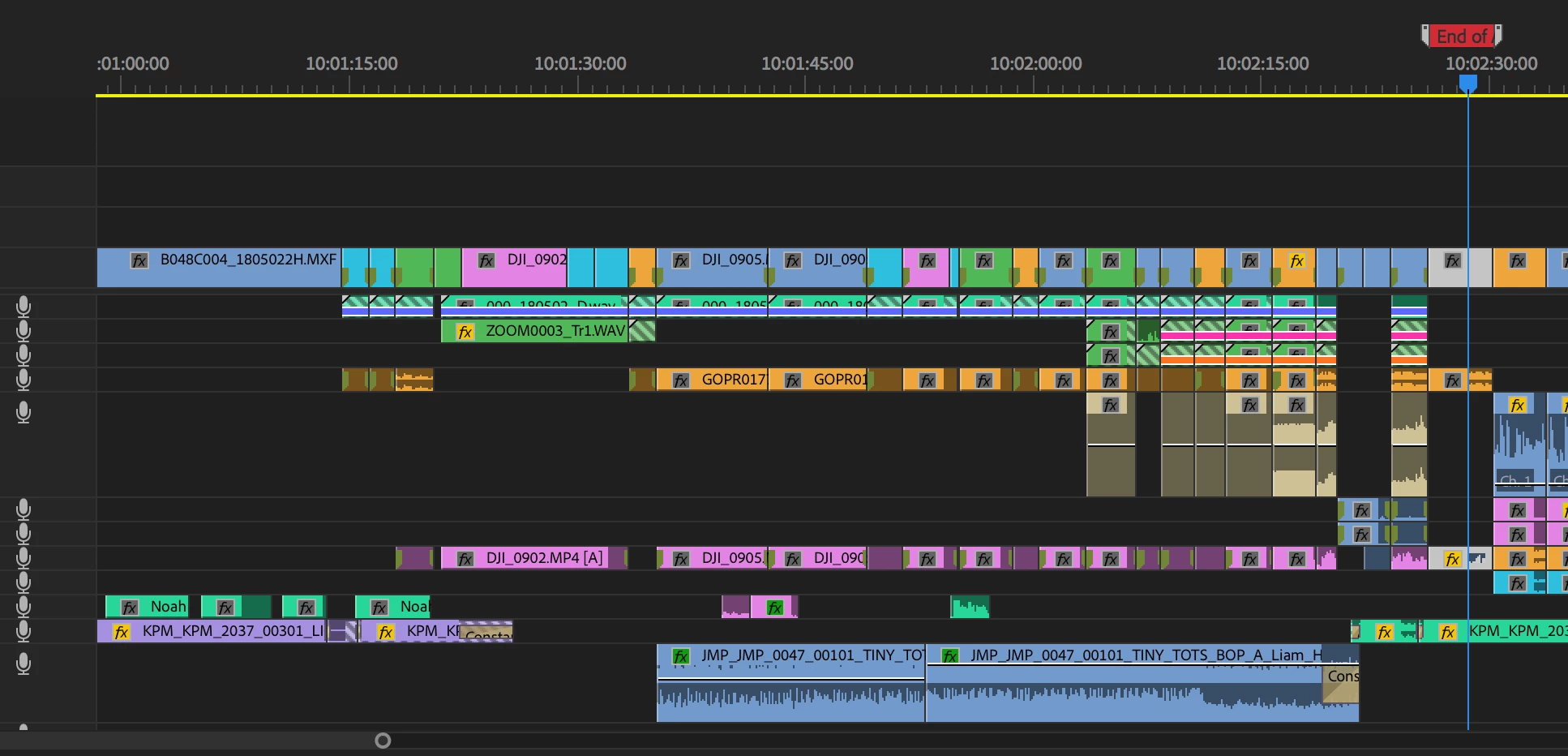
Note the audio clips with 'duplicate clip' marks and stripped lines through them on Audio tracks 1 and 2.

The camera audio relinked perfectly but the external audio is having issues and relinking to the wrong parts of the same clip.

All clips on Track 1 are referencing from one long .wav audio clip (4hrs) that was used as a sync guide on the shoot.

Any help greatly appreciated.

This topic has been closed for replies.

2 replies

Known Participant
June 26, 2023

I'm having this same issue in june 2023. I move the project to a new drive and suddenly all my audio is out of sync.

Ann Bens
Community Expert
Community Expert
June 26, 2023

Known issue. Fixed in 23.5.

Known Participant
July 14, 2023

I am still having this issue in 23.5

Legend
June 14, 2018

What's the work flow here?  Why is media going offline?

Participant
June 15, 2018

Hi Jim,

In this particular case the media went offline when an external drive where the footage was stored was disconnected. Even though I did not save the project with offline files, when reopened the individual containers for the out of sync audio clips had all reverted to the start of the long audio clip they were referencing (note the grey corner at the start of each audio on Trk 1).

No matter how much I relink/rename files/create new projects etc, the containers on the timeline now display the grey corner and hence relink (incorrectly) to the start of the original audio clip.

My workaround was to go back to an earlier autosaved version and continue afresh (frustrating!) but I would really like to know how to avoid this in the future. Surely other people are having this issue too?

My setup is:

Macbook Pro 2017 running High Sierra

2.9 Intel i7

16 GB 2133 Mhz LPDDR3 RAM

Radeon Pro 560 4GB

Premiere Pro CC 2018

Legend
June 15, 2018

To avoid this in the future, I would recommend Step 3H below.

Unofficial Premiere Pro Troubleshooting Guide