
Participating Frequently
December 17, 2022
Question

Premiere Pro renders are washed out

  • December 17, 2022
  • 2 replies
  • 2413 views

Hi all


Unfortunately this issue with Premiere keeps coming up as I've researched this issue. 


Our company is trying to setup a multi DCC operation with DaVinci Resolve, Premiere and After Effects. Results we're getting from Resolve and After Effects are matched fine, but not with Premiere. 

Quick rig stats just in case - W10 22H2, i7 9700k CPU, 3070 GPU 527.56 Studio Driver, 64GB RAM

Using Premiere and After Effects 23.1.0 and latest version of Resolve. 

* To clarify - performance is not the issue with Premiere - just the render results. Comparisons set up in After Effects.

We're rendering testing from Unreal Engine to these DCCs. First tests were with PNG sequences imported into both and exported as Prores from Premiere and DNxHD from Resolve and there were no differences between Resolve and Premiere results. All good so far.
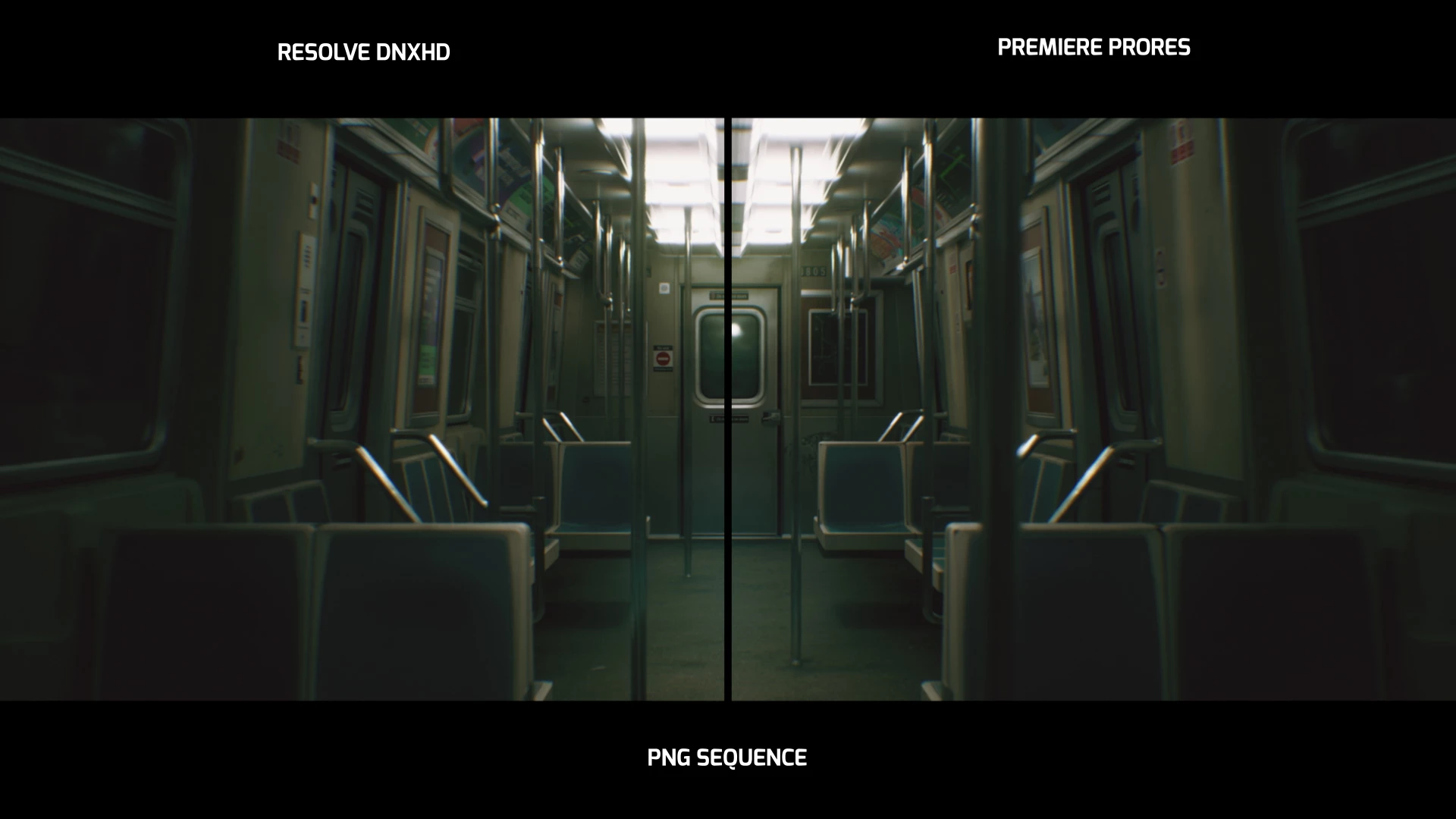

After this we tried EXR renders from Unreal and this is where Premiere's issues started, because of the weird way it color manages things. 
Comparing the Resolve and Premiere versions (when you bypass the linear converter in Premiere) looks the same.
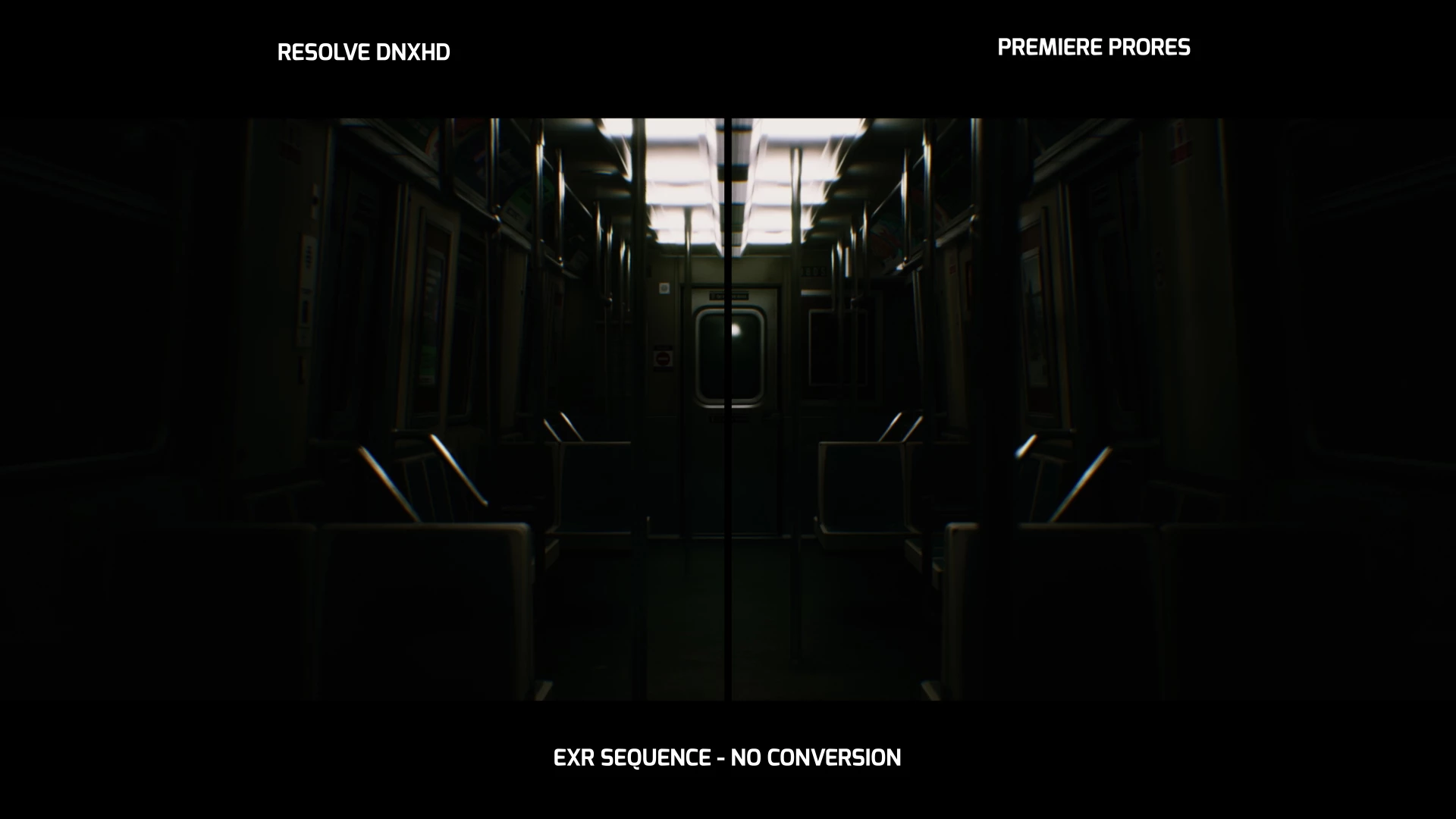
So you can see that both DCCs sees the same "raw" EXR files. 
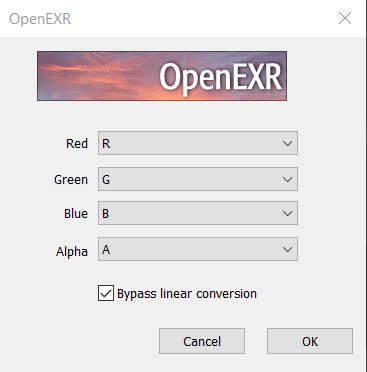
In Resolve, it's a quick change the working LUT to Linear -> sRGB and it's done. Resolve results are good again. In Premiere, when you uncheck the "bypass linear conversion", results are washed out
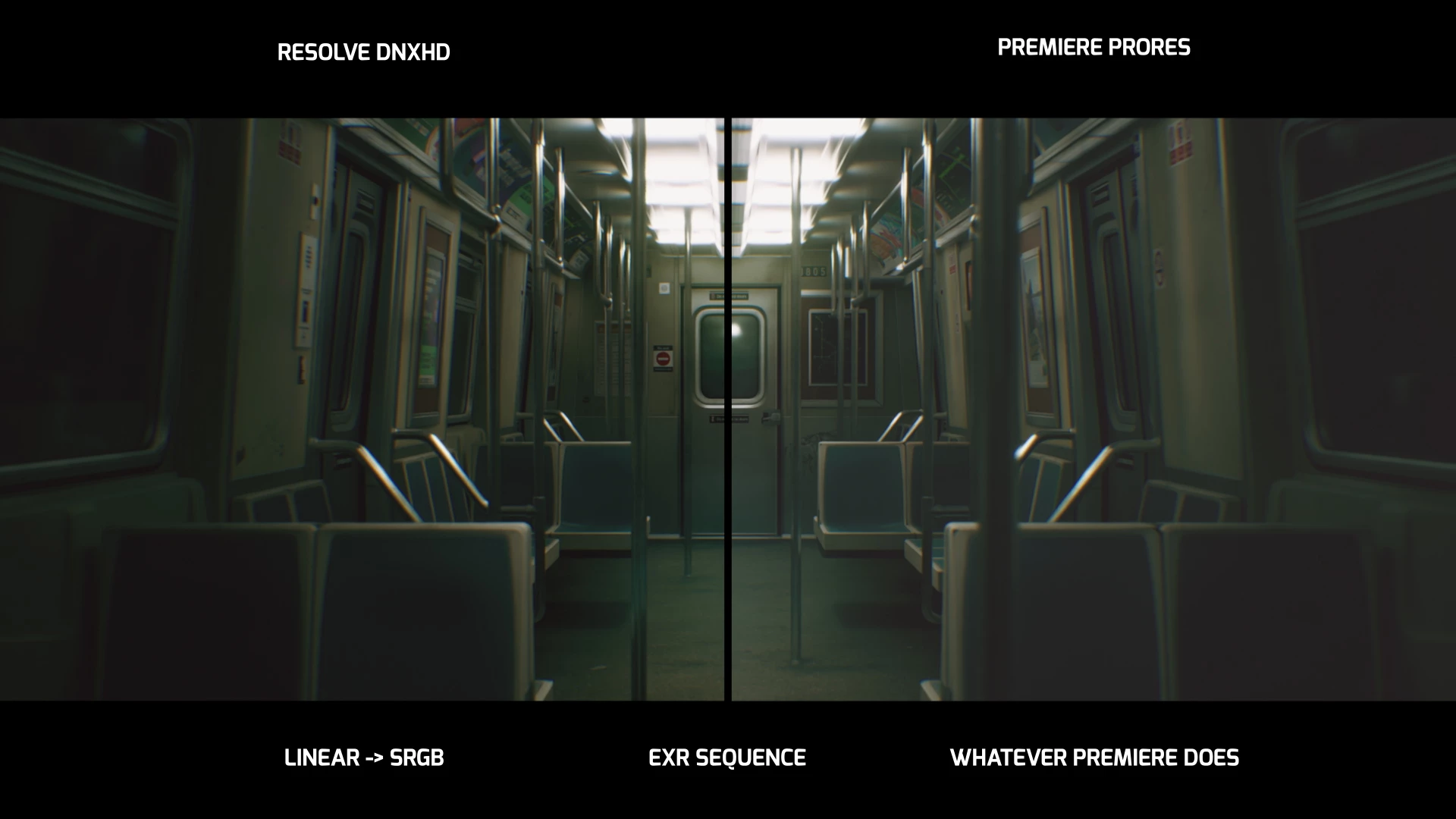
Now you'd think that you can do some sort of color management conversion in Premiere, but no....
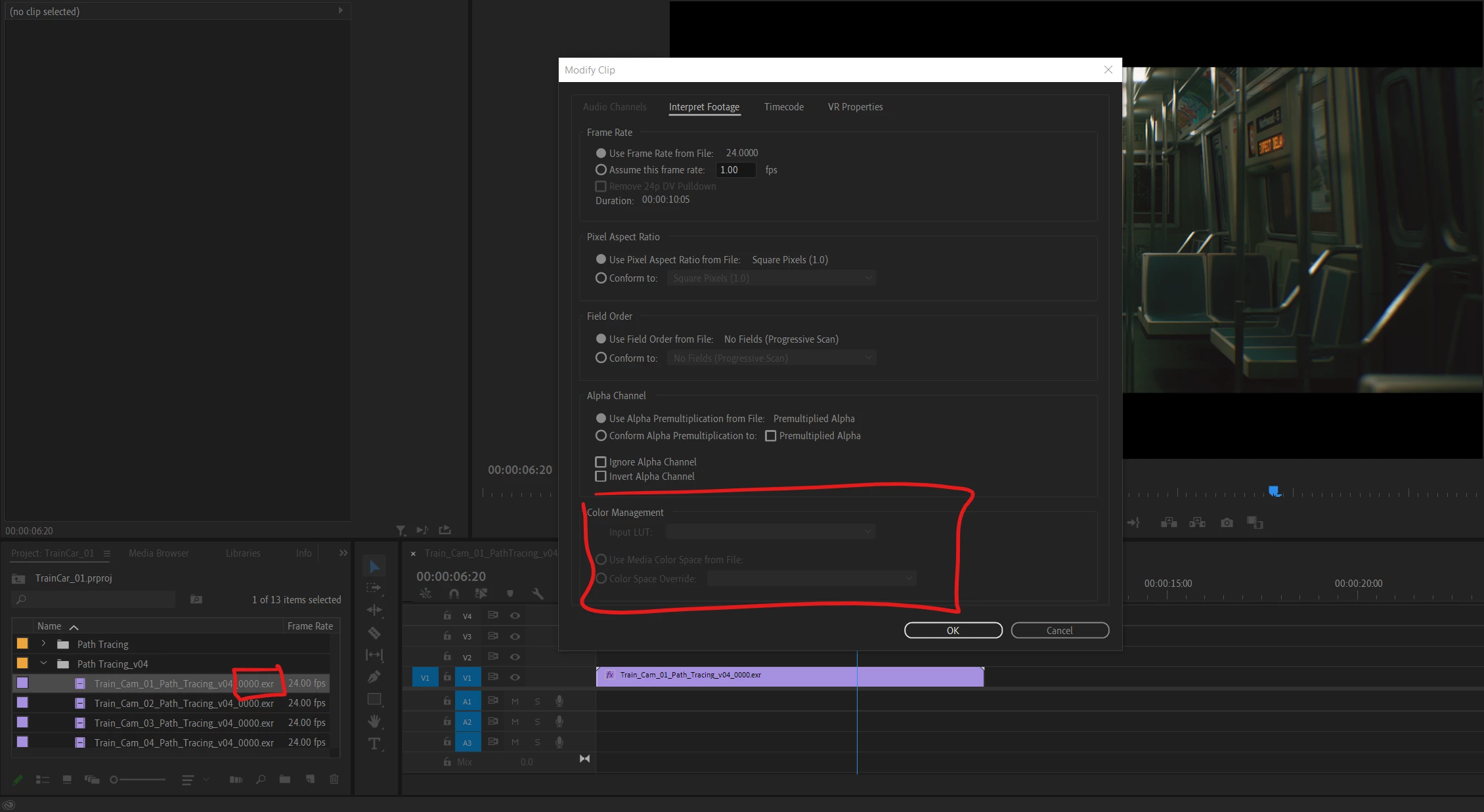
It's all greyed out. 
In general settings Color Management is switched ON. Also makes no difference whether that's checked or not. This option is always greyed out. 
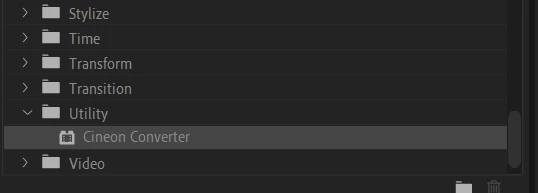
And there's also no color profile converter in Premiere's Utility effects. Only a Cineon converter which is not applicable here
So I did some research and came across the Gamma Correction LUT from Adobe that you can add to renders to hopefully fix this... Nope. It doesn't match Resolve's results. And with Color Management checked ON, the result is much darker
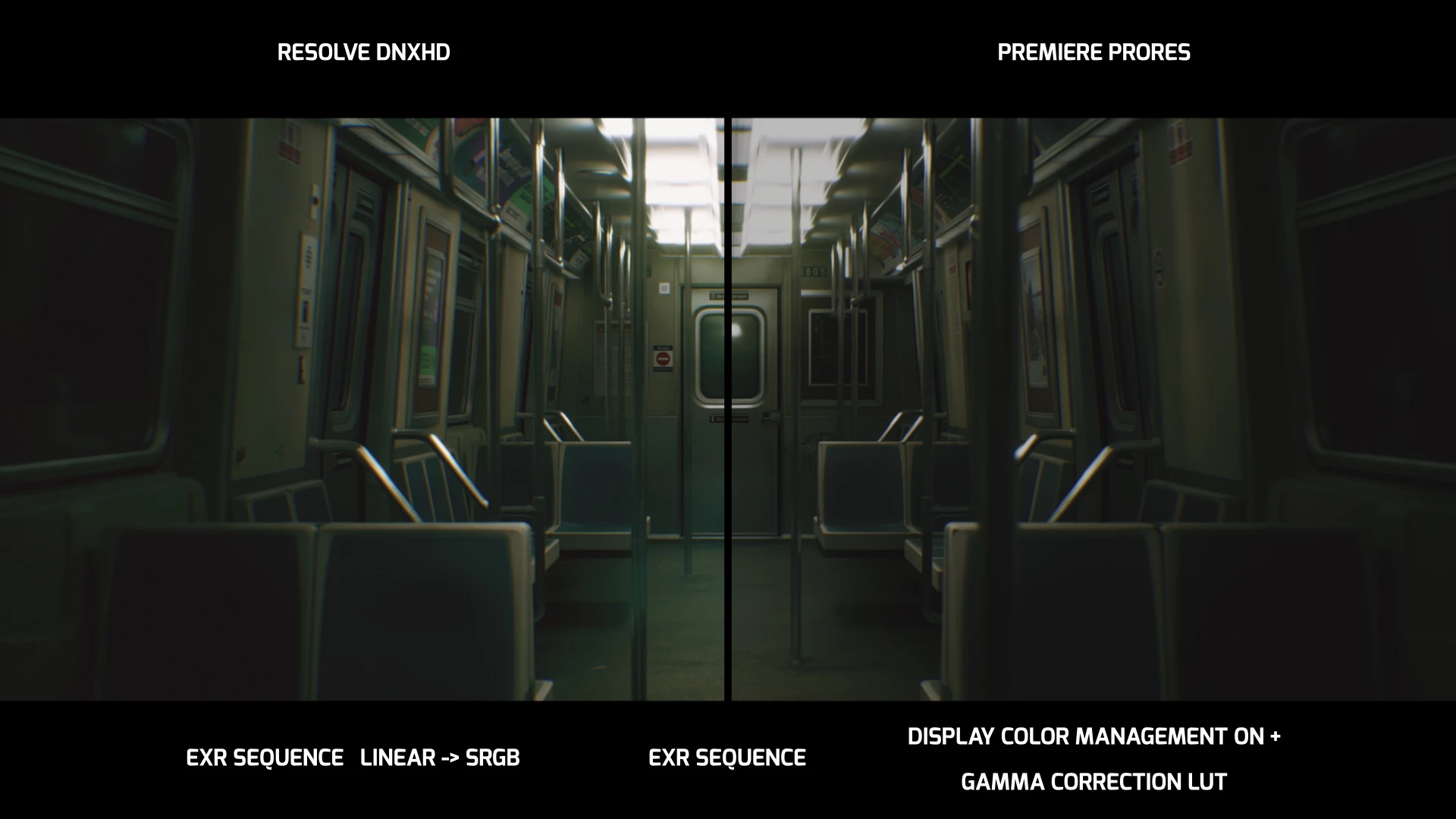
If you switch the Color management OFF, results are closer, but still darker than Resolve
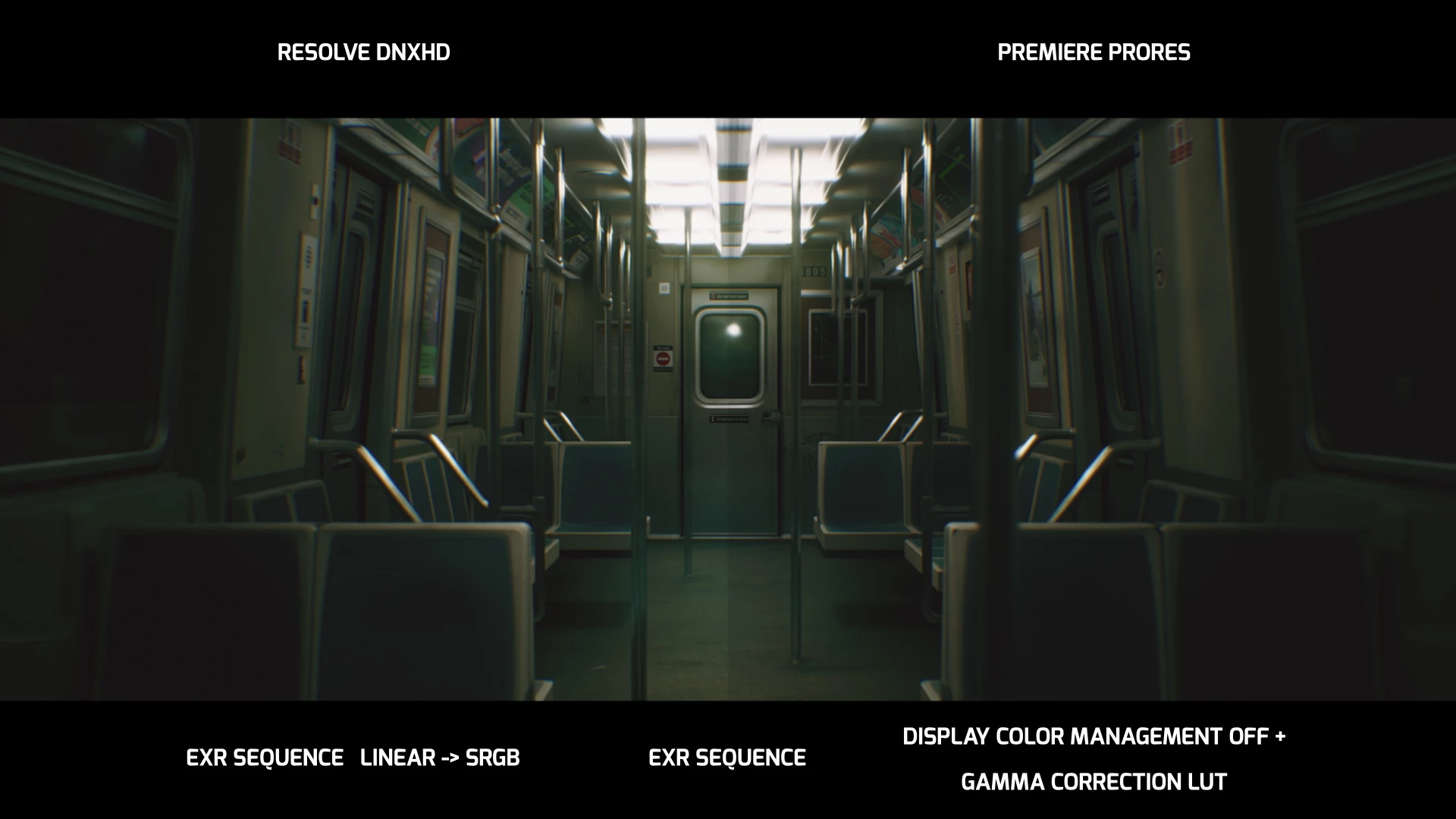
And here's a comparison between Premiere differences witht he render when the Color management is ON vs OFF
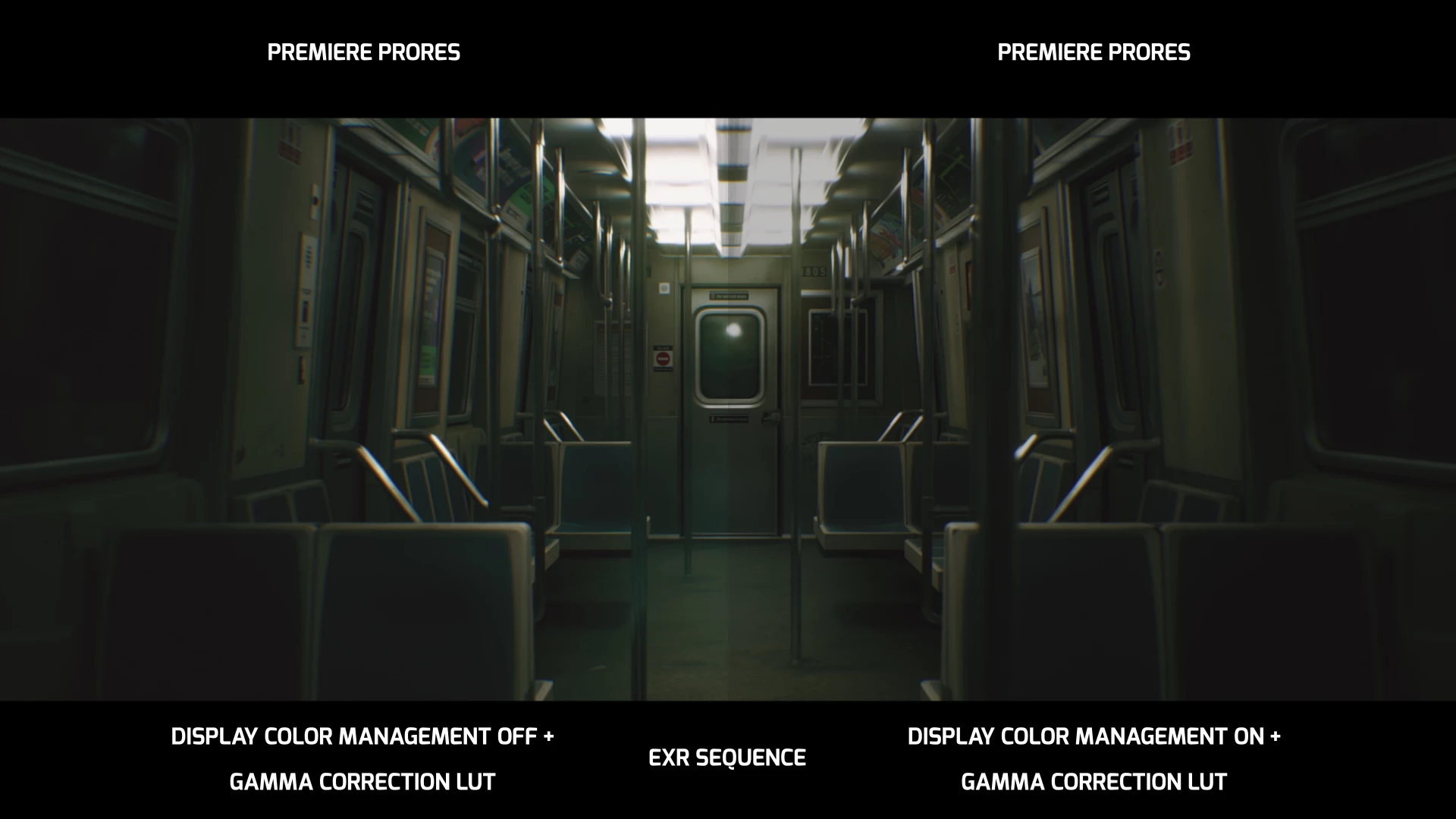
 And somehow no issues between Resolve and After Effects. If I bring the EXR sequence into After Effects and add the color profile converter to the footage, ans set it to sRGB, it matches the Resolve result. 
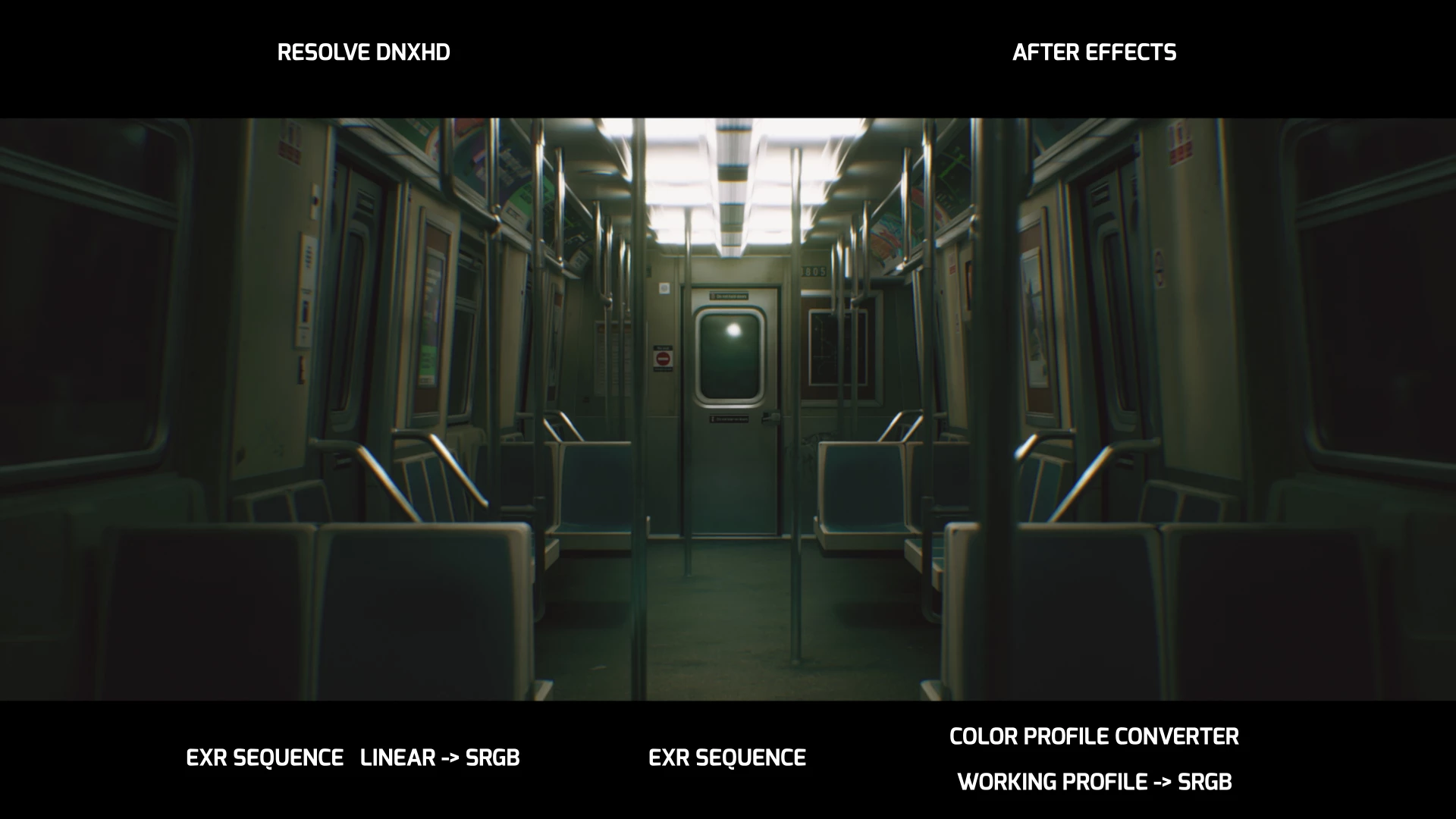

So I guess my question is WTF is happening with Premiere? Why does it not give me the ability to change input and output color profiles? After Effects has the color profile converter which is EXACTLY what I need for Premiere. EVERY other DCC we use can do this without issues. 
Sure it does a bunch of conversion behind the scenes, but those are obviously wrong here. So how do we fix/update this?
Also, that gamma correction LUT is said to reduce the gamma down to .96. From the results being *slightly* darker that Reolve, maybe a gamm of 1 would match? How can one change it's values?
I haven't even gotten to ACES yet. So is that a mess with Premiere as well?
Any help here would appreciated. 
Thanks all!

This topic has been closed for replies.

2 replies

Participant
November 24, 2023

Heyhey,


I just came across your post as I'm having the exact same issue on a project, which requires finishing in Premiere unfortunately. 

Currently my "hacky" solutions are:

option 1: either rendering EXRs out of Nuke with sRGB colorspace conversion instead of linear, which doesn't feel great to be honest. And then I need to bypass the linear conversion in the OpenEXR settings. But doing that for many shots is painful.

option 2: I created a LUT in Nuke, which I apply to all shots in Premiere to compansate the 2.4 vs 2.2 shift which seems to be the case when OpenEXR in Premiere is doing it's linear conversion under the hood.

These short term solutions feel too sketchy to be honest, so I was wondering if you ever found a solve for this?

Thanks a lot in advance,
Matti

R Neil Haugen
Legend
November 24, 2023

What's your goal for deliverables? Premiere defaults to the broadcast 2.4 assumption at export. Did you want a 2.2 export out of Premiere?


EXRs are sadly sort of a niche thing, not that many know much about working with them. So sometimes questions on them here aren't answered all that quickly. But they have awesome capabilities  ...


Everyone's mileage always varies ...
R Neil Haugen
Legend
November 24, 2023

Hey Neil,


you're quick! Thanks for getting back to me!

In the end I need an export, which doesn't have that small gamma shift. It works well in AE, NukeStudio, Flame and Resolve but we're tied to Premiere in this case.
But aside from the desired export, the first goal would be to make the linear EXRs look exactly the same in Premiere as they do in Nuke. Which is the case with those two workarounds I mentioned above, so I think the problem is actually the EXR interpretation on the Premiere side.

The Lumetri Color settings help already as I can apply a viewer LUT (Display Color Management enabled, Viewer Gamma to 2.4) to exactly match what I see in Nuke. The problem is that I couldn't find a way yet to bake this LUT into my export.

I will dive a bit deeper into the various options. I'm sure there's a better solution than the hacky ones I'm using currently.

Thanks,
Matti


That isn't a LUT. The DCM tells Premiere to check the monitor ICC profile in use by the OS. Then setting the display gamma to broadcast 2.4 tells Premiere to take that monitor profile and attempt to achieve Rec.709/Bt.1886 gamma 2.4.


What's your OS, btw? And what are you checking exports on or in?

Everyone's mileage always varies ...
R Neil Haugen
Legend
December 17, 2022

The open EXR files apparently haven't been added to the formats recognized by Premiere's new CM system. That would be why the CM sections in the Interpret Footage section are grayed out. @Fergus Kousha would be the person I'd ask about that.


From the examples, I see very little difference in the one that you have Resolve and Premiere side by side, labeled "and whatever Premiere does" ... the Premiere one does look a bit lighter in the darker values, but only a small amount.


So I'm perhaps not seeing the major difference you are somehow.


A bit of added information ... the gamma correction LUT is only for use within the Mac-OS when going from the standard Rec.709/2.4 of Premiere to the unique 1.96 gamma of Apple's ColorSync color management utility. You are working within Windows, so it ain't of use. Nasty thing anyway ...


The Display Color Management setting is good for most users that do not have a completely standards-reliant Rec.709 monitoring system setup. Then Premiere looks at the monitor's ICC profiles, and adapts the internally displayed image to that ICC profile to attempt to more closely match proper Rec.709.


If like on mine, your system is tightly setup, both calibrated and profiled for Rec.709, then that DCM switch is not needed.


And no, we don't have all the user controls in Premiere that we will have within another year or so, they are building the new CM for it as we go along. The 2022 version was the first version of Premiere not totally tied to Rec.709.


Which settings are you using in Ae for CM? That would be of interest also.


Neil

Everyone's mileage always varies ...
Hein_SAuthor
Participating Frequently
December 17, 2022

Hey Neil


Thanks for the detailed answer. Really appreciated. I'm adding two more screengrabs from the renders, to hopefully help show the differences between the Resolve and Premiere renders. 

In this one, you can see the difference quite clearly. 
It seems that whatever is happening with the Premiere CM, its clamping the result more than just a straight Linear to SRGB conversion. You can see in the black levels, obviously, but also the lights, you can see more details in the Premiere version. 

I removed the separation line, so you can the two next to each other better.

For After Effects, no added CM. Working space is set to none and I just added the color profile converter effect, like so:

I haven't messed with color profiles or ACES workflow yet. First wanted to get results from all the DCCs to match. So they're all vanilla atm. 

Thanks also for the tip on the gamma correction LUT. It was mostly out of despearation to try and get something to work. 

The thing with Premiere is though, when I check the Display CM ON, the result is what I'm looking for, but then it seems to only apply that in the display, but not at render time. And that's the part I've been struggling with. 

So what would you say would be the best way, with what Premiere currently has to offer to get matched results to the other DCCs then? After Effects converts it correctly, so getting it into AE might be an option. But it seems like a painful way to go. 

Thanks again for the detailed answer

R Neil Haugen
Legend
December 17, 2022

Is this screengrab within Ae or from an export from Ae? Are all these from exports, not from what the image looks like in the app? Does what the image looks like within the app matter to this question?


I'm trying to get at exactly the main element of the query.


This comment, according to my colorist acquaintances, might be a bit of a perhaps ... misperception ...


" After Effects converts it correctly"


For some general information ...there is no exact only-one-perfect-transform in existence. By their nature, all transforms function slightly differently from one another.


Here's a routine example that seems germane here. For those working with film-scanning hardware, the decision as to which software/conversion protocols are used with any scan from that machine, make a massive difference in how the raw data from that scanning machine appears.


Which is "correct"? Well, all really. The one that seems to work best with whatever clip you are working with is the correct one for "now". And it will vary, normally from clip type to clip type.


For another example, there are several methods within Resolve to transform ArriRAW to say Rec.709 whether as a working, display, or export space. Which is the CORRECT way? Well, whichever fits your current clip best for the project its being used in.


Thar be more art in this science than most of us are really comfortable with. We tend to want to know the exact single best way for any use. Ain't always possible.


Neil

Everyone's mileage always varies ...