

Premiere Pro still not color matching After Effects (using EXR files)
The Problem:
EXR file sequences still aren't matching when using Lumetri Scopes in After Effects (v16.0.0) as compared to Premiere Pro (v13.0)
Proof:
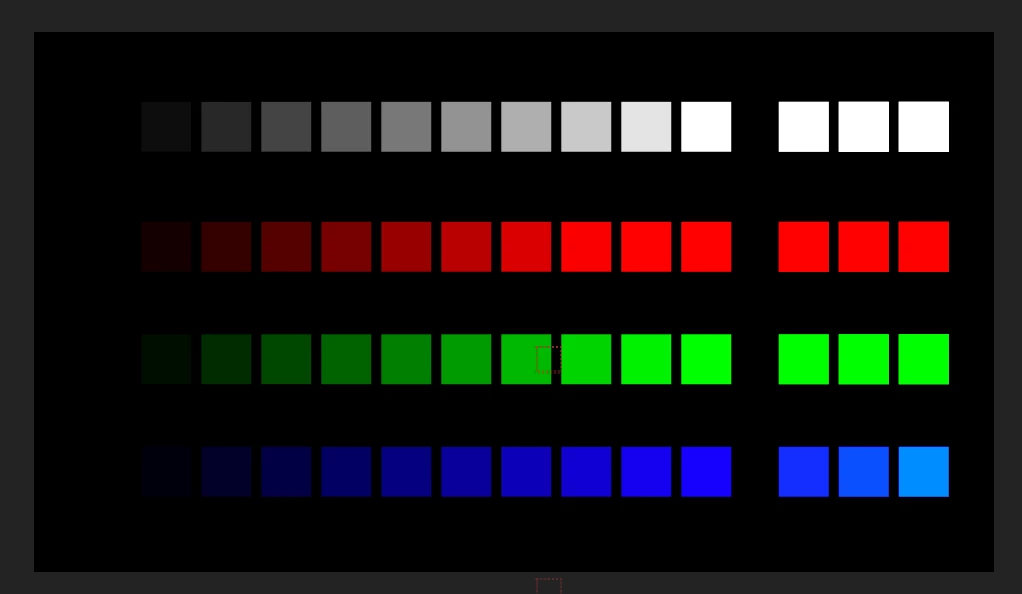
I built a ramp of squares (W/R/G/B) using solids in After Effects from black to super white. It looks like this:
It shows in the Lumetri scopes like so:
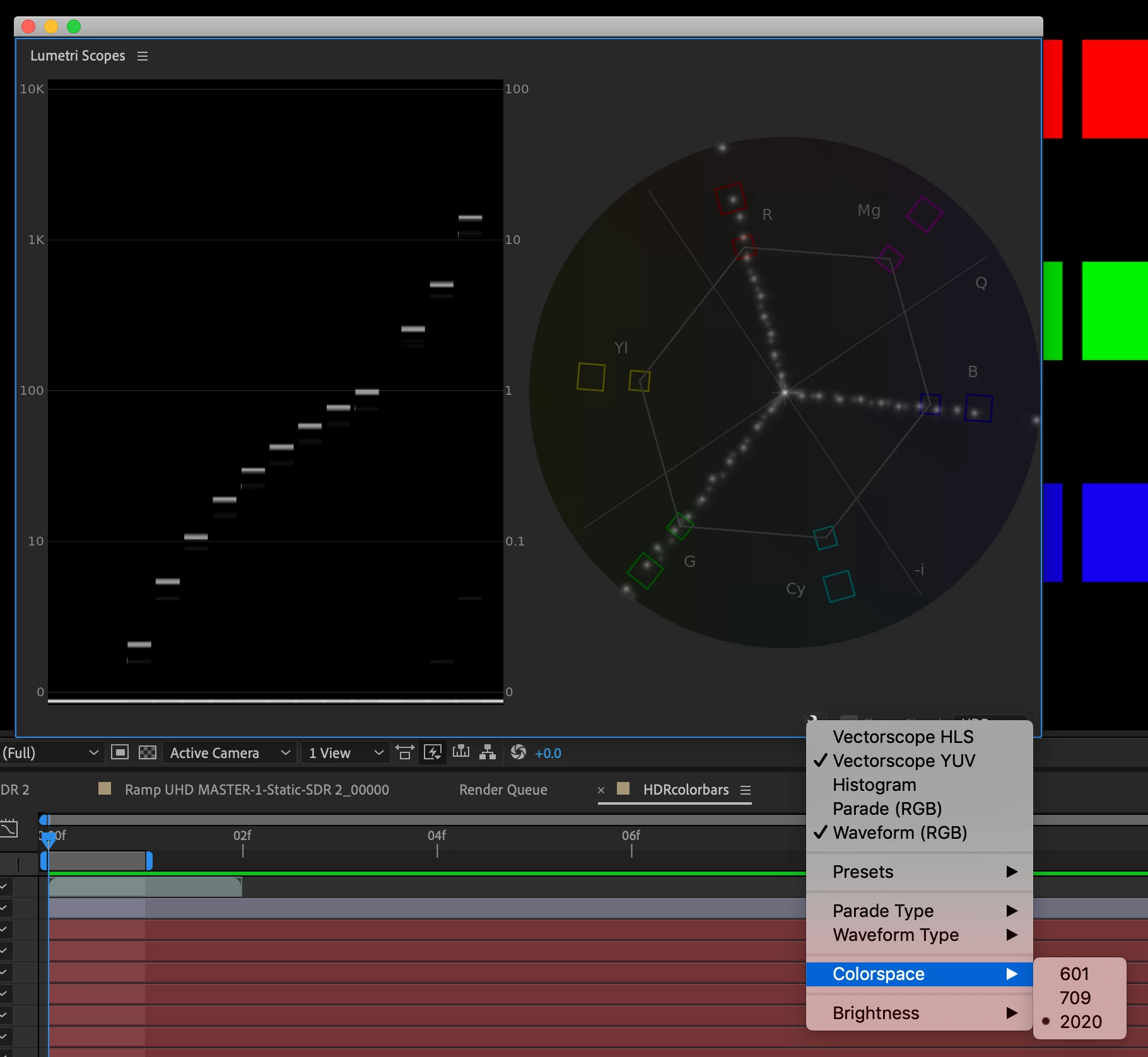
I'm leaving the pop-up open to show I'm using Rec2020.
If I export that composition as a single EXR frame and re-import it (after setting the Interpret Footage color management to match the working color space of Rec 2020 Gamma 2.4), it is a very close match:
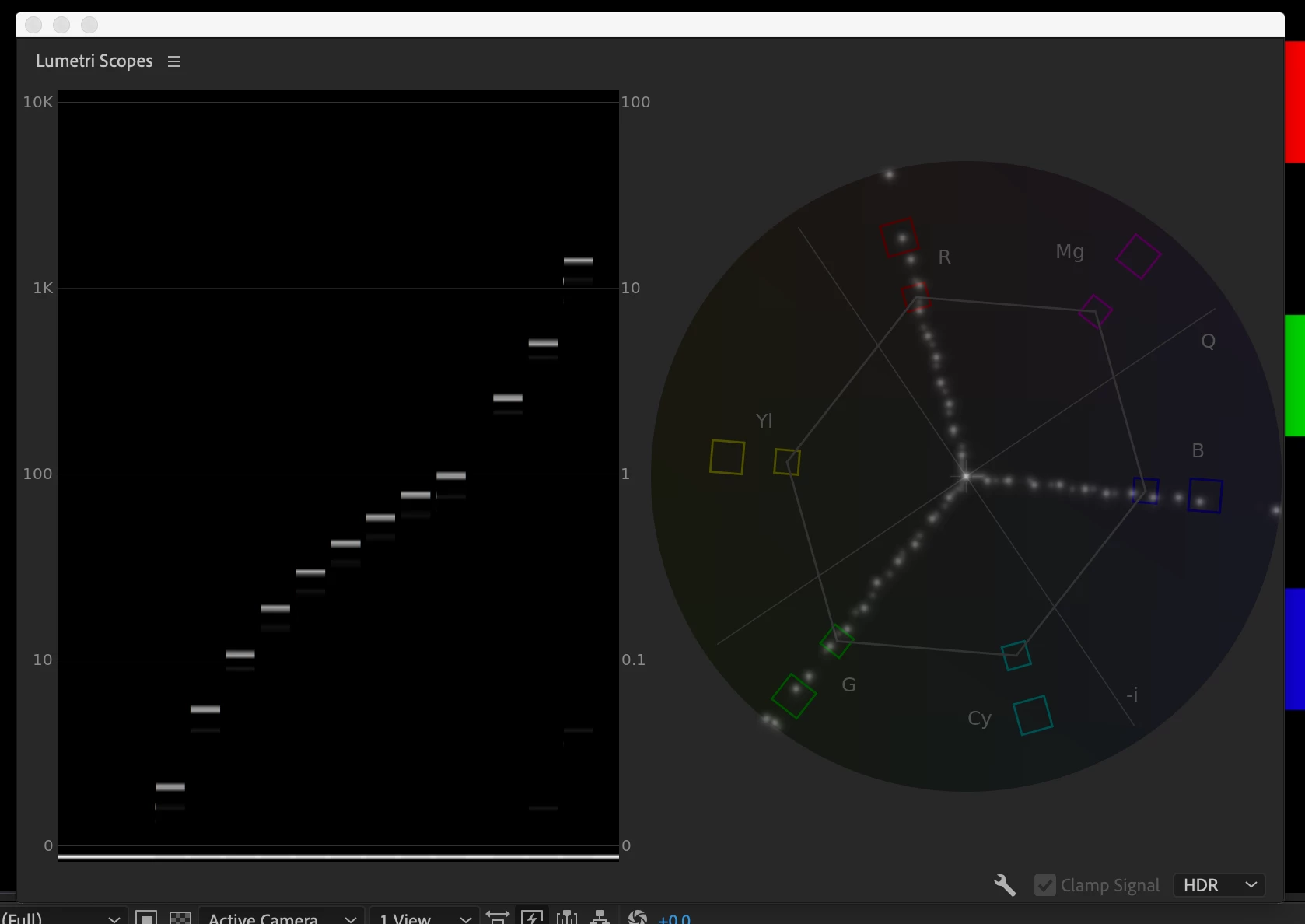
There are slight illinearities - if you want to see the differences better, here's an animated GIF:
Animated GIF - Find & Share on GIPHY
So I know my setup can "eat its own dog food" and still match....pretty much.
Now I pull that same exported image into Premiere, fire up Lumetri Scopes, and I get this:
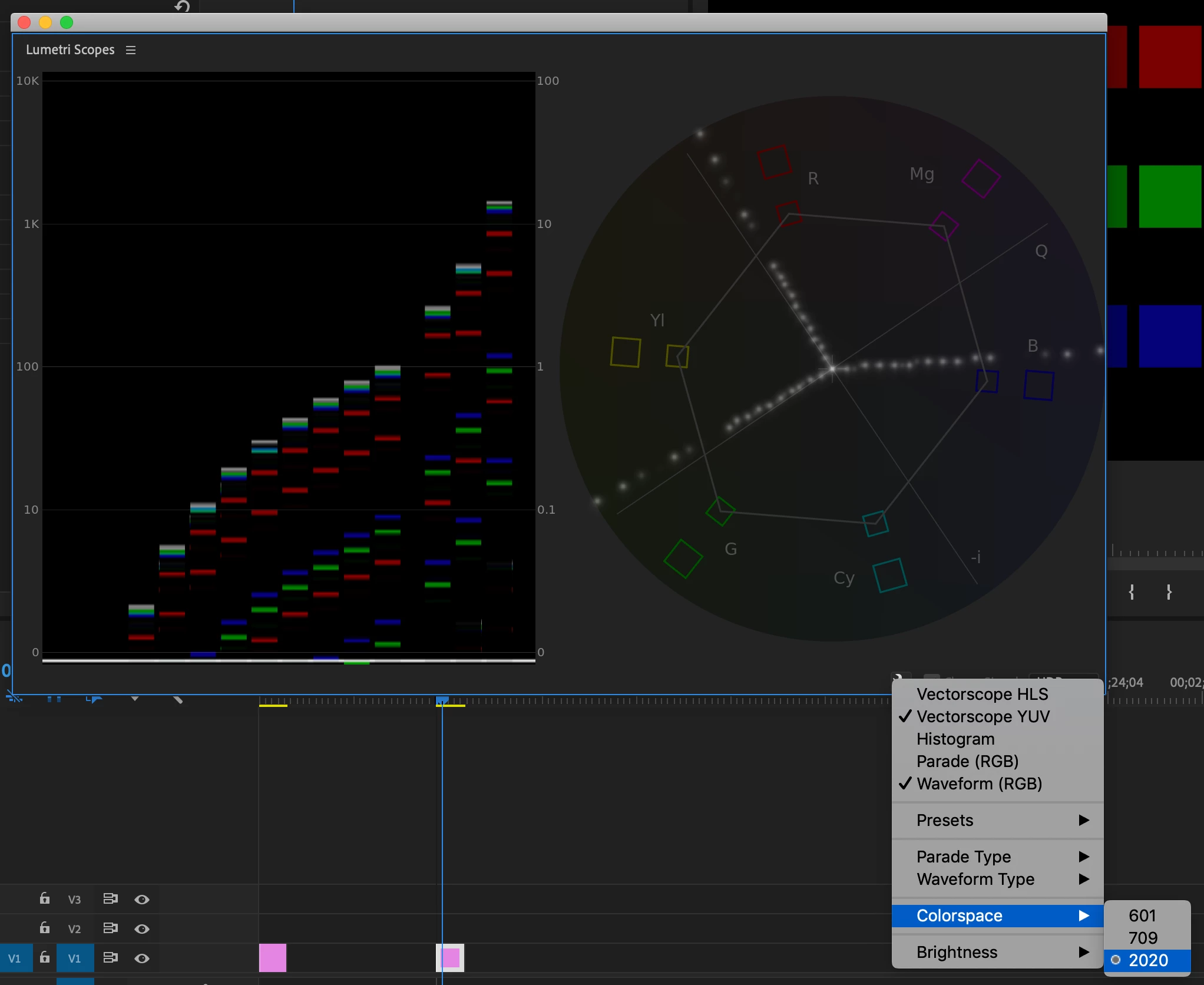
OK, very very different result. Note that the AE scopes show straight lines through the R, G, & B targets, whereas Premiere rotates red and blue counterclockwise on the color wheel, but green further clockwise. I'm guessing this is a color space assignment issue, but I don't know. What I do know is that it doesn't match between the two programs, and this is a problem as I'm doing color work in AE.
For kicks, I pulled the frame into the latest Resolve (15.1.1.005), and it agrees more with After Effects:
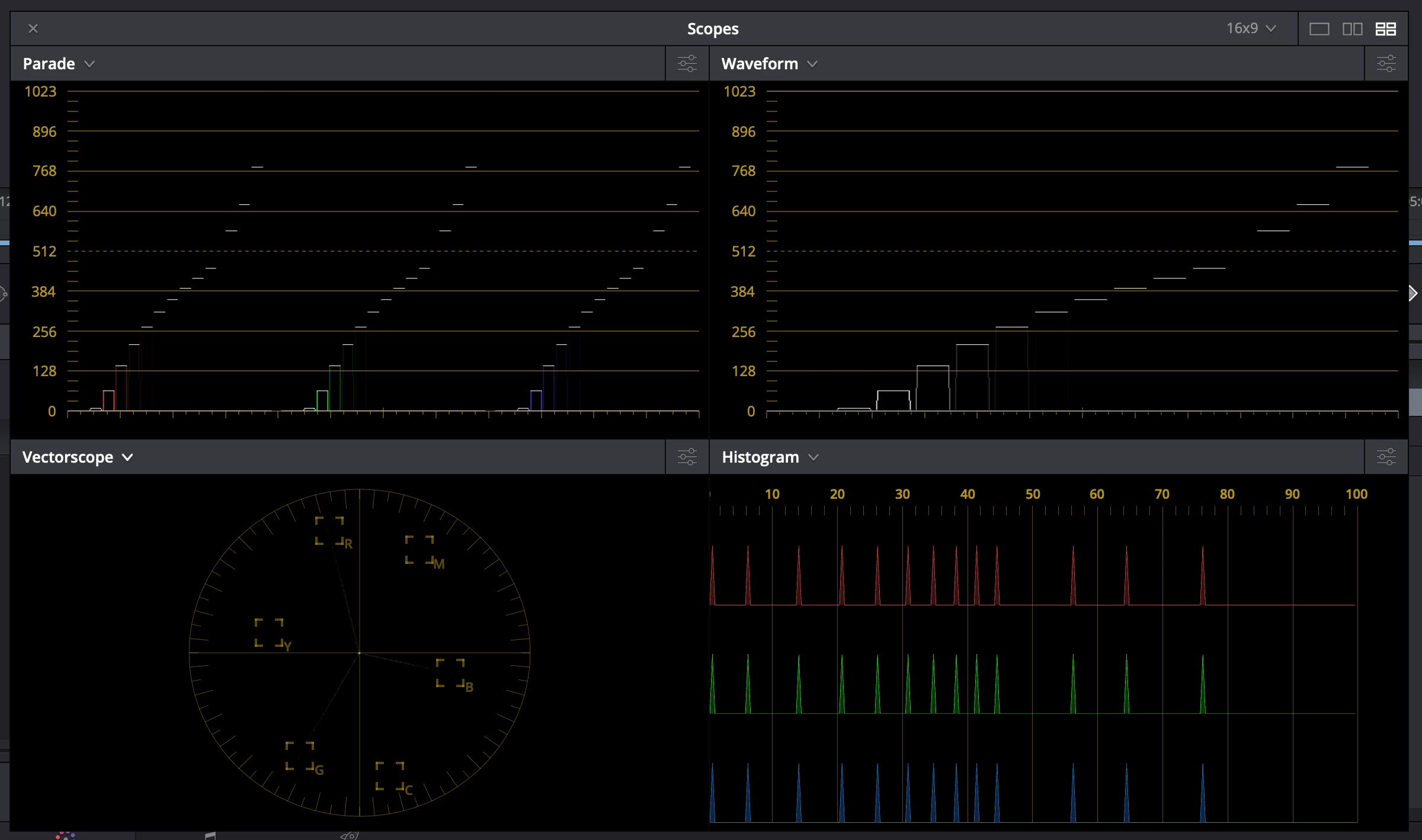
It is hard to see here, but in the lower left vector scope, the lines go through the RGB targets (was set up for Linear color input, Rec 2100 ST2084 output)
Continuing to scratch my head, I exported the image from Premiere back to another EXR file, brought it into AE, re-assigned the Rec2020 gamma 2.4 color profile instead of the default sRGB, and the scopes are identical to the AE original comp.
Just for kicks, I exported from Premiere, re-imported into AE, assigned the proper working color space via Interpret Footage, and it is a dead-on match for the exported from AE version.
In case anyone is wondering, here's the AE settings:

...and yes, I tried the new Enable Display Color Management option in Premiere's preferences, it changes how the image looks on screen but doesn't make the Lumetri Scopes twitch in the least - it only affects on screen display, not how scopes interpret the values.
What I glean from this is that the color values aren't changing as they are interpreted and then re-exported through Premiere, they are just being understood by Premiere as something different.
I'm using EXR files because I'm doing HDR work and it is my best lossless path. If there is something that matches better and is still high quality and HDR, I'd love to know about it.
Thanks for any input or guidance,
Mike Curtis
(who had similar issues with the last set of releases)
 AdChoices