



Kevin J. Monahan Jr.
Community Manager
Community Manager
August 9, 2017
Answered

Premiere Pro support for Blackmagic RAW is now available
  • August 9, 2017
  • 25 replies
  • 225004 views


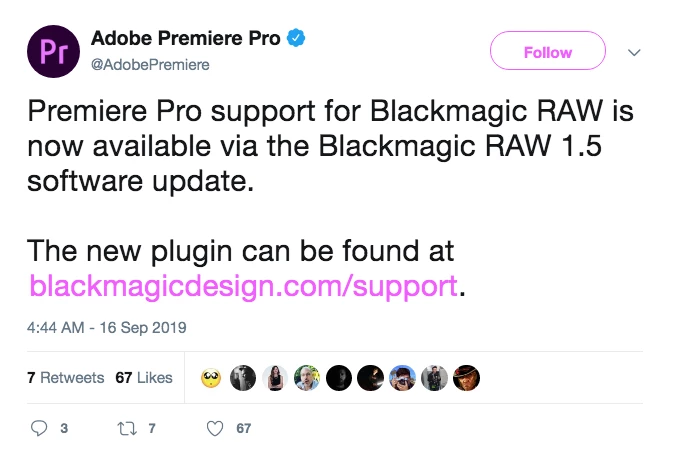
Premiere Pro support for Blackmagic RAW is now available via the Blackmagic RAW 1.5 software update. The new plugin can be found at .


As of Feb. 16, 2022, Autokroma BRAW Studio is now free. Info to download: https://www.autokroma.com/blog/BRAW-Studio-Is-Now-FREE


Feel free to discuss this announcement of support below.

More IBC 2019 content here.

This topic has been closed for replies.
Correct answer Kevin J. Monahan Jr.

Hi Community! Do you want the product team to add support for Blackmagic RAW .BRAW files? If so, then upvote this feature request: Support Blackmagic RAW: https://adobe-video.uservoice.com/forums/911233-premiere-pro/suggestions/35405632-support-blackmagic-raw


Thanks,

Kevin

25 replies

Kevin J. Monahan Jr.
Community Manager
Kevin J. Monahan Jr.Community ManagerAuthorCorrect answer
Community Manager
January 21, 2022

Hi Community! Do you want the product team to add support for Blackmagic RAW .BRAW files? If so, then upvote this feature request: Support Blackmagic RAW: https://adobe-video.uservoice.com/forums/911233-premiere-pro/suggestions/35405632-support-blackmagic-raw


Thanks,

Kevin

Kevin Monahan - Sr. Community and Engagement Strategist – Adobe Pro Video and Audio
Participant
November 2, 2021

I'm using the new Apple M1 Pro Max chip and now Premiere Pro is not supporting my black magic BRAW files! Is anyone else having this problem?


Please Help!

R Neil Haugen
Legend
November 2, 2021

Have you installed the BlackMagic freebie BRAW plugin, or the (far better) paid BRAW Studio from Autokroma? Premiere doesn't have 'native' support. You need to use either the BM or the Autokroma plugins.


The BM one is available from their support page, and the Autokroma one both from their page and from aescrpts.com.


Neil

Everyone's mileage always varies ...
Participant
September 17, 2020

I downloaded the BRAW Developer SDK

27 Aug 2020

Blackmagic RAW 1.8.1 Update.  I know this is an older thread but how exactly do you install this into Premiere?

R Neil Haugen
Legend
September 17, 2020

I believe if you go to the download of that plug-in, there's an installer that you simply click or double-click to start. Then it installs itself.


Then in Premiere, check the Windows/Extensions to see if its listed. If so, it's installed. And you can click on the extension typically to bring up a panel for that extension.


Neil

Everyone's mileage always varies ...
R Neil Haugen
Legend
May 17, 2020

sgtbuk1,


It should function. Try clearing the cache/media cache database files then relaunch Premiere. If that doesn't work, try creating a new project in 2020, then from that project in the MediaBrowser, navigate to and import the assets of the current project. See if that works.


I will say I gave up on the BlackMagic plugin and bought the Autokroma ones sometime back. Always had issues with the BM one. The Autokroma plugin just works.


Neil

Everyone's mileage always varies ...
Buck Kahler
Participating Frequently
May 17, 2020

I have a project from last year I filmed in BRAW and Premiere had no problem with it. Now it does not recognize the files at all. I updated to BRAW 1.7 from Blackmagic's site, but still nothing. Do I need to downgrade Premiere to CC 2018?

Participating Frequently
May 18, 2020

Hello,


If it is impossible for you to load any braw files with the BMD Plugin then : 


First try to import a BRAW file from you desktop folder. If it works, then there is a problem in the path of your braw folder that the BMD plugin doesn't like, so change your project files location or rename your folders to have only ASCII chars (<=> Only "normal" characters, no accent, etc ..).

If it doesn't work. In your Mediacore folder, your should have the blackmagic plugin's files. If you don't see anything, then there is a problem in the installation part. You can contact also contact the Blackmagic support.

As Neil said, you can also try with a PPro 2020 project, but the BMD Plugin should work on PPro 2019 as well.

For your next project, maybe you could give BRAW Studio a try, it is a plugin that we are developing at Autokroma, with more features than the BMD Plugins (like Preset, Quick Custom A/B comparison, Timecode correction and more to come)  and (for some configurations) less problems. 
If you are really stuck in your current project with the Blackmagic Plugin, you can switch to BRAW Studio, but we advise to finish a project with the same plugin used from the beginning. We speak about that part in this article : https://www.autokroma.com/blog/Compatibility-Blackmagic-Raw-Plugin-BRAW-Studio

Best,

Nicolas from Autokroma

Participant
August 18, 2020

Thanks for the note on path names Nicolas.  Strangely, Premier 14.0 initially imported the .braw's okay from our NAS via media browser with the Black Magic RAW 1.8 plugin.  We were even able to make proxies of the .braw, but now the original files are showing offline with the 'importer reportered a generic error' when I attempt to relink.  This can be fixed by copying the .braw to a desktop location and relinking as you suggested.  Strangely, our QNAP AFP server path has standard ASCI characters and I can't relink the files there by moving them to any different folder location.  So at least it did help me isolate the problem to the network share, which is pretty essential with multiple workstations.  Wonder how many others are in the same boat.  Clearing media cache manually and with their button does nothing naturally.


I've already got too many assemblies, multicam syncs, and rough cuts etc, but next time I'll reccomend they start the project with BRAW Studio as this plugin is ridiculous.  I can fix the xml export for the colorist, but I agree with Neil that this plugin costs way too much time and is far too inconsistent for production workflows. 


EDIT:  Somehow it started working again after I installed the new beta plugin Blackmagic RAW 2.0 Beta 2 Update.  YMMV


R Neil Haugen
Legend
February 18, 2020

Oh ... that's the old CinemaDNG format, right.


That's ... problematic, unfortunately. It isn't at all the same nor similar to the current BlackMagic BRAW format.


Neil

Everyone's mileage always varies ...
R Neil Haugen
Legend
February 18, 2020

Wilds,


The BM RAW plugin often doesn't install itself correctly. Check the chart here ... does your installed files look like this? In a PC, this is the folder in the C:/Program Files/Adobe/Common/Plugins/7.0/MediaCore folder.


Unfortunately, the BM BRAW plugin can be problematic. The last updated one on their site is from December ... and it was buggy enough for me I bought the Autokroma BRAW package for Premiere/MediaEncoder ... which just works on my rig.


The Autokroma staff is nice enough that Farve has been on here several times helping people using the BlackMagic plugin to get it working for them.


Neil

Everyone's mileage always varies ...
Participant
February 18, 2020

R_Neil_Haugen, 

My files are installed correctly. But the BMCC does not shoot in braw. The camera is made a long time ago, it shoots raw 3:1 Cinema DNG (name.dng and not name.braw). The Blackmagic player can't read these files either. Only Resolve can read it. 

R Neil Haugen
Legend
January 15, 2020

lazurus55,


When you use the BM RAW installer, it doesn't put anything in those folders?


Perhaps there's a permissions issue with that folder.


What do you have in your download from the BlackMagic support site?


Neil

Everyone's mileage always varies ...
Participant
February 18, 2020

I'm using windows 10 and Premiere Pro 20 and Adobe Lightroom, I installed the new blackmagic plugin but it still doesn't import the raw 3:1 from Blackmagic micro cinema camera. I need Lightroon and Premiere can read raw 3:1 from BMCC. How do I do this? 

R Neil Haugen
Legend
November 13, 2019

With either the BM 1.5.2 plugin installed or the Autokroma plugin, which I prefer due to the Presets feature, I can easily work with braw media in Premiere 2020. Or 2019. And I'm Win10 also.


You can't work with both plugins as the BM one insists on taking control if it's installed.


And looking in your Programs/Adobe/Common/Plug-ins/7.0/MediaCore folder, you have the following folder and files showing (for BlackMagic plugin) ...


Neil


Everyone's mileage always varies ...
Participant
November 13, 2019

After installing the BRAW player, I restarted Premiere, and it read the BRAW material seemlessly.  Thanks for all of the input.

Participant
November 13, 2019

I'm using windows 10 and Premiere Pro 19, I installed the new blackmagic plugin but it still doesn't import the b.raw footages.

There's something more that I need to do?