

Question
Premiere pro tool tips are not showing shortcuts while hovering mouse
So when I open Premiere pro and hover mouse over tools they show the shortcut but if I open project file and hover over tool they just show the name and shortcut hotkey is not showing 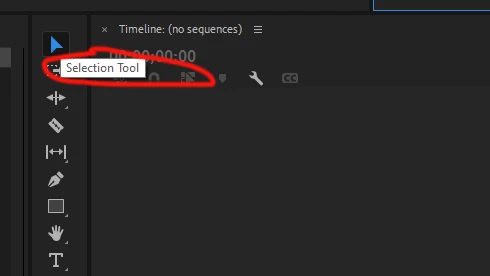 like here it should be saying "Selection Tool (V)
 AdChoices