


daniel_video
Participating Frequently
February 1, 2020
Answered

Premiere Pro: Unsupported driver - Newest NVIDIA driver from NVIDIA website!

  • February 1, 2020
  • 5 replies
  • 47184 views

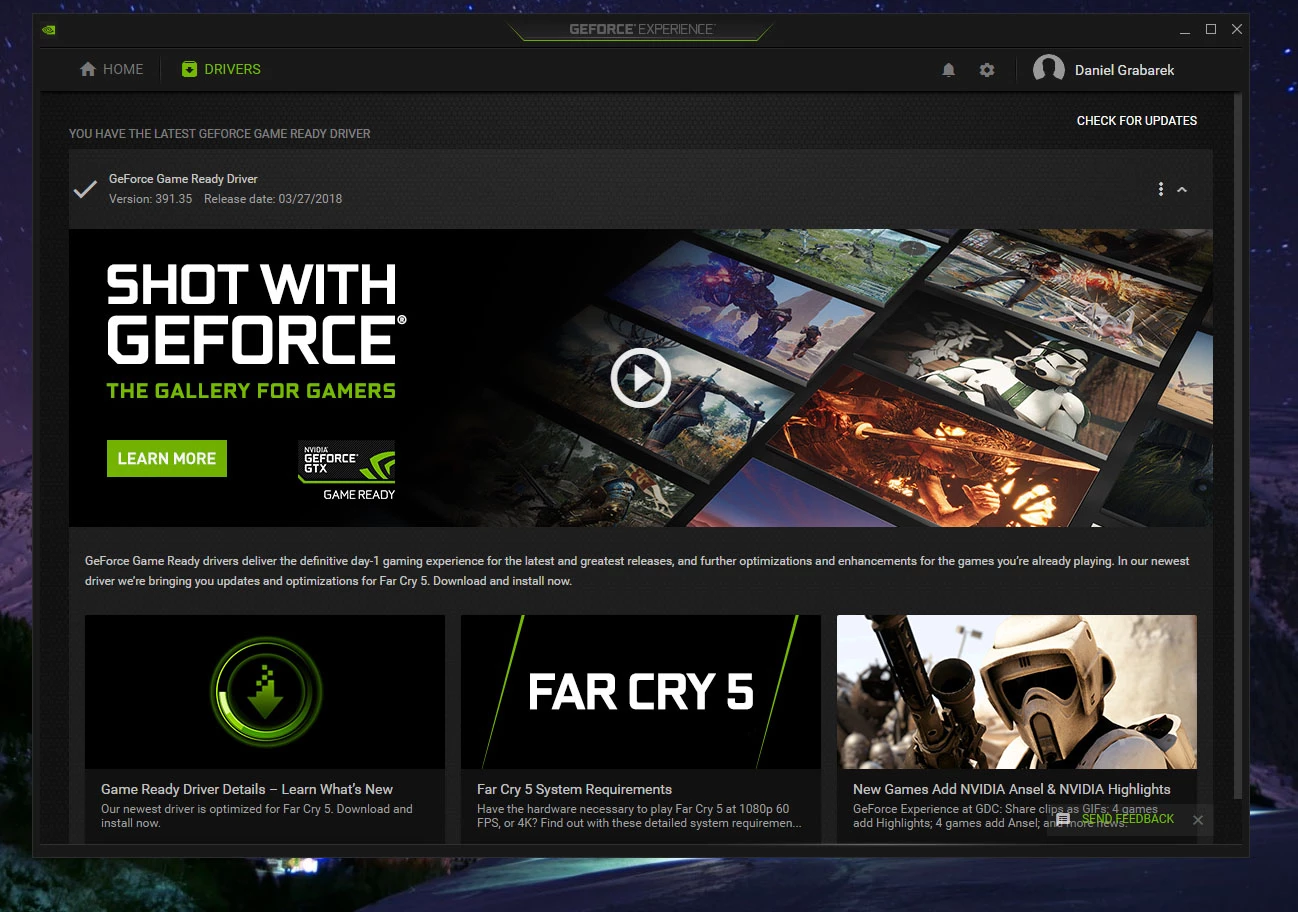
Can someone from Adobe explain to me why the newest NVIDIA driver for CUDA supported GPU is not new enough for Adobe software (Premiere Pro and After Effects)?!!! I have tried the newest updated driver from NVIDIA website as well as installing drivers through GeForce Experience. I have tried also a few previous Premiere Pro versions. None of the above helped 😕😕
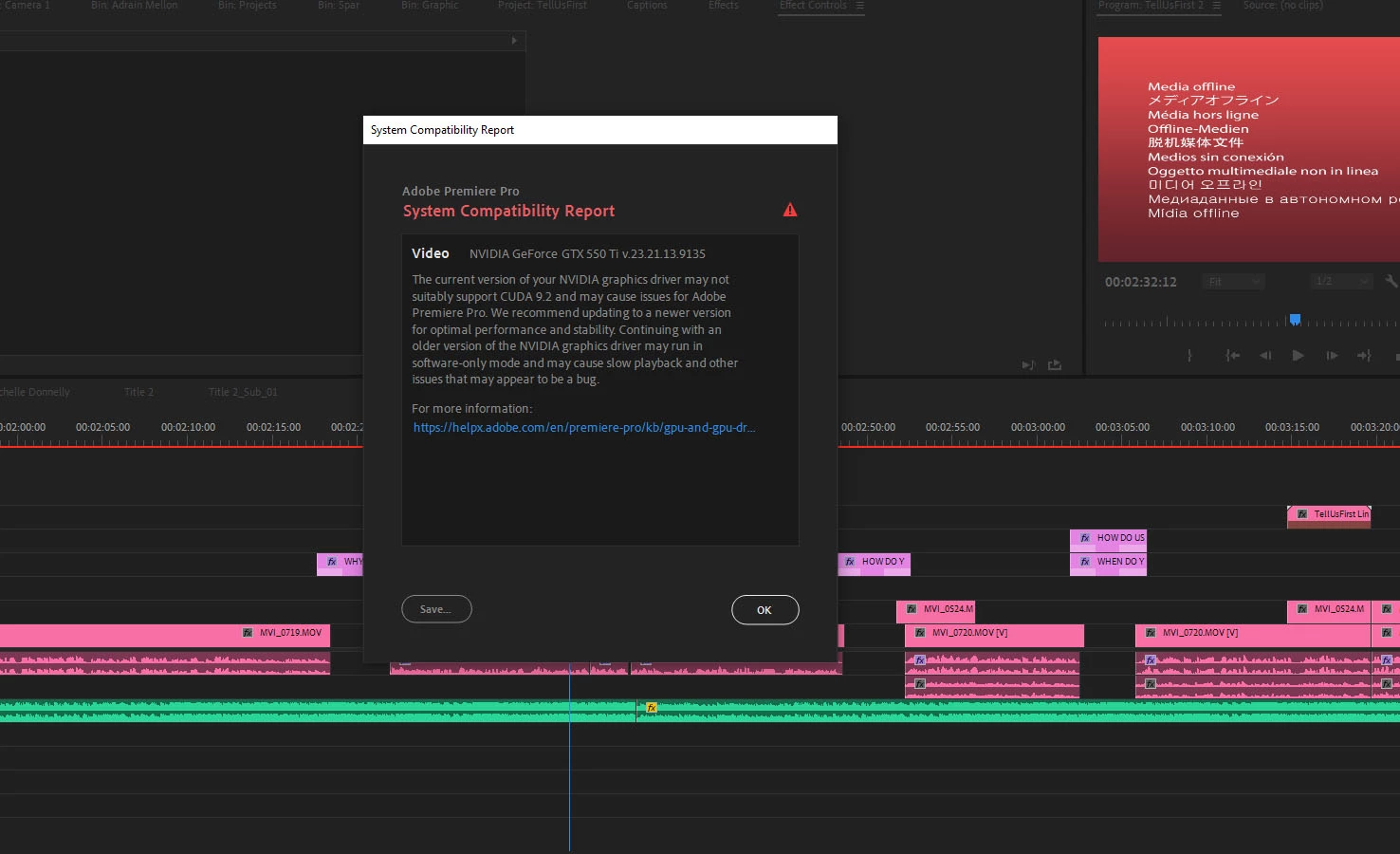
Operating System Windows v.10.0.18363.1
----------------------------------------------------------------------------
No conflicts to report.

Video NVIDIA GeForce GTX 550 Ti v.23.21.13.9135
----------------------------------------------------------------------------
1. The current version of your NVIDIA graphics driver may not suitably support CUDA 9.2 and may cause issues for Adobe Premiere Pro. We recommend updating to a newer version for optimal performance and stability. Continuing with an older version of the NVIDIA graphics driver may run in software-only mode and may cause slow playback and other issues that may appear to be a bug.
URL: https://helpx.adobe.com/en/premiere-pro/kb/gpu-and-gpu-driver-requirements-for-premiere-pro.html

This topic has been closed for replies.
Correct answer RjL190365

I am very sorry to say this, but that GTX 550 Ti is now no longer supported at all by Adobe because NVIDIA had ended all driver support for all Fermi GPUs back in 2018. This means no new drivers will ever be released for your GPU - not even security fixes, let alone compatibility fixes. That driver version, 391.35, dated way back to March 2018. Adobe now requires a driver version higher than 430 just to even be supported at all in Premiere Pro 14.x - and those newer driver versions are completely incompatible with your GPU.


In other words, your GPU is now totally obsolete.

5 replies

Legend
January 18, 2021

Mahenoor5D56,


You are running 451.67, the driver version that has been known to cause issues with all versions of Premiere Pro, especially version 14.3.2 and later. And this is because it is based on the problematic 451.48 version. You need a newer driver, which your laptop's manufacturer might not have available. You will have to download the newest driver from Nvidia's Web site itself (but don't use version 461.09, which has problems with crashing in Premiere Pro), and then run the installer using the "Perform a clean installation" option.


Be aware that you will not have any hardware decoding or encoding whatsoever with that GPU because the MX330 is based on a Pascal-generation GP108 chip that has no NVENC encoder at all, and that all of the low-end MX GPUs have had their NVDEC decoder disabled during chip manufacture. If your CPU is an Intel CPU, you will have to use QuickSync. Otherwise, you're stuck with software-only decoding.

Participant
January 18, 2021
I really am clueless. Couldn't any modifications would help?
Participant
January 18, 2021

same i have geforce mx330 can someone please provide a full guide with steps on what to do since i really dont know much about computers and i am having a hard time with using premiere pro in none of my panels the the video can be previewed hitting on the play button 

Participant
October 22, 2020

Nvidia Geforce 525M GPU also unsupported? I spent ages looking for a driver to nullify the warning message (old driver) 


Legend
October 22, 2020

True. The 525M and all other Fermi GPUs are now completely obsolete, and is now no longer supported by Nvidia itself (driver support officially ended in January 2019 although the last-ever released driver for these GPUs was version 391.35, released at the end of March 2018). Adobe now requires MUCH newer hardware (compatible with driver version 451.77 or higher) just to run anywhere close to properly.

earlyfilms
Known Participant
August 19, 2020

I recently went through this with the latest upgrade of Premiere Pro and my K4000 card, even with the latest driver. Hardware rendering was no longer available. I was especially irritated that at this time of economic crisis I might be forced to spend money I don't have on a new card! Just today however, Nvidia released a new driver and lo and behold everything is back to normal, including hardware rendering!

R Neil Haugen
Legend
August 19, 2020

The k4000 was launched in 2013 ... seven years ago. That's ancient by today's needs. So I'm suprised that card works at all. In order to update the code and improve stability, they can't continue to support every ancient hardware out there. Yea, it's a pain. My three year old computer is getting replaced by a new, far more capable beast as soon as the builder finishes.


It's something I've had to do repeatedly since we got the first computer in our shop, back in about 1988. Don't know how many I've been through since then.


Neil

Everyone's mileage always varies ...
RjL190365Correct answer
Legend
February 1, 2020

I am very sorry to say this, but that GTX 550 Ti is now no longer supported at all by Adobe because NVIDIA had ended all driver support for all Fermi GPUs back in 2018. This means no new drivers will ever be released for your GPU - not even security fixes, let alone compatibility fixes. That driver version, 391.35, dated way back to March 2018. Adobe now requires a driver version higher than 430 just to even be supported at all in Premiere Pro 14.x - and those newer driver versions are completely incompatible with your GPU.


In other words, your GPU is now totally obsolete.

daniel_video
Participating Frequently
February 1, 2020

Thanks! Will any older Premiere Pro version work with it? I need a temporary solution till I am able to buy a new computer.

Inspiring
February 1, 2020

Daniel...unless you have NO slots available, you might simply add a graphics card that's newer into your existing computer. If you have a MicroCenter or Best Buy store nearby bring the box in (or the make/model and maybe a picture of it with the cover off showing the motherboard) and ask for suggestions. Odds are you don't need to afford a whole new machine AND you might end up with a card you can transfer to said new machine when you do buy one. Hope it helps...TRUST me it's a better solution than going back in time with PPro and giving up the newer features.

Jay from the Bronx